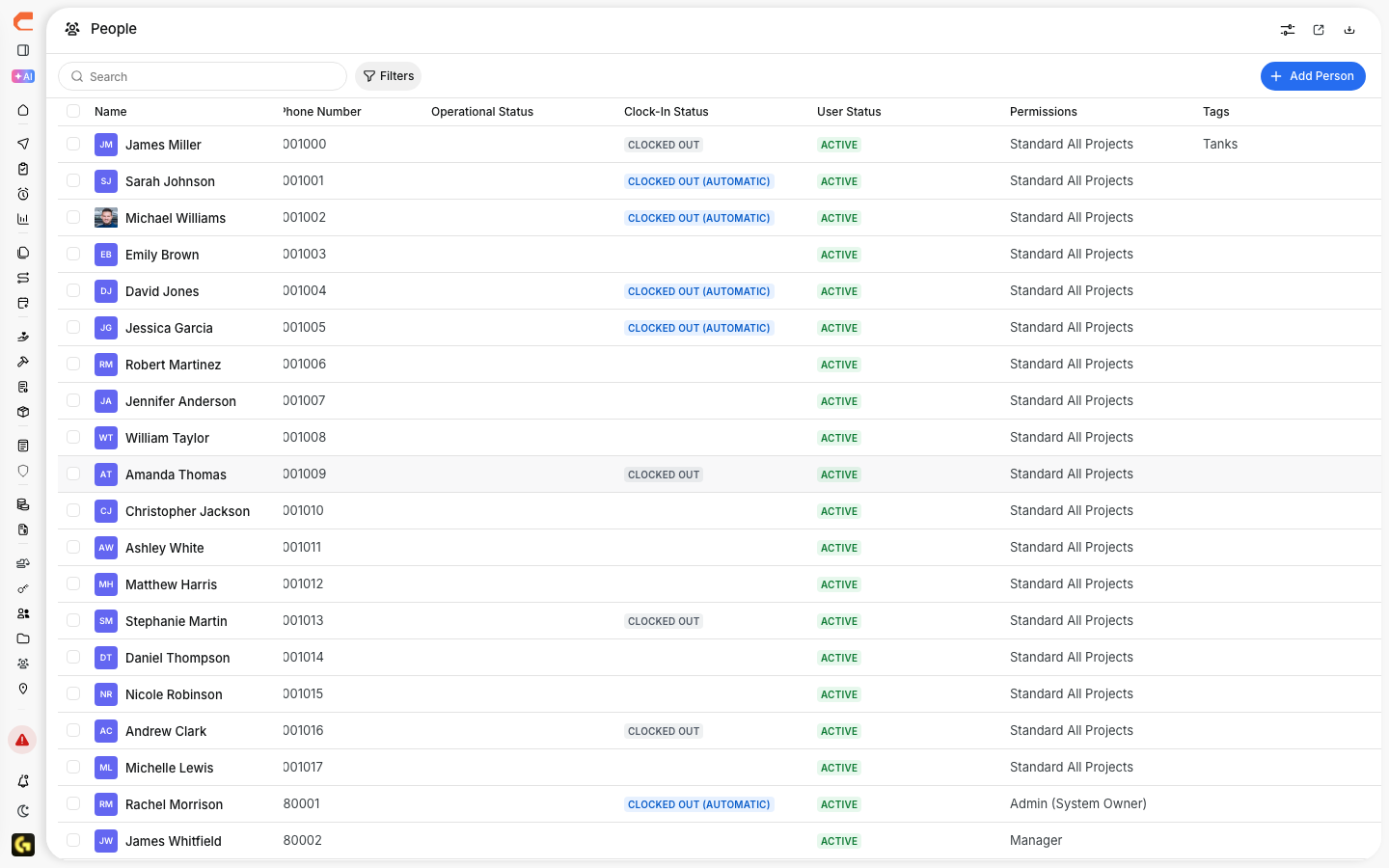
The People Directory is where you manage the people in your CLUE account. It gives your team one place to view users, check roles, update contact details, and keep the directory organized as your crew changes.
Accessing the People Directory
Start in the main navigation menu and open People under Directory. This opens the full list of users in your organization, where you can review, search, and manage user records.
Understanding the People List
The People list gives you a quick view of the main details for each user, so you can review the directory without opening every record one by one.
You can see details such as:
- Name - the person’s full name
- Role - their role in CLUE
- Phone Number - their contact number
- Email - their email address
- Status - whether they are active or inactive
- Assigned Projects - the projects they are linked to
These fields make it easier to confirm who is in the system and how they are set up.

Searching and Filtering People
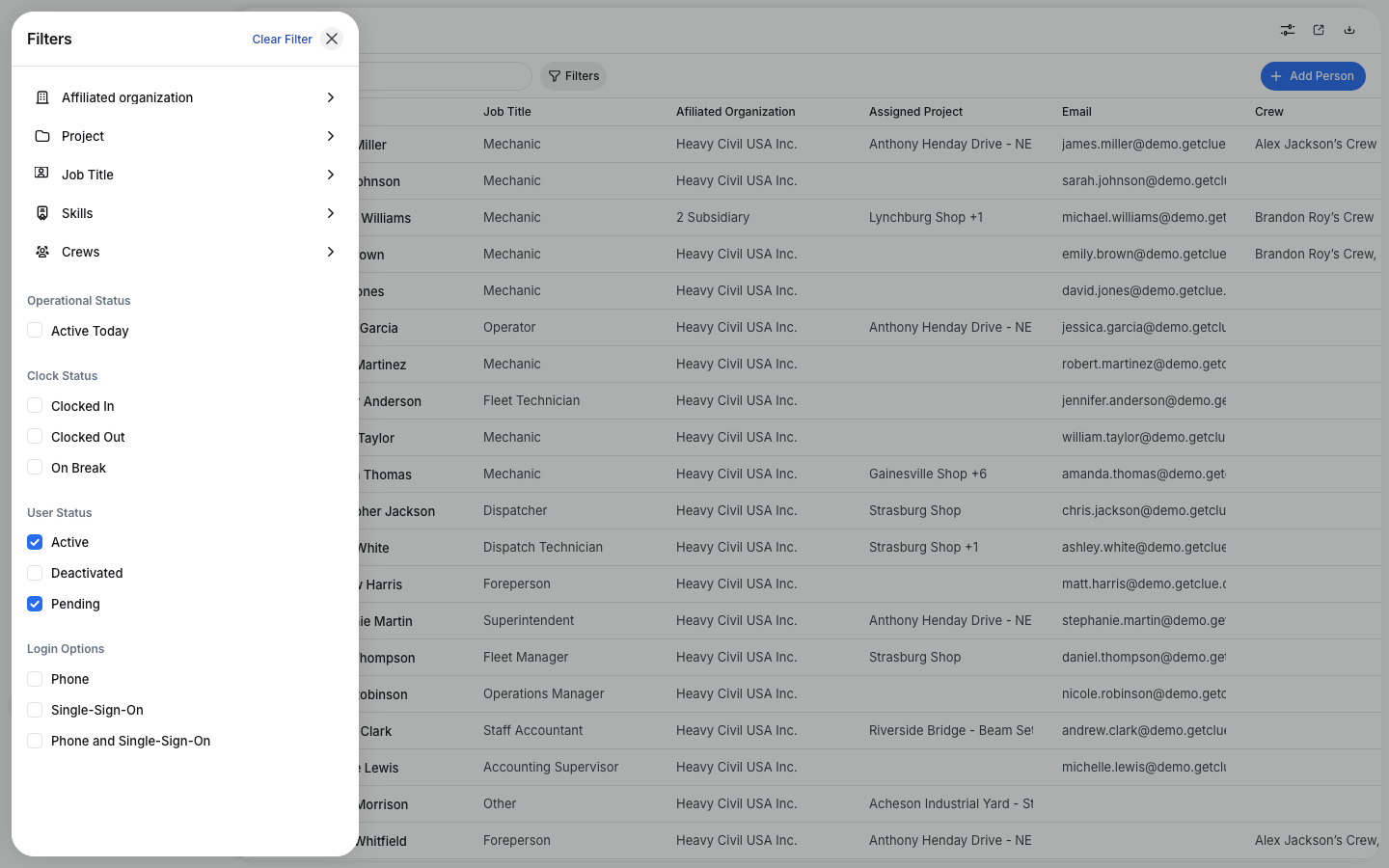
When the directory gets longer, search and filters help you find the right person faster. This is useful when you need to review a certain team, check active users, or find someone by contact details.
You can search by name, phone number, or email. You can also filter by:
- Role
- Status
- Division or Region
This makes the directory easier to work with when you are managing a large team.
Viewing User Details
Click any row to open the user detail panel. This is where you can review more information about that person and see how they are connected to the rest of the system.
The detail panel includes:
- Profile - contact details and profile information
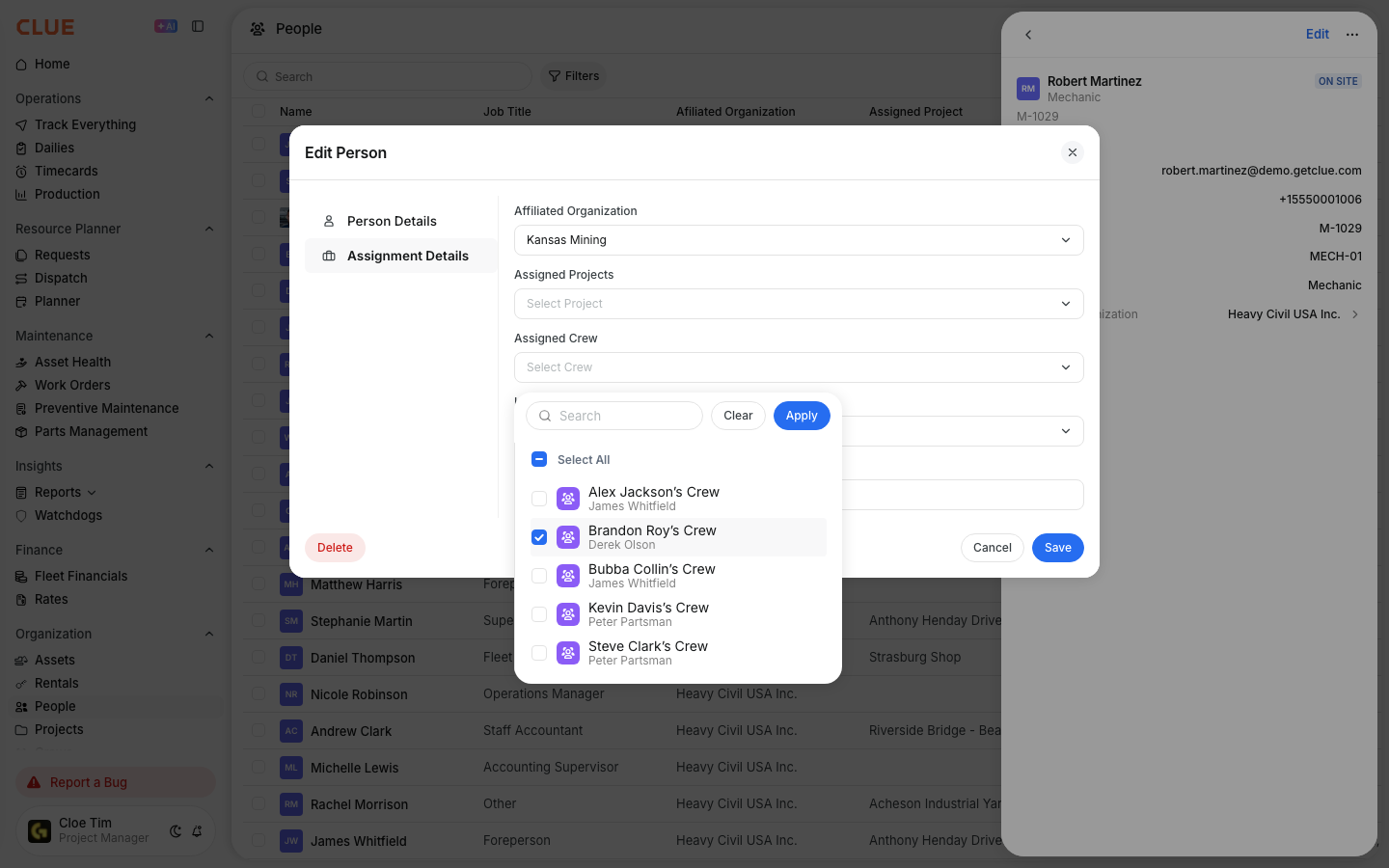
- Assignments - projects and equipment linked to that user
- Permissions - access level and role permissions
- Activity - recent activity, including timecards and work orders
If you need to review recent login or usage details, this ties in naturally with Viewing User Activity Status. If you need to review user-to-equipment relationships, Linking People to Assets is the next step.

User Roles in CLUE
Roles control what each person can see and do in CLUE. Keeping roles set correctly helps your team get the access they need without opening features they do not use.
Common roles include:
- Operator - submits inspections and timecards
- Mechanic - works on maintenance and work orders
- Dispatcher - manages dispatch and scheduling
- Equipment Manager - oversees equipment and maintenance operations
- Admin - has full access to system settings
If your team needs more control over access, use Understanding Permissions and Roles to manage built-in and custom roles.
Adding New Users
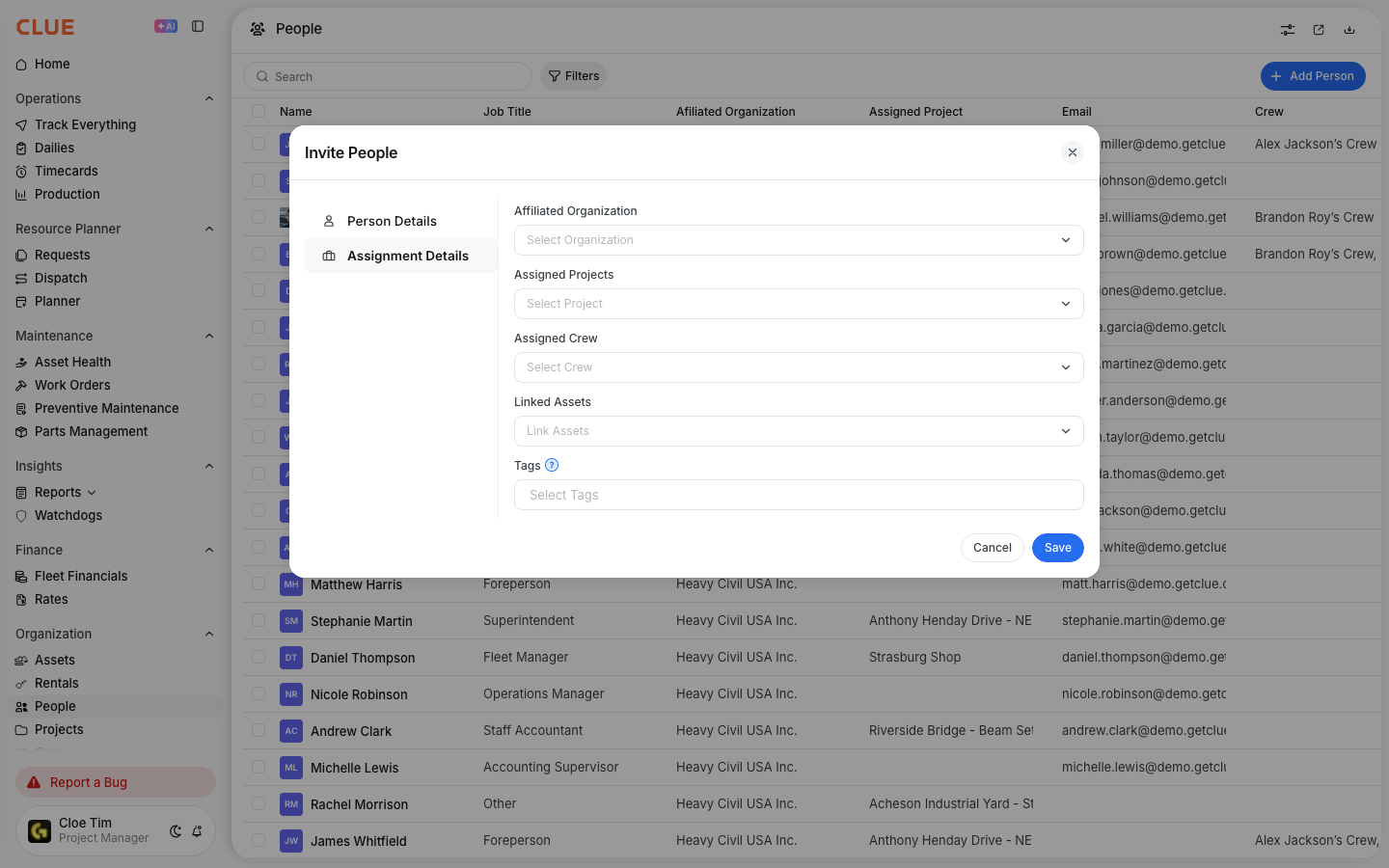
You can add new users from the People Directory when someone needs access to CLUE. Keep the user record complete from the start so the person is easier to manage later.
To add a new user:
- click Add User or the + button in the People Directory
- enter the user’s name, phone number, and email
- choose the right role
- optionally assign them to projects or divisions
- save the new user record
New users receive an invitation to set up their account and access the mobile app. If you want the full invite flow, this connects naturally with Inviting a New Person.

Tips
A few simple habits can keep the People Directory cleaner and easier to manage over time. Accurate user records also help with timecards, assignments, and day-to-day communication.
- keep phone numbers and email addresses up to date
- use roles carefully so people only see what they need
- deactivate users instead of deleting them when they leave
- assign users to the right projects so tracking stays accurate
- use Assigning People to Crews if the same teams usually work together