Creating Parts Requests
Create a parts request when a repair needs something that is not available right now. This helps the team track what is needed, connect it to the repair, and move it through the request and ordering process without losing details.
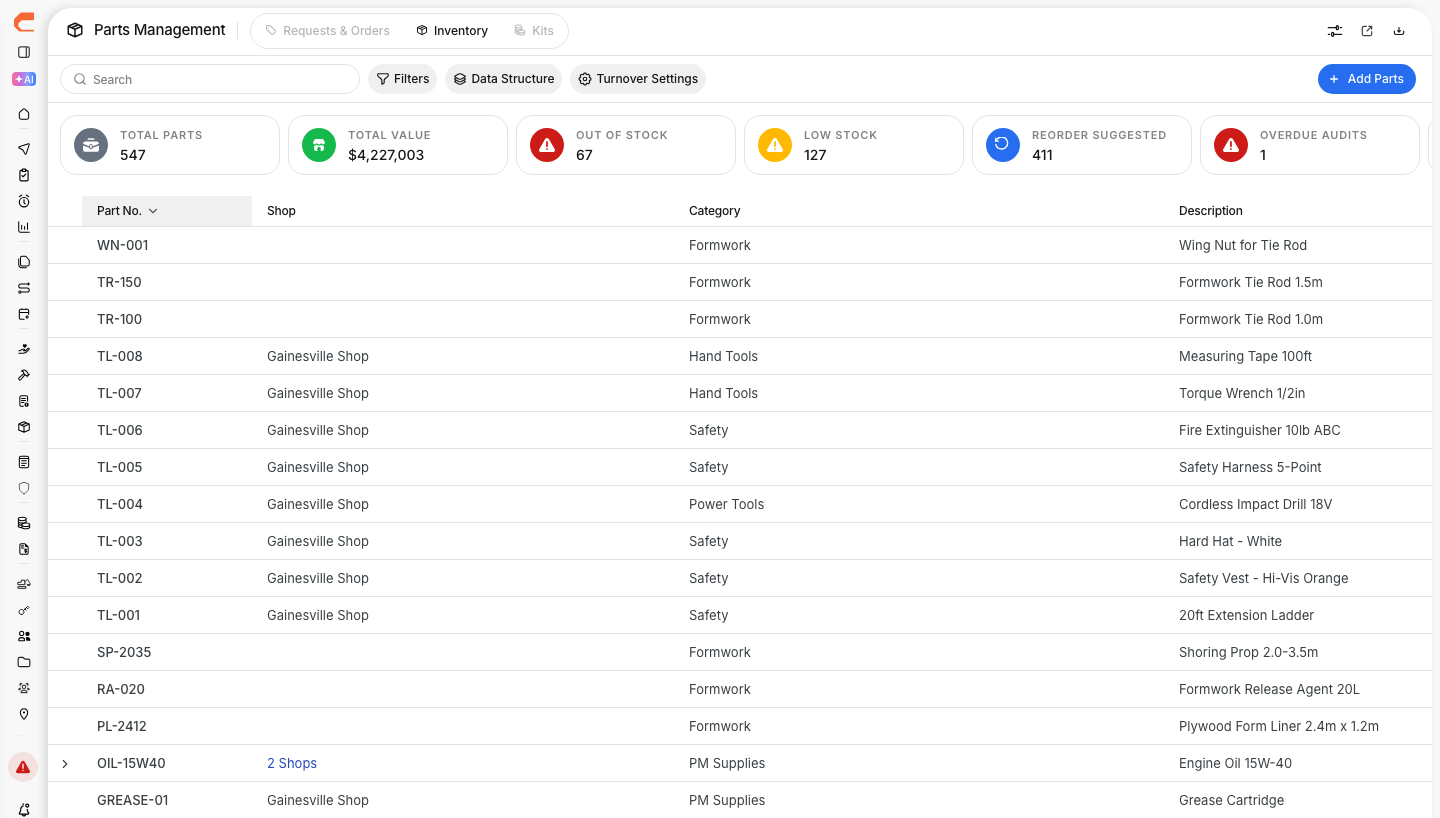
Parts management view
Parts requests are used to keep repairs moving when a needed item is not in stock or still needs to be ordered. This works well with Understanding Parts Management, Managing Parts Orders, and Adding Parts to Work Orders when your team is tracking the full parts workflow from request to install.

When to Create a Request
Create a request when the part is needed for repair work but is not ready to use from inventory. The goal is to make sure the request is documented early, especially when the repair depends on it.
Common reasons to create a request:
- Part is out of stock
- Part is not normally kept in inventory
- Item needs to be special ordered
- Repair needs a larger quantity than what is available now
Creating a Parts Request
You can create a request directly in Parts Management when the need starts outside a work order, or when the team wants to log the request before ordering begins. This keeps the request visible to the people handling approvals and purchasing.
Step 1: Open Parts Management
Go to Maintenance > Parts Management.
This opens the parts area where your team can review requests, orders, and inventory. It also connects naturally with Managing Parts if the reader needs the wider module overview.
Step 2: Click New Request
Click New Request to open the request form.
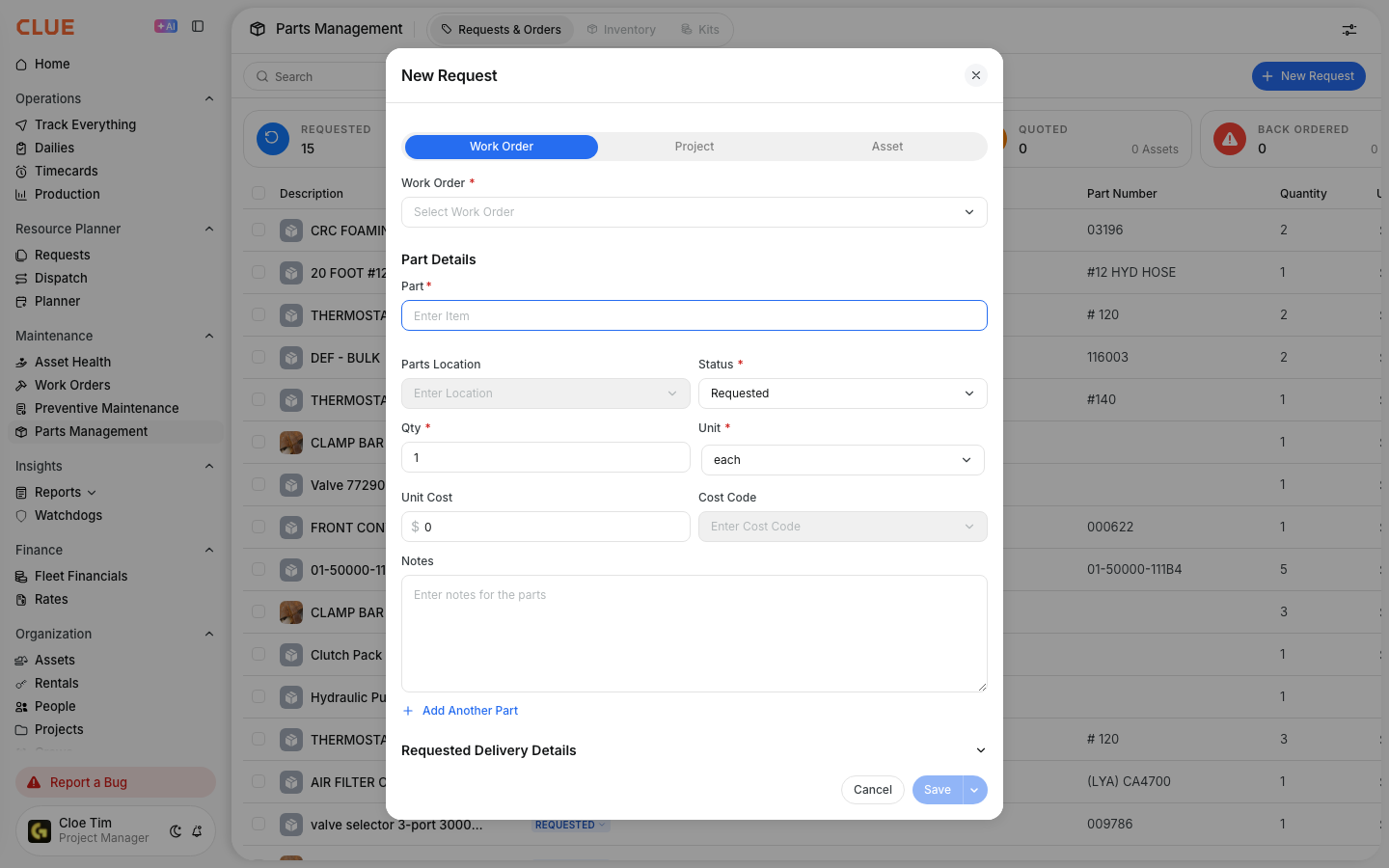
From there, you can enter the details needed for purchasing or review.
Step 3: Enter the request details
Fill in the request information as clearly as possible.
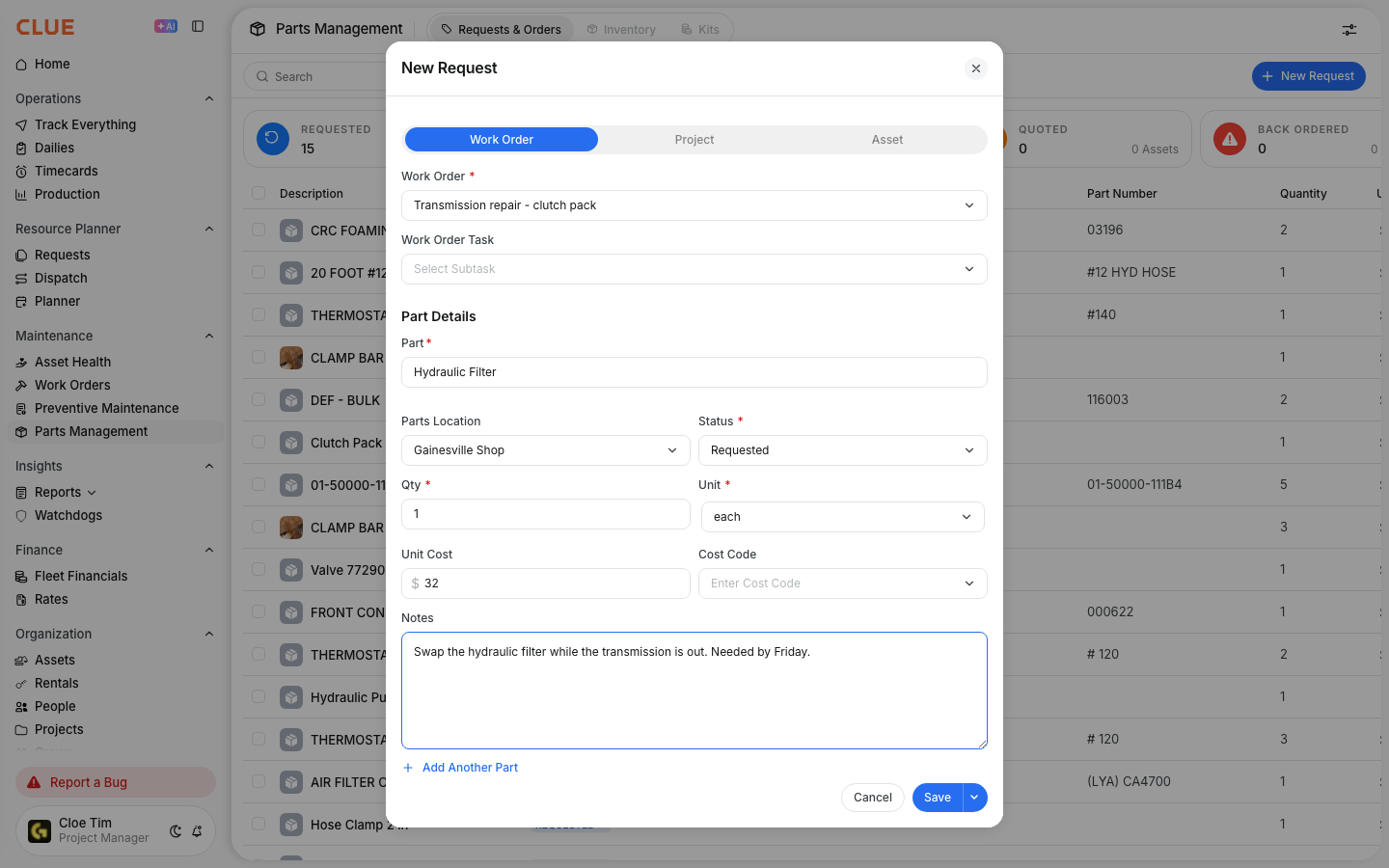
Common fields include:
- Part Name / Number
- Description
- Quantity Needed
- Work Order if the part is tied to a repair
- Urgency such as Normal, High, or Critical
- Notes for vendor details, special instructions, or repair context
Step 4: Submit the request
Click Submit Request when the form is complete.
Once submitted, the request moves into the parts workflow so it can be reviewed, approved, and ordered.
From a Work Order
You can also create a parts request without leaving the work order. This is useful when the mechanic or foreman discovers during repair that a needed part is missing or must be ordered.
Step 1: Open the work order
Open the repair job that needs the part.
This fits naturally with Creating and Managing Work Orders and Adding Parts to Work Orders when the request starts from live repair work.
Step 2: Go to the Parts tab
Open the Parts section inside the work order.

This is where parts already used, added, or requested for that repair can be tracked.
Step 3: Click Request Part
Click the Request Part to create the request.

The request is automatically linked to the work order, which makes it easier to track what part is needed for that repair and what happened next.
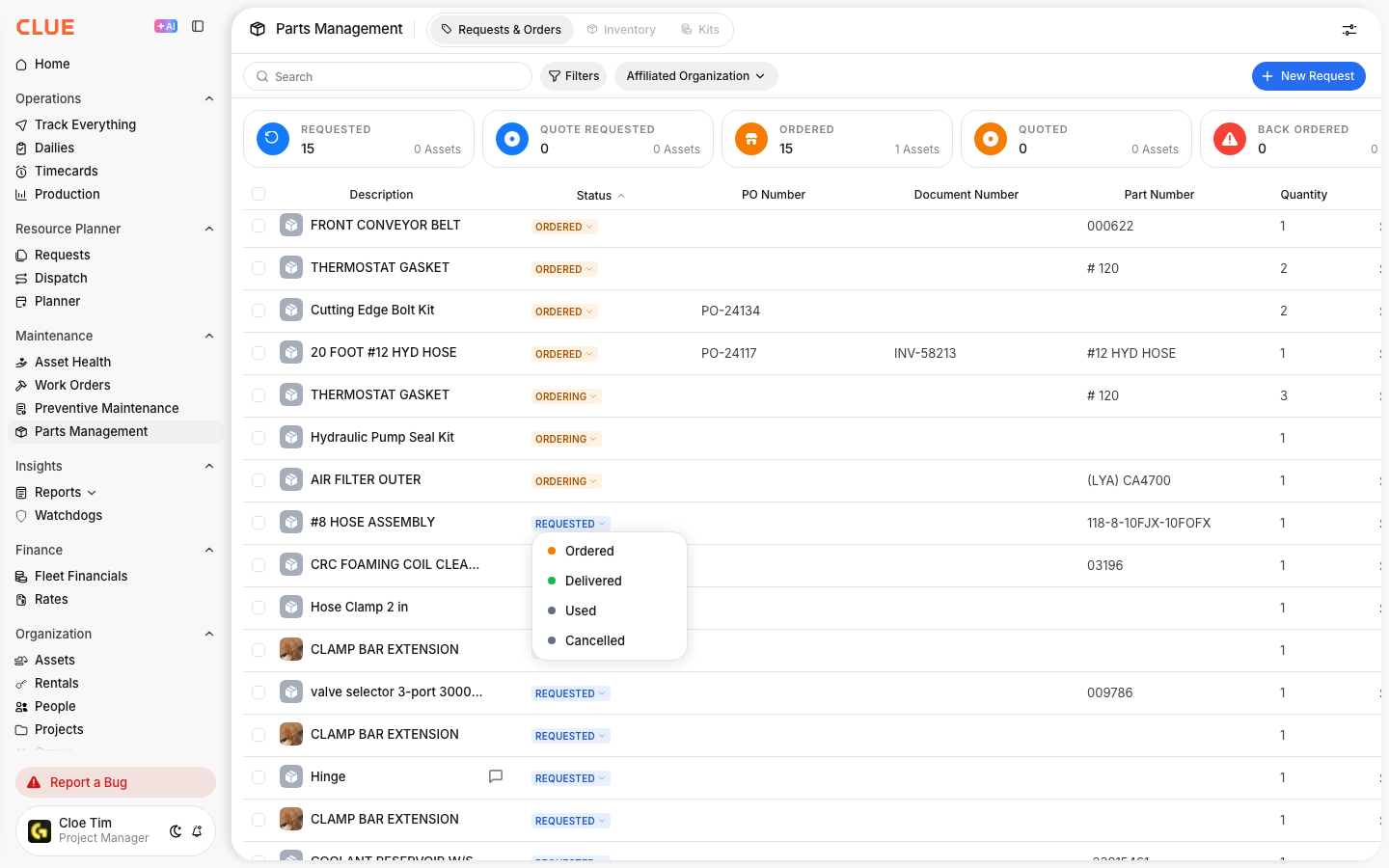
Request Statuses
Once a request is submitted, it moves through a simple status flow so the team can see where it stands. This helps everyone know whether the part is still waiting on approval, already ordered, or ready to use.

- Pending - waiting for approval
- Approved - approved and ready to order
- Ordered - purchase order has been placed
- Received - part has arrived
- Cancelled - request is no longer needed
Tips
A few small details can make parts requests easier to act on and reduce delays in the shop. The main goal is to give purchasing or the foreman enough information to move fast without needing to chase missing details.
- Include the part number when you know it
- Enter the correct quantity so the team does not need to reorder
- Mark urgency clearly for critical repairs
- Link the request to the work order when the part is tied to a live repair
- Use Tracking Parts Costs and Managing Parts Orders if your team also wants to follow the cost and delivery side of the request