Creating and Managing Tags
Tags help your team label and group records across CLUE. When you use tags consistently, it becomes easier to filter lists, organize work, and find the right records faster.
Overview
Tags are flexible labels you can apply to assets, work orders, projects, and other records. They are useful when you want an extra way to organize data beyond the standard fields already built into CLUE.
This works especially well alongside the Asset Directory, Creating and Managing Work Orders, and the Projects Directory, because tags give your team another way to sort and review records across those areas.
Accessing Tag Settings
You can manage tags from the main company settings area. This is where admins can create new tags, update existing ones, and control where tags can be used.
To get there:
- go to Admin > Company Settings
- select Tags from the menu

Creating a New Tag
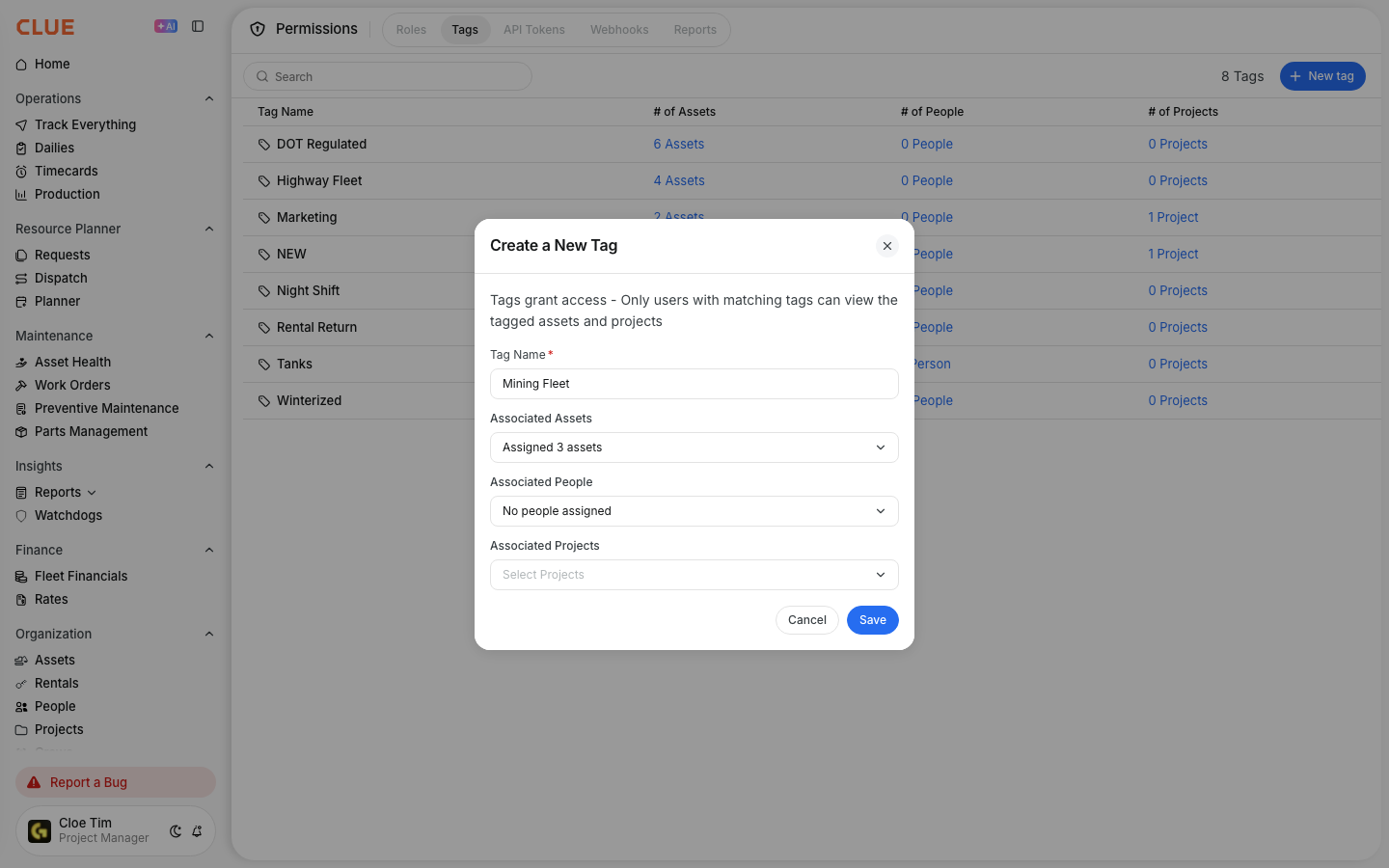
Creating a tag is simple. The main goal is to give it a clear name, choose a color that is easy to spot, and decide which records should be able to use it.
To create a tag:
- click Add Tag
- enter the tag name
- choose a color
- select which item types can use the tag
- click Save
Tag Categories
Tags can be used in different parts of CLUE depending on how your team wants to organize work. Keeping categories simple usually makes tags more useful over time.
Common examples include:
- Asset Tags - label equipment by project, condition, or purpose
- Work Order Tags - group maintenance by type, priority, or shop process
- Project Tags - organize jobs by client, region, or internal group
Using Tags
Once tags are created, they can be added while creating or editing records. This gives your team a faster way to group related items and filter them later in lists and reports.
You can use tags to:
- add labels while creating or editing records
- filter lists to find matching items faster
- organize report views and analysis more clearly
Tags become even more useful when records are already set up cleanly in places like the Asset Directory, Projects Directory, and Work Orders.

Tips
A simple tag setup is easier to maintain than a long list of overlapping labels. Clear names and regular cleanup will make tags much more useful as your data grows.
- keep tag names short and consistent
- use colors to make tags easier to scan
- review unused tags from time to time
- avoid creating multiple tags that mean the same thing