Managing construction equipment effectively can make or break a project. From heavy machinery to smaller tools, knowing where your assets are and keeping them in top shape is critical. Modern teams rely on construction equipment management software to track, schedule, and maintain every piece of equipment efficiently.
Proper equipment management saves time, cuts costs, and keeps projects on schedule. Well-maintained machines reduce breakdowns, idle time, and unexpected delays. Teams also benefit from better safety and compliance when equipment is monitored closely.
With larger sites and more complex projects, having a clear system for tracking and managing equipment is essential. Monitoring usage, planning maintenance, and recording repairs help teams make smarter decisions and stay productive. Strong equipment management drives efficiency, accountability, and success on every project.
What is Construction Equipment Management?

Construction equipment management is the practice of organizing, monitoring, and maintaining all machinery, tools, and equipment used on a construction site. It ensures that assets are available when needed, operate efficiently, and remain safe for use. Equipment management spans everything from daily inspections and preventive maintenance to tracking performance, location, and operational metrics.
Modern construction technology allows managers to monitor equipment digitally, integrating GPS, telematics, and automated alerts. For example, a loader can report engine hours and maintenance needs automatically, while managers see utilization rates and idle time on dashboards. This data-driven approach reduces downtime, prevents costly breakdowns, and improves decision-making.
A robust management system also covers owned, rented, or leased equipment. Properly tracking usage and scheduling ensures maximum productivity, prevents overuse of certain machines, and helps managers plan replacements or rentals efficiently.
Why Construction Equipment Management Matters
Efficient equipment management impacts productivity, costs, and safety. Unplanned downtime is expensive. Studies show that reactive repairs can cost 3 to 9 times more than preventive maintenance, factoring in labour, expedited parts, and project delays.
Proper management reduces idle equipment, ensures crews have the right assets, and keeps projects on schedule. A poorly maintained crane or bulldozer can delay multiple tasks, while tracking performance helps managers optimize scheduling and utilization.
Safety is another critical factor. Equipment that is inspected, maintained, and monitored is less likely to fail unexpectedly, protecting operators and other personnel on site. Proper workflows also ensure compliance with regulations and reduce the risk of accidents.
Core Components of Equipment Management
Effective management depends on several interrelated areas:
| KPI | Formula | What It Shows |
|---|---|---|
| Utilization Rate | Hours used / Available hours × 100 | Percentage of time equipment is productive |
| Downtime Rate | Downtime hours / Scheduled hours × 100 | How much productive time is lost |
| MTTR (Mean Time to Repair) | Total repair time / Number of repairs | Speed of recovery after failures |
| PM Compliance | Completed PMs / Scheduled PMs × 100 | How disciplined maintenance practices are |
| Repeat Failure Rate | Repeat failures / Total failures × 100 | Whether root causes are addressed |
Each component works together to keep equipment productive, reduce costs, and improve operational efficiency. For example, tracking utilization data helps managers decide when to rent additional machinery versus reallocating existing assets.
Best Practices for Managing Construction Equipment Efficiently

Efficient equipment management depends on clear visibility, proper allocation, accurate reporting, and connected workflows. The goal is to make sure every asset is easy to locate, assigned correctly, and supported by reliable data across every project.
1. Keep an Accurate Equipment Inventory
Start with a complete record of every machine, tool, and asset across your projects. Include ownership status, location, assigned operator, usage history, and availability. A centralized inventory helps teams avoid duplicate rentals, misplaced assets, and scheduling conflicts.
2. Assign Equipment Based on Project Needs
Equipment should be allocated according to jobsite demand, project timelines, and actual utilization. When managers can see which assets are idle, active, or overbooked, they can move equipment between sites more efficiently and reduce unnecessary rental costs.
3. Track Usage and Utilization
Monitoring engine hours, idle time, location, and usage patterns helps teams understand whether equipment is being used productively. This data supports better decisions around rentals, replacements, scheduling, and fleet size.
4. Simplify Operator Reporting
Operators should be able to report equipment status, usage notes, and performance issues quickly from the field. Simple reporting workflows help supervisors stay informed without relying on scattered messages, paper forms, or delayed updates.
5. Connect Equipment Data in One System
Digital equipment management software gives teams one place to track assets, assignments, utilization, costs, and service records. For teams looking specifically for maintenance steps, here is a detailed guide on how to maintain equipment on a construction site.
Managing Equipment Risks and Downtime
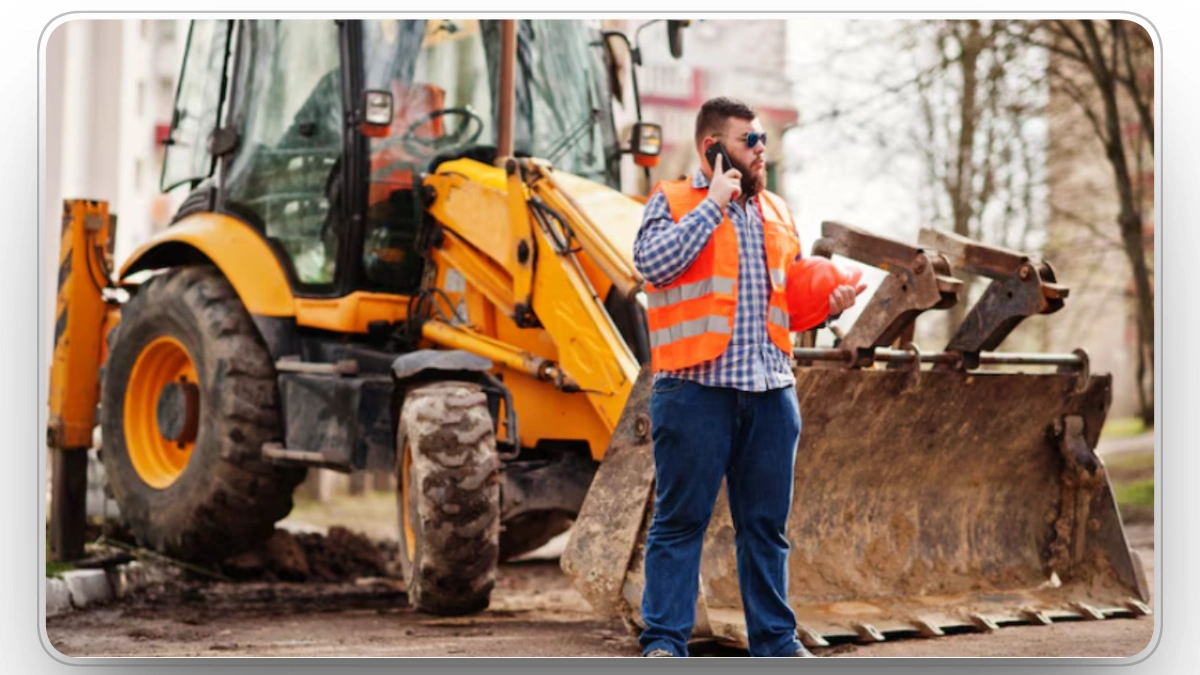
Equipment-related delays can affect schedules, labor planning, and project costs. While breakdown prevention depends on strong maintenance practices, equipment management focuses on visibility, documentation, and fast response when issues occur.
Managers should track which assets are unavailable, which jobs are affected, and how long equipment remains out of service. This makes it easier to prioritize replacements, reassign available machines, and reduce disruption across the site.
A connected system also helps teams identify recurring issues, compare downtime across assets, and decide whether equipment should be repaired, replaced, rented, or reassigned. This keeps decisions based on data rather than guesswork.
Managing Equipment Costs and Budgets
Budgeting for equipment includes both direct costs like purchase, rental, insurance, fuel, and maintenance, and indirect costs such as idle time and depreciation. Decisions about whether to rent, buy, lease, or replace equipment should be based on usage patterns, project duration, and performance history.
| Decision Situation | Best Option | Why |
|---|---|---|
| Short-term needs | Rent | Avoid large upfront costs and gain flexibility |
| Long-term use | Buy | Lower cost per use over time |
| Medium-term projects | Lease | Balanced cost and ownership benefits |
| Aging equipment with high repair costs | Replace | Reduce downtime and repair cycles |
By tracking costs and performance data, managers can make informed decisions, optimize budgets, and ensure that equipment contributes positively to project ROI.
Technology and Software for Equipment Management
Technology is now central to equipment management. The right software allows teams to:
- Track location, engine hours, and performance metrics in real time
- Schedule preventive maintenance automatically
- Generate alerts for potential failures or overdue inspections
- Access dashboards showing utilization, downtime, and repair history
- Integrate with project management and accounting systems
For a quick summary of what the right system delivers, read our post on the benefits of equipment management software.
Clue’s construction equipment management software connects operators, supervisors, and maintenance teams in real time. Daily inspections are logged on mobile devices, fault codes trigger automated work orders, and utilization dashboards show which assets are idle or overused. This system ensures nothing is overlooked, reduces downtime, and allows managers to plan maintenance and allocation proactively.
Managing Heavy Machinery and Large Plant

Large machinery such as cranes, excavators, loaders, and haul trucks requires strong coordination across sites. These assets are expensive, high-demand, and often critical to project timelines, so managers need clear visibility into where they are, how they are being used, and when they are available.
Schedule Equipment Across Projects
Plan usage across multiple jobsites to avoid idle machines on one project while another site rents similar equipment. Better scheduling improves utilization and reduces unnecessary rental spend.
Monitor Availability and Status
Supervisors should know whether each machine is active, idle, unavailable, assigned, or in transit. This helps teams plan work more accurately and avoid last-minute equipment shortages.
Track Ownership, Rental, and Lease Details
Heavy machinery may be owned, rented, or leased. Tracking contract terms, usage limits, rental periods, and project assignments helps control costs and prevents equipment from staying on-site longer than needed.
Improving Equipment Tracking on Site
Visibility is critical for managing equipment across active construction sites. Without accurate tracking, teams can lose time searching for assets, over-rent equipment, or underuse machines already available.
Real-Time Location Tracking
GPS and telematics help managers see where equipment is located and whether it is active or idle. This improves dispatching, scheduling, and cross-site coordination.
Utilization Reporting
Usage data helps teams understand which machines are productive and which are sitting unused. Managers can use this information to reassign assets, reduce rental costs, and make better fleet planning decisions.
Accountability and Documentation
When equipment assignments, operator usage, and site activity are logged consistently, supervisors gain a clearer picture of how assets are being used. This improves accountability and supports better reporting across projects.
Managing Safety Equipment on Site

Safety equipment is as important as heavy machinery and requires systematic management.
Inventory and Inspections
Keep detailed records of all PPE, harnesses, fire extinguishers, and other safety assets. Schedule regular inspections and replace worn or damaged items promptly.
Integration with Workflows
Integrate safety equipment tracking into broader equipment management processes. Linking inspections, usage logs, and compliance reporting ensures nothing is overlooked and keeps workers protected.
Training and Communication
Operators should know how to report damaged or missing safety equipment. Clear communication channels ensure that supervisors and safety managers can act quickly to prevent hazards.
Common Mistakes to Avoid
Even experienced teams can lose efficiency when equipment data is incomplete, disconnected, or difficult to access.
1. Not Knowing Where Equipment Is
Poor visibility leads to wasted time, duplicate rentals, and delays. A centralized tracking system helps teams locate equipment quickly and assign assets more effectively.
2. Ignoring Idle or Underused Equipment
Idle equipment ties up capital without creating value. Monitoring utilization helps managers move assets where they are needed and reduce unnecessary rental or ownership costs.
3. Relying on Manual Records
Paper logs and disconnected spreadsheets make it hard to see current equipment status. Digital records provide a more accurate view of asset location, usage, assignments, and costs.
4. Poor Operator Reporting
Operators are closest to the equipment, so their updates matter. If reporting is inconsistent, supervisors may miss important usage details or delays in the field.
5. Choosing Software That Does Not Fit Workflows
Software should support how teams already work. If a system is too complex or disconnected from field operations, teams may avoid using it, which weakens equipment visibility and reporting.
Construction Equipment Management Checklist
A practical equipment management checklist helps teams keep assets organized, visible, and cost-efficient across projects.
- Maintain a complete equipment inventory across all sites
- Track ownership, rental, and lease details
- Monitor location, usage, idle time, and availability
- Assign equipment based on project needs and utilization
- Record operator updates and equipment status changes
- Review equipment costs, rental duration, and utilization reports
- Use software to centralize asset data and improve decision-making
Following this checklist helps managers maintain control over their fleet, reduce wasted resources, and make better decisions about equipment allocation, rentals, and replacement planning.
Conclusion
Construction equipment management is about more than tracking machines it ensures assets are productive, safe, and cost-efficient. Structured workflows, preventive maintenance, and software-driven insights reduce downtime, optimize utilization, and improve project outcomes. Teams using construction equipment management software like Clue gain visibility and control over their fleets, making every project more predictable and profitable.
Related: our guide to the best construction equipment management software compares the leading platforms for 2026.
FAQs
1. How can small construction teams track equipment?
Use spreadsheets, mobile apps, or cloud checklists to log usage, inspections, and repairs. Basic tracking reduces idle time and keeps projects on schedule.
2. What should I look for in equipment management tools?
Features like real-time tracking, maintenance scheduling, mobile access, repair logs, and workflow integration are essential for efficiency.
3. How do I improve utilization across sites?
Track usage, engine hours, and idle time. Rotate assets and align maintenance with active workloads for maximum productivity.
4. How does equipment management reduce downtime?
Equipment management reduces downtime by improving visibility into asset location, availability, utilization, and service status. This helps teams plan work, reassign machines, and respond faster when equipment becomes unavailable.
5. How do I manage safety equipment with machinery?
Track inventory, schedule inspections, and replace worn items. Integrating safety checks with overall workflows ensures compliance.
6. Can software reduce equipment costs?
Yes. By monitoring utilization, scheduling maintenance, and minimizing downtime, software lowers repair and rental expenses.
7. How is equipment management different from maintenance?
Equipment management focuses on tracking, assigning, monitoring, and optimizing assets across projects. Equipment maintenance focuses on inspections, servicing, repairs, and preventing breakdowns.

Transform Your Equipment Management


