Using Equipment Properties on Assets
Overview
CLUE comes with an extensive library of Equipment Property fields that let you build a complete digital profile for every asset in your fleet. From engine specs and tire details to lease terms, licensing, internal rates, and more — you can track it all in one place.
All of these fields are available to every CLUE organization. Just tell us which categories you want and we will turn them on — you can enable one category, a handful, or the entire catalog. There is no limit.
Where to Find Equipment Properties
- Go to Assets in the Directory section
- Click on any asset to open the Asset Detail view
- Click the Edit button (pencil icon) to enter edit mode
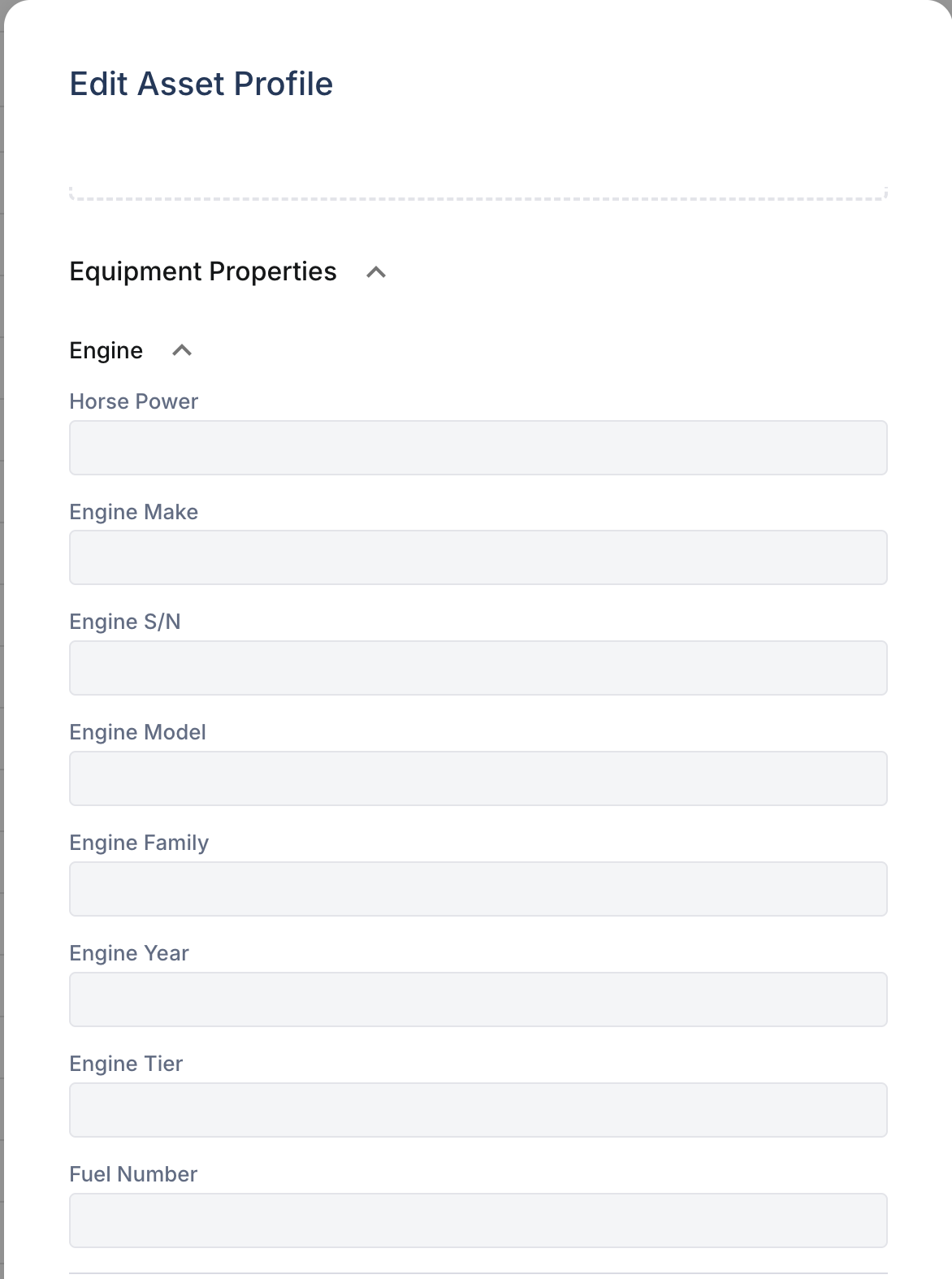
- Scroll down past the standard fields to the Equipment Properties section
- Click a category name to expand it and see its fields
How to Fill In Properties
- Open the asset and click Edit
- Scroll to the Equipment Properties section
- Click the category name (e.g., Engine) to expand it
- Type values into each field
- Click Save when done
You can fill in as many or as few fields as you like — none are required.
Full Property Catalog
Here is everything available in CLUE. Any or all of these can be enabled for your organization at any time.
Engine
Detailed engine specifications for each asset.
- Horse Power
- Engine Make
- Engine S/N (serial number)
- Engine Model
- Engine Family
- Engine Year
- Engine Tier (emissions tier rating, e.g., Tier 4 Final)
- Fuel Number
Dimensions
Physical measurements and weight specifications.
- Length
- Height
- Gross Vehicle Weight
- Tare Weight
- Volume
- Wheel Base
- Number of Axles
Tires
Tire sizes, types, and wheel torque specifications.
- Tire Size / Tire Size Front / Tire Size Rear / Tire Size Tag Axle
- Tire Info
- Wheel Torque Front / Rear / Tag Axle
Licensing
Registration, plates, and compliance dates.
- License Plate Number
- License Plate State
- License Plate Expiration Date
- License Type
- IFTA State
- Safety Check Expiration Date
Lease
Lease agreement details for leased equipment.
- Leasing Company
- Lease Contract Number
- Lease Start Date / End Date
- Lease Payment
- Lease Residual Value
Rates
Internal billing and cost tracking rates.
- Daily Rate / Hourly Rate / Monthly Rate
- Daily Ownership Rate
- Hourly Operating Rate
- Minimum Hours Charged
Acquisition & Disposal
Purchase and disposal financial records.
- Acquisition/Purchase Price
- Acquisition/Purchase Date
- Disposal Proceeds
- Disposal Date
Asset Profile
Extended identity and classification fields.
- Class
- Owner Entity
- Former Unit Number
- Short Description / Long Asset Name
- Gross Weight
- Assigned Driver
- Machine Attachment
Emissions
Environmental compliance tracking.
- CARB EIN (California Air Resources Board Equipment Identification Number)
Filters
Filter specifications for maintenance reference.
- Filter Information
Hauling
Load capacity specifications for hauling equipment.
- Weight Capacity
- Volume Capacity
Parts
PM parts lists for scheduled maintenance.
- PM1 Parts List / PM2 Parts List / PM3 Parts List / PM4 Parts List
Telematics
GPS and telematics device information.
- Subscription Level
- Device Type
- Telematics Source
- Tracker Serial Number
Tracking
GPS and toll tracking device identifiers.
- GPS Required
- GPS ESN
- I-Pass Serial Number
Technical Specs
Specialized component specifications (e.g., for drill strings, augers, or similar equipment).
- Collapsed Length / Elements / Cog Style / Tooth Style
- Flight Thickness / Wall Thickness / Box Type / Flight Type
Dispatch
Special requirements for dispatching the asset.
- Dispatch Requirements
How to Get Categories Enabled
Every category listed above is ready to go — just let us know what you want turned on.
- Ask your CLUE administrator — admins with system configuration access can enable categories directly from CLUE Admin.
- Contact CLUE support — email support@getclue.com and tell us which categories you want. We typically enable them the same day. You can request individual categories or simply say "turn on everything" and we will enable the full catalog.
Once enabled, the new categories appear immediately on every asset in your organization — no refresh or logout needed.
Tips
- Fill in equipment details when you first add an asset to save time later
- Engine serial numbers and license plate info are especially useful for warranty claims, parts ordering, and compliance
- Lease and rate fields help finance teams track equipment costs without leaving CLUE
- Many organizations start with a few categories and add more over time — you can always enable additional ones later