Logging Time with Timecards
Use Timecards to log labor hours and connect that time to the right work order. This helps your team keep labor records accurate for job costing, payroll review, and maintenance history.
Track Labor Hours Accurately
Timecards are built to capture hours worked and tie those hours back to the work being done. If your team logs labor directly inside maintenance jobs, this fits naturally with Recording Labor Time on Work Orders and Adding Labor to Work Orders so labor cost stays connected to the repair.
Accessing Timecards
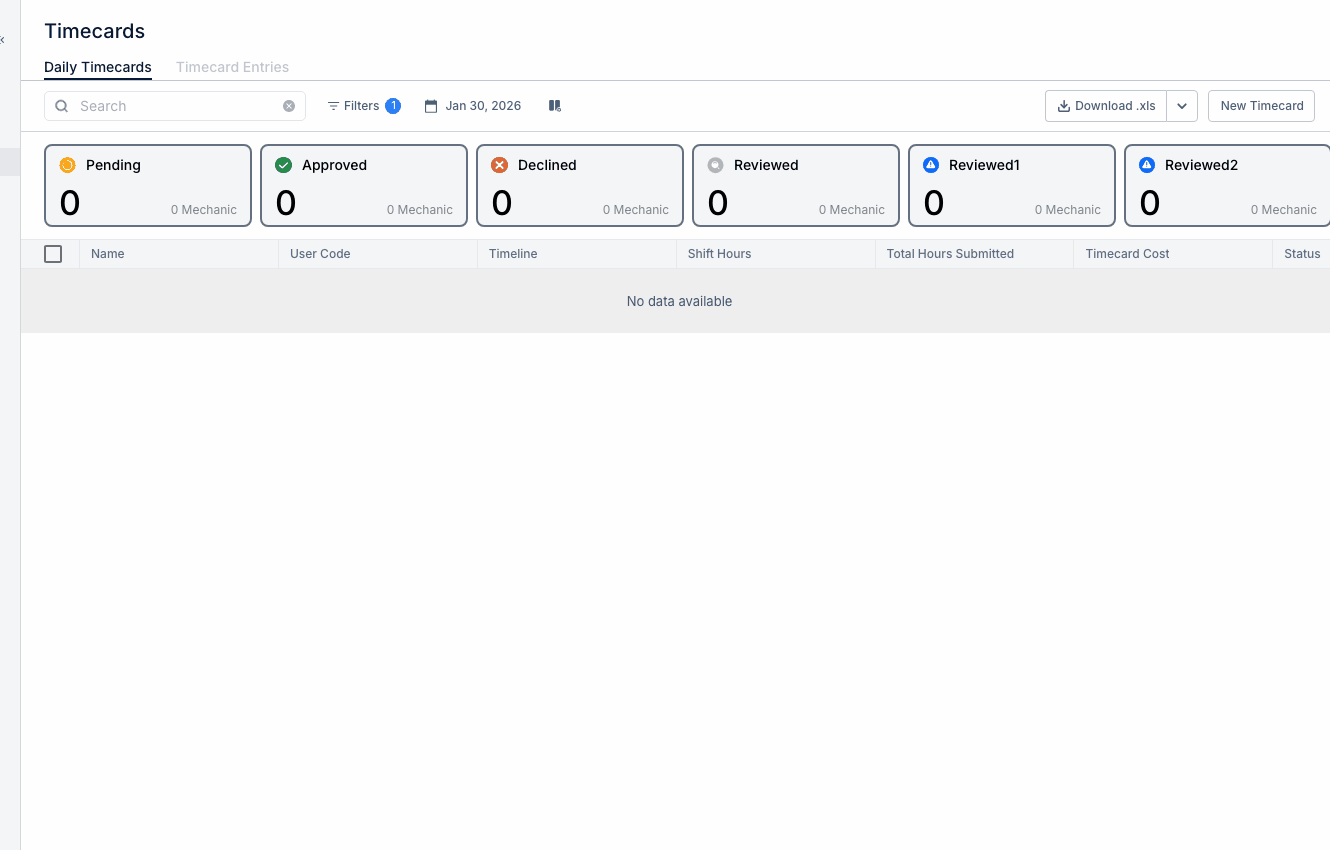
Start from the main Timecards area in CLUE. This is where users can review daily hours, add labor entries, and manage time linked to work orders.
Go to Main Menu > Timecards to open the timecard dashboard.
Viewing Your Timecard
The daily timecard view gives you a quick look at the hours already logged. It is useful for checking that time was entered on the right day and tied to the right work order before payroll review.
In this view, you can review:
- total hours worked for the day
- time grouped by work order
- completed tasks
- related labor costs.
If you need to review or correct individual entries later, the next step is usually Managing Timecard Entries.
Adding a Time Entry
Add a time entry when work is completed so the labor record stays accurate. Logging time daily usually gives better notes, cleaner hours, and fewer payroll corrections later.
To add a labor entry:
- click Add Labor, or open the work order you want to charge time to
- select the work order
- enter the hours worked
- add a short description of what was done
- choose your skill or job type if your setup uses it
- save the entry.
If the work order already exists and you are adding labor from the job itself, Updating a Work Order and Adding Labor to Work Orders are the best related articles to open next.
Logging Time from Work Orders
You can also log labor directly from inside the work order. This is often the easiest option when a mechanic is already updating the job and wants the time entry tied to that repair right away.
To log time from a work order:
- open the work order details
- go to the Labor tab
- click Add Labor
- enter the hours and other details
- save the entry.
Once linked, the work order can show total hours, labor cost, who worked on it, and when the work was done.
Reviewing Team Timecards
Managers and supervisors can review timecards for their team from the same Timecards area. This makes it easier to check missing hours, unusual entries, work order links, and time before payroll is processed.
Use filters to narrow the view by person, crew, department, or date range. If your company uses approvals, managers can review entries, approve accurate ones, and reject entries that need correction. For the full manager workflow, link this section to Reviewing Team Timecards.
Tips
A few simple habits make timecards easier to manage and more useful for reporting.
- log time daily instead of waiting until later
- keep work order links accurate so maintenance labor is charged to the right job
- use notes when the hours need extra explanation
- review team entries often so payroll issues are caught early
- if a repair has parts and labor, pair the time entry with Adding Parts to Work Orders so the full job cost stays in one record.