Using the Track Everything Map
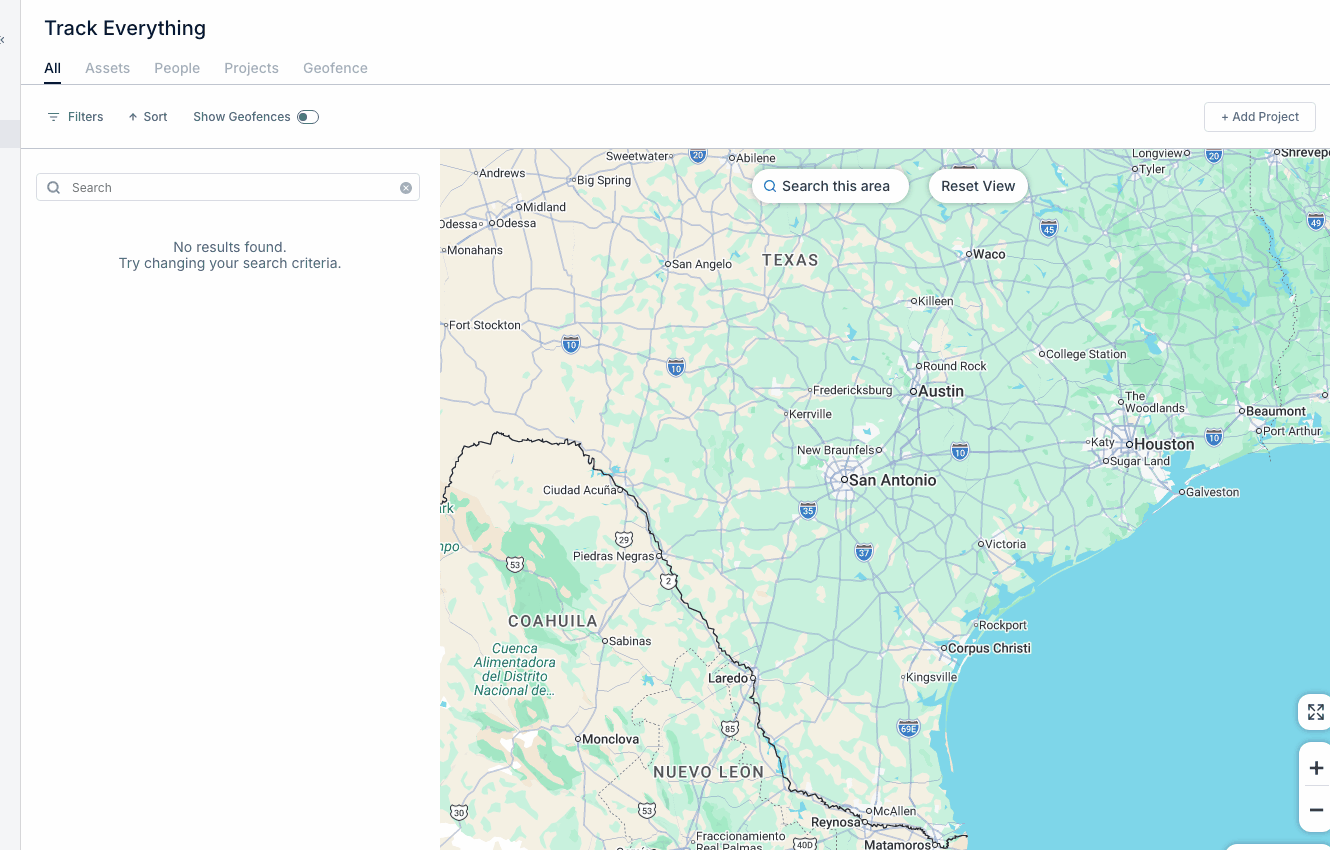
Track Everything is CLUE’s live GPS map for viewing equipment locations in one place. Use it to see where assets are, open asset details, and quickly move around the map when you need to check a site or piece of equipment.
Overview
The Track Everything map gives you a live view of tracked assets across your fleet. It is useful for day-to-day location checks, site visibility, and quick follow-up when someone needs to know where a machine was last seen. If you want to see more than just assets, go to Using Track Everything for the full view with people, projects, and geofences.
Accessing Track Everything
Open Track Everything from the main menu to load the map. When the page opens, CLUE shows your tracked assets on the map so you can start reviewing locations right away.
- Click Track Everything in the main menu
- The map loads showing tracked assets.
Map Views
The map can be viewed in different ways depending on the kind of location you are reviewing. Switch views when you need more road detail, more site detail, or a better look at the terrain.
- Map View - standard road map
- Satellite View - aerial imagery
- Terrain View - topographic detail. For remote sites or undeveloped areas, Satellite View is usually the easiest place to start.
Navigation Controls
The map includes basic controls for moving around and reloading the view. These tools help when you need to zoom into a site, move across the map, or return to the default fleet view. If you pan to a new area and need fresh results, use Using Search This Area to reload assets for the part of the map you are looking at.
- Zoom - use the + / - buttons or your scroll wheel
- Pan - click and drag to move around
- Reset View - return to the default fleet view.
Asset Markers
Each marker on the map represents a tracked asset. The icons and clusters help you scan the map faster, especially when you have many assets close together in the same area.
- Colored icons show the asset type
- Clusters group nearby assets together
- Click any marker to open quick information. If you need to narrow what shows on the map, use Finding Assets on the Map or Filtering Assets by Status to focus on the right equipment faster.
Asset Details
Clicking a marker opens a quick view of the asset. This gives you the basic information you usually need first, along with actions to keep moving into the workflow.
- Asset name and type
- Current location address
- Last update time
- Quick actions such as View Details and Create WO. If you need to review where that asset has been over time, open Viewing Asset History on Map next.
Tips
A few simple habits can make the map easier to use day to day. Use the map for quick checks, then move into search, filters, or history when you need more detail.
- Use Satellite View for remote job sites
- Zoom in on clusters to see individual assets
- Check Last Updated to confirm the location is current
- Filter by project when you want to focus on one site
- If you are not seeing the assets you expect after moving the map, use Search This Area to refresh the view.