System Status and Uptime Monitoring
Use the CLUE status page to quickly check whether the platform is running normally. This gives your team a single place to check whether a problem is coming from CLUE itself before you start troubleshooting internally. Our status page includes uptime history and past incident details. It shows the current status of the web app, mobile apps, backend services, cloud infrastructure, and external API, along with recent uptime. If there's any ongoing incidents you can read about them on our status page and see updates in real-time as we work to get them resolved. The status page also shows past resolved incidents.
How to Use It?
The status page is meant for quick checks. Start with the current banner at the top, then scroll down if you need more detail about uptime or past issues.
1. Check CLUE's Current Status
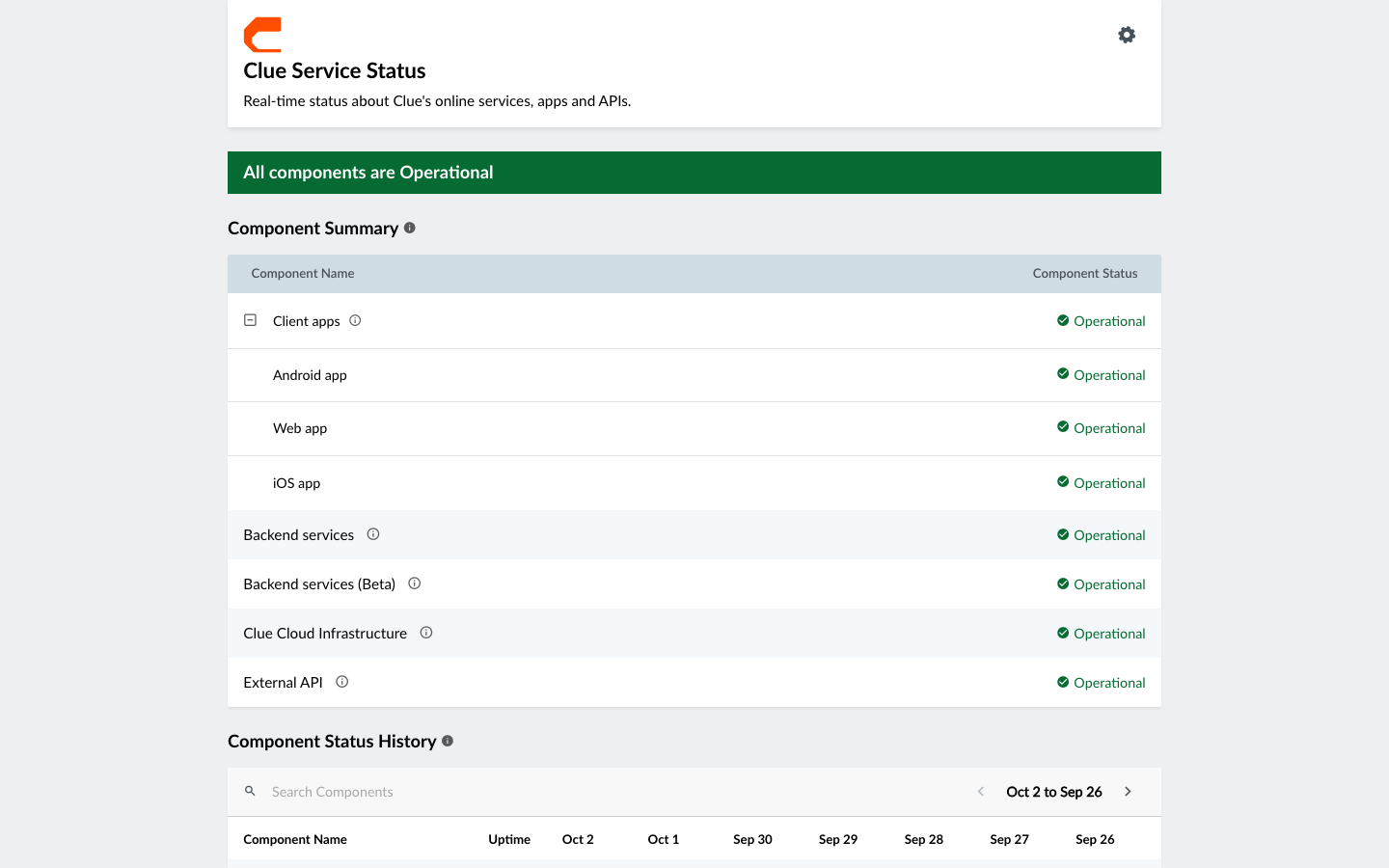
Open the CLUE status page and look at the banner at the top. If everything is running normally, the page shows that clearly and the banner is green in color. Below that, each component is listed on its own, including the Android app, web app, iOS app, backend services, cloud infrastructure, and our external API.
2. Review Uptime History
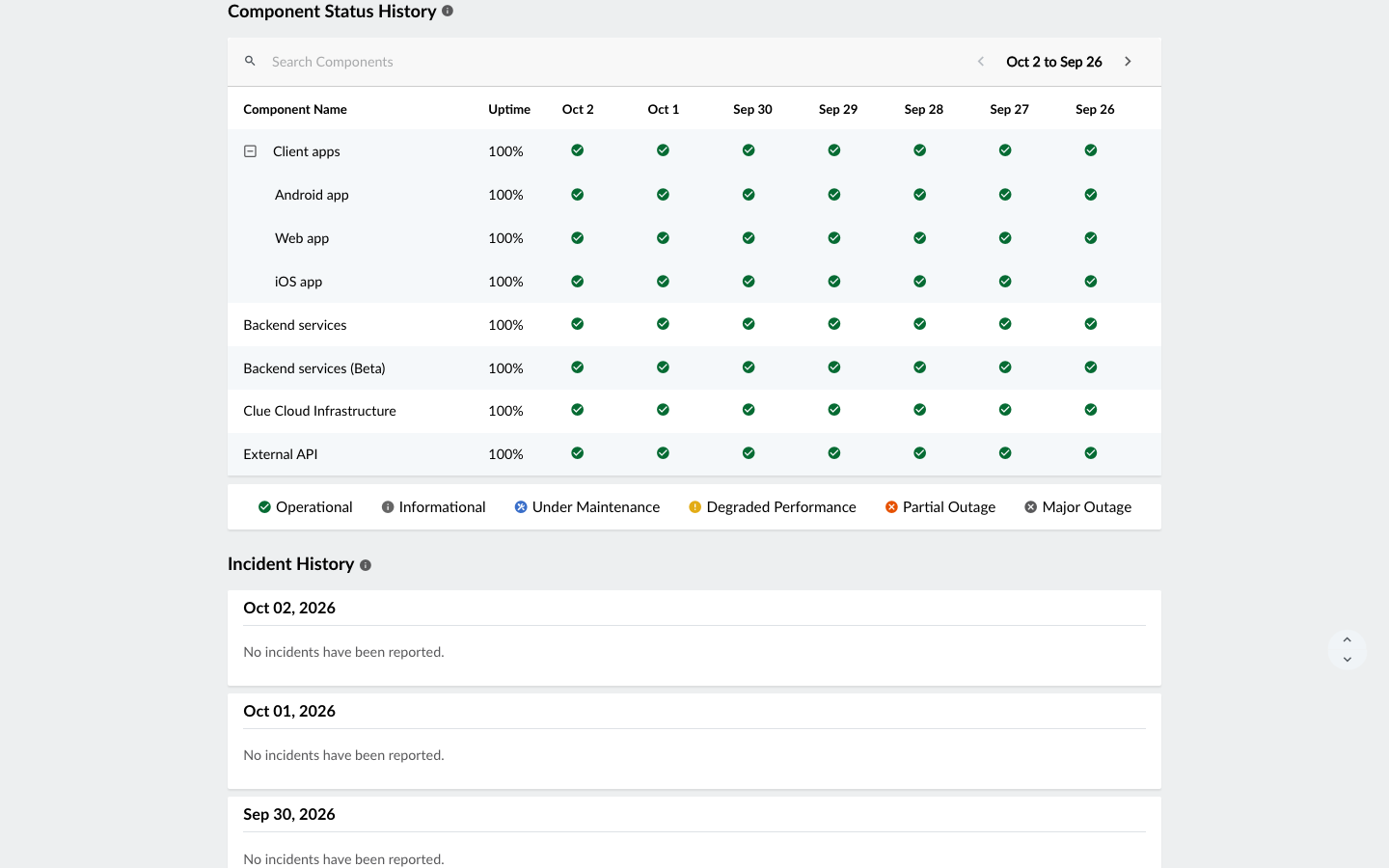
Scroll down to the Component Status History section to see recent uptime by day. This section shows a 7-day view with daily uptime percentages, and a green checkmark to indicate full uptime for that day.
3. Review Incident History
Below the uptime section, the Incident History section shows past outages and maintenance events. Each entry includes timing and resolution notes, which helps you understand whether there was a recent service issue.