Fuel Reports and Analytics
Use CLUE's reporting tools to review fuel activity across your fleet. You can look at fuel filled by division, project, location, or individual asset. From there you can compare it with utilization, idle time, and other operating metrics in the same report.
Fuel reporting in CLUE is part of the broader reporting and utilization workflow. The Asset Utilization Report combines usage data, idle data, fuel consumption, and related fleet metrics, which makes it a useful place to review fuel trends and compare assets over time. If your team is entering fuel from the field first, start with Filing a Fuel Report, then use this documentation to learn how to analyze the results.
How to Use It
Open the report, switch to the fuel metric you want to review, then use filters to narrow the data. From there, you can study the chart, review the table, and export or schedule the report for regular updates.
1. Open the Fuel Report
Go to the reporting area within CLUE and open the Asset Utilization Report. Then choose Fuel Filled from the metrics dropdown menu. Use the organization tree and report filters to narrow the view by division, project, location, asset, or a date range. If you need a walkthrough of using the report layout first, go to Understanding the Asset Utilization Report or Running the Utilization Report.
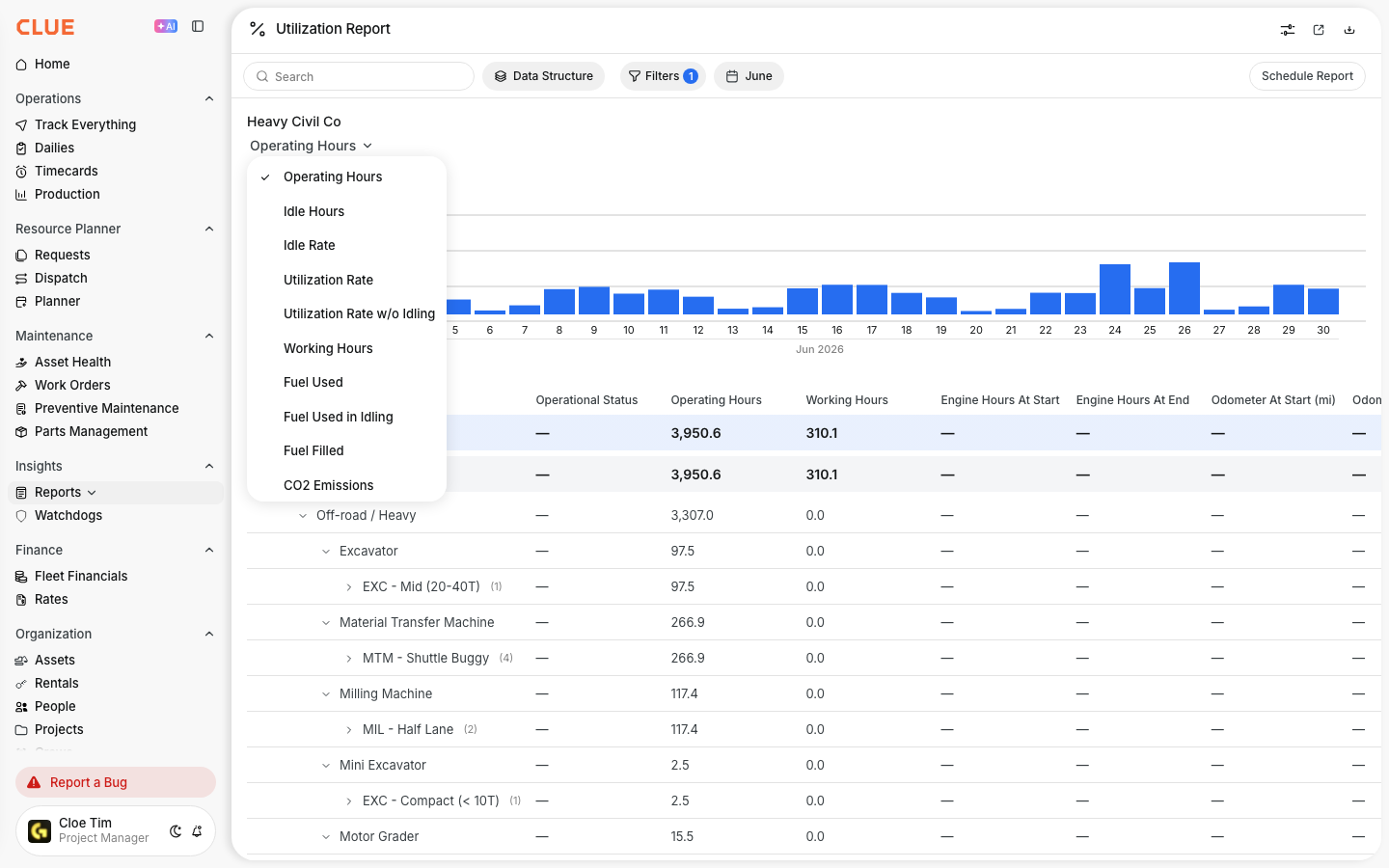
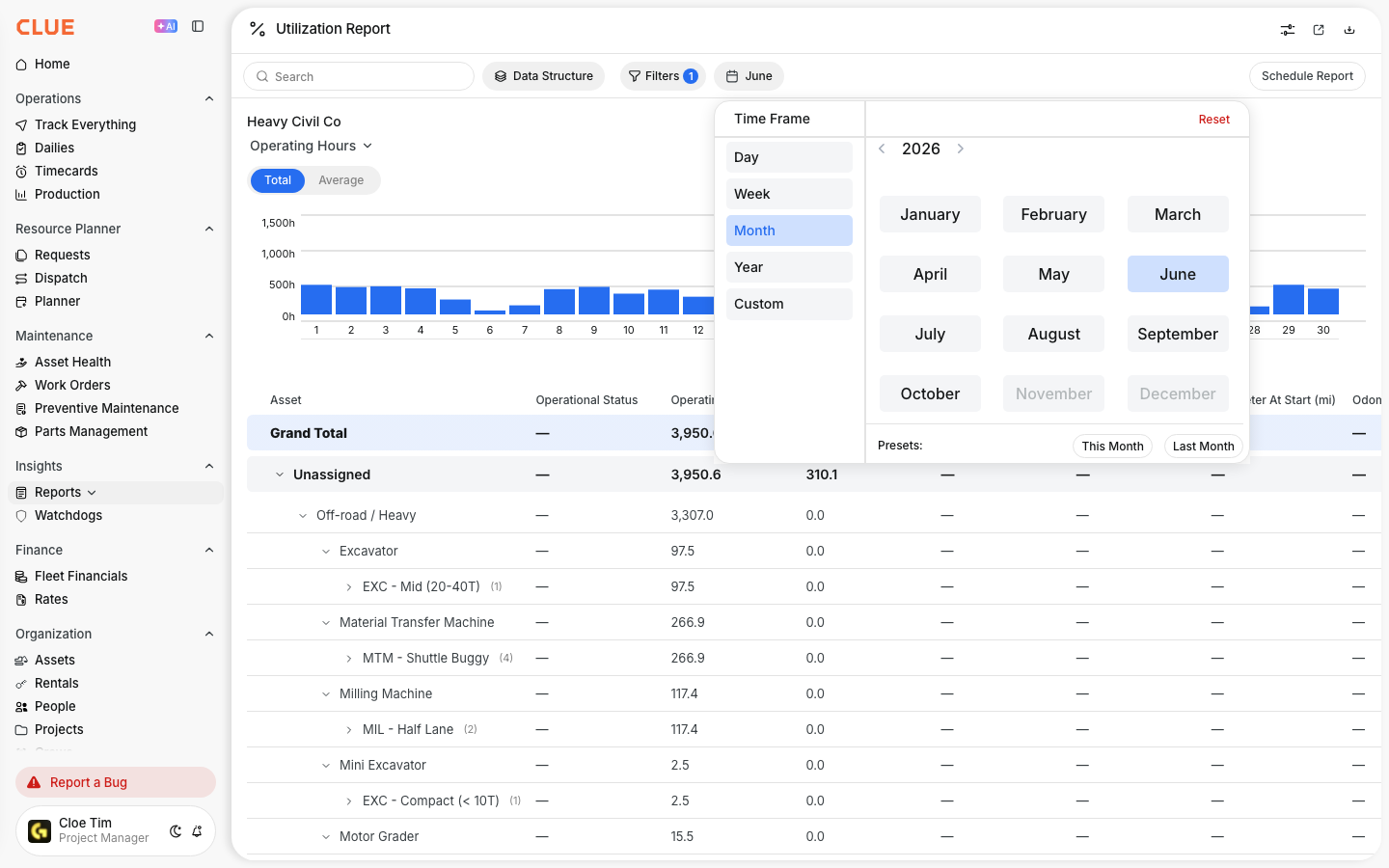
2. Analyzing the Data
The chart displays fuel activity over time. This can help you spot usage trends across the selected date range. The table below gives you a more detailed breakdown by asset or group, including utilization and fuel-related metrics that can help explain where fuel is going and how efficiently equipment is running.
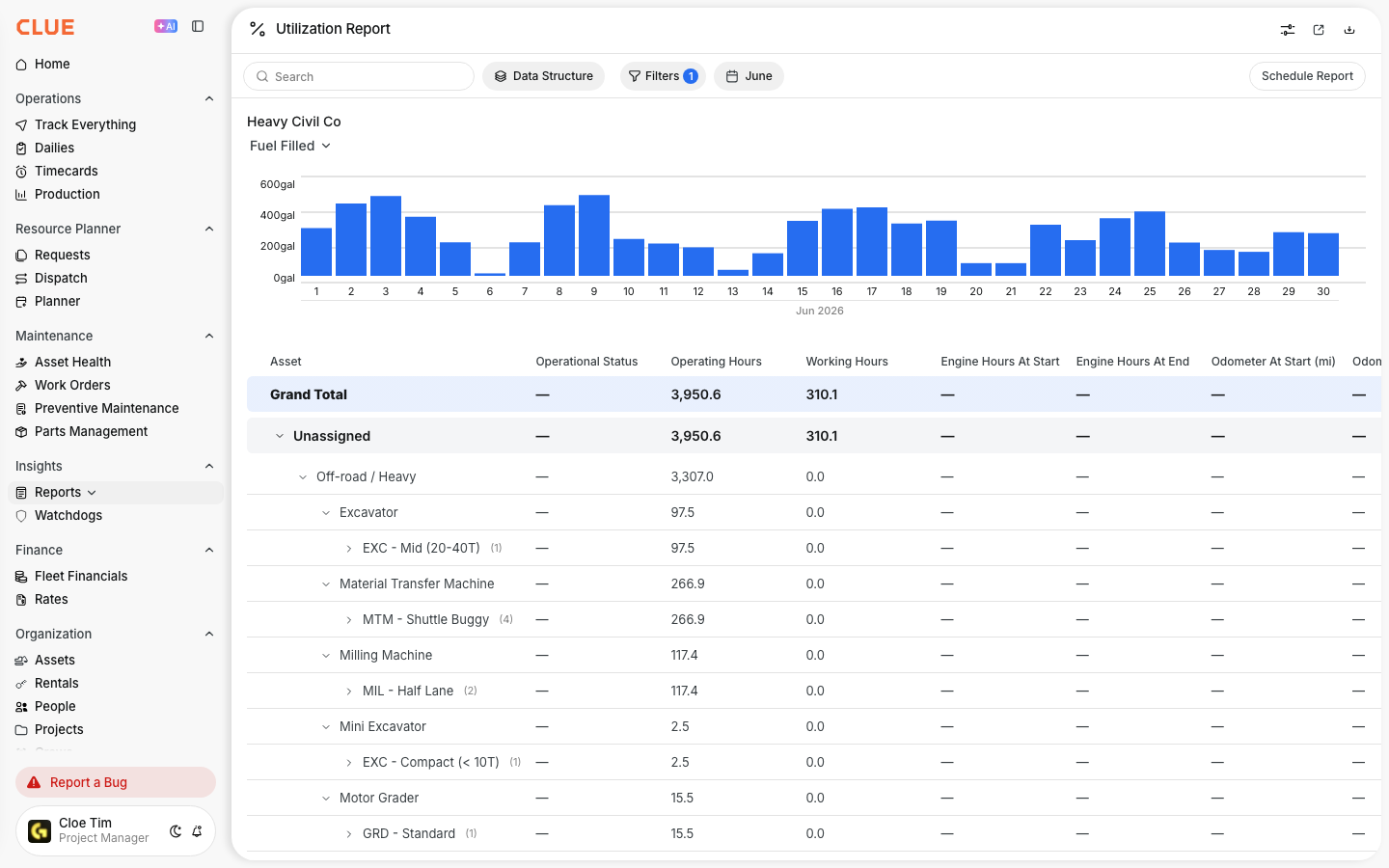
Depending on your setup, the table can include metrics such as:
- Operating Hours
- Working Hours
- Idle Hours
- Idle Rate
- Fuel Used
- Fuel Efficiency
- CO2 Emissions
- Fuel Filled
- Utilization Rate
If an asset looks off, compare its fuel activity with idle time and utilization before determining there is a fuel problem. That usually provides a clearer picture than looking at gallons alone. If someone entered the wrong amount of gallons in the field, fix that first in Reviewing and Editing Fuel Entries so the report reflects the correct data.
3. Export or Schedule
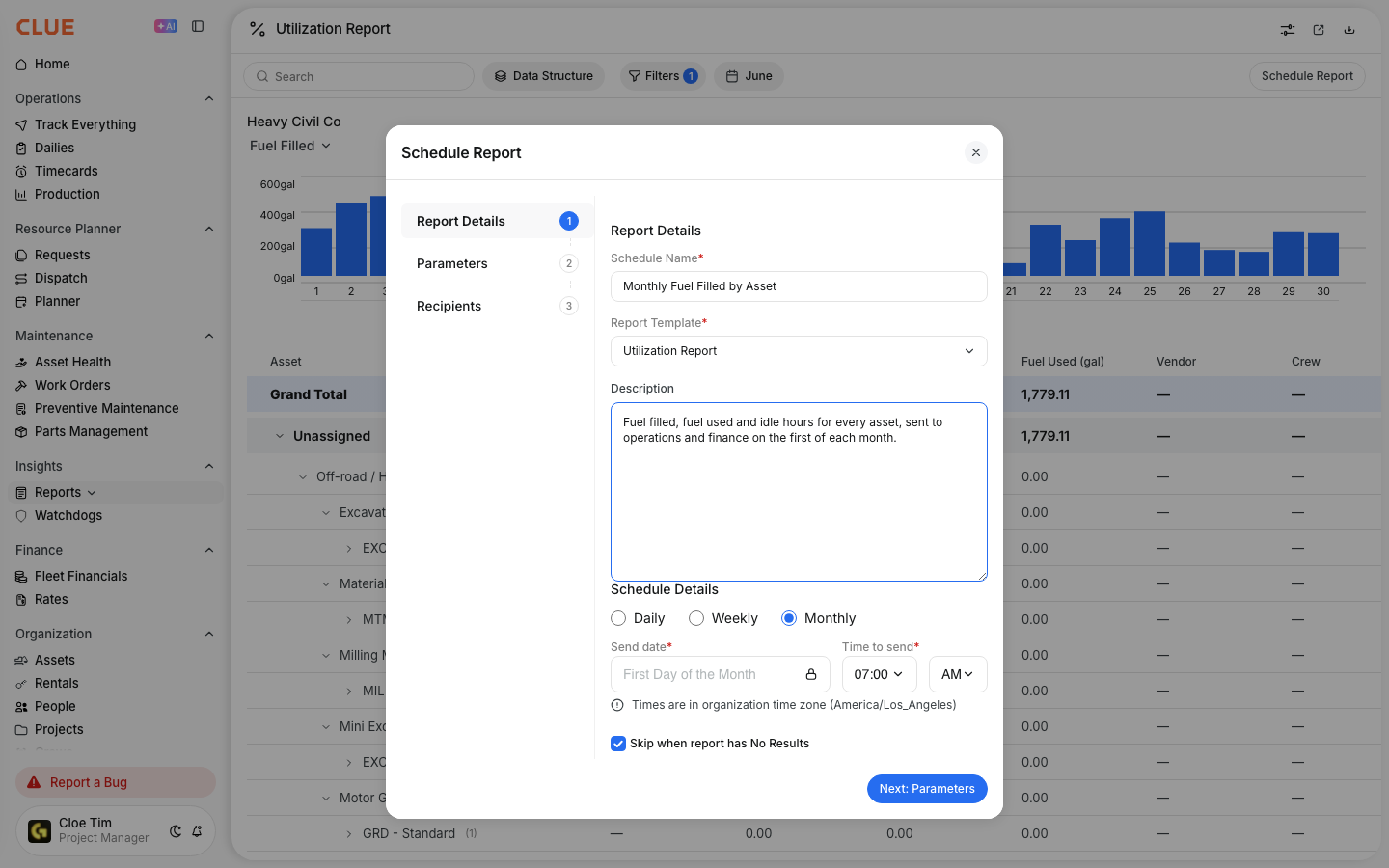
After applying the filters you want, you can export the report or schedule it to be sent automatically to you via email. CLUE's reporting pages support filtered reporting, exporting, and shared reporting workflows. This makes it easier to send fuel data to your operations, finance, or project teams without rebuilding the same view every time.
If your team reviews fuel data by project often, pairing the report with Managing the Projects Directory can make project-level fuel reporting easier to organize.


