Using the right asset type and category helps keep your fleet data clean. It also makes reporting, PM setup, and filtering easier as your fleet grows.
Asset Types
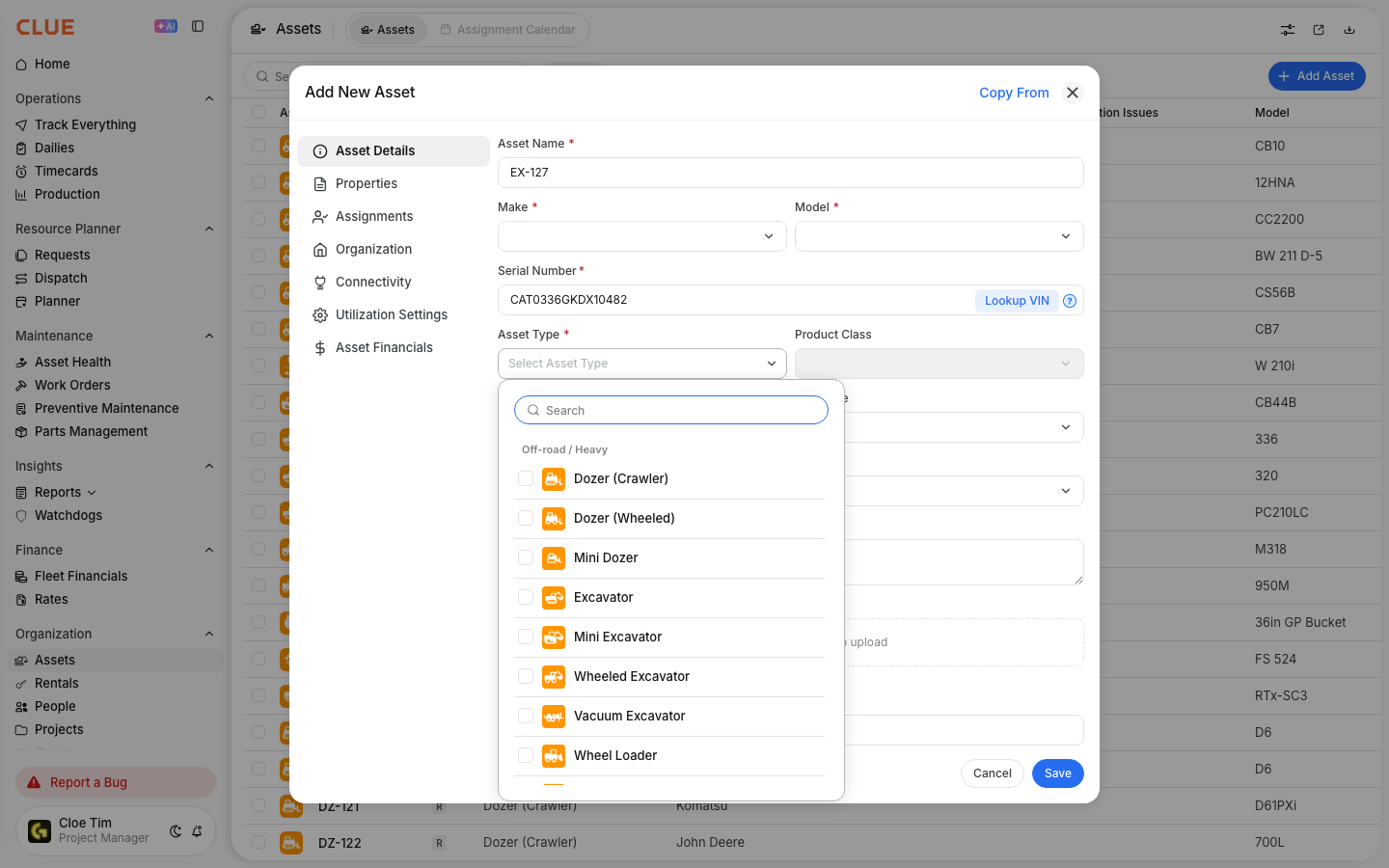
Asset Types are the main groups CLUE uses to organize equipment. They give each asset a top-level category so your team can sort and manage the fleet in a consistent way.
Top-level asset types include:
- Vehicle - trucks, vans, and cars
- Equipment - heavy machinery and construction equipment
- Tool - power tools and hand tools
- Attachment - buckets, blades, and forks
- Trailer - flatbeds, lowboys, and containers
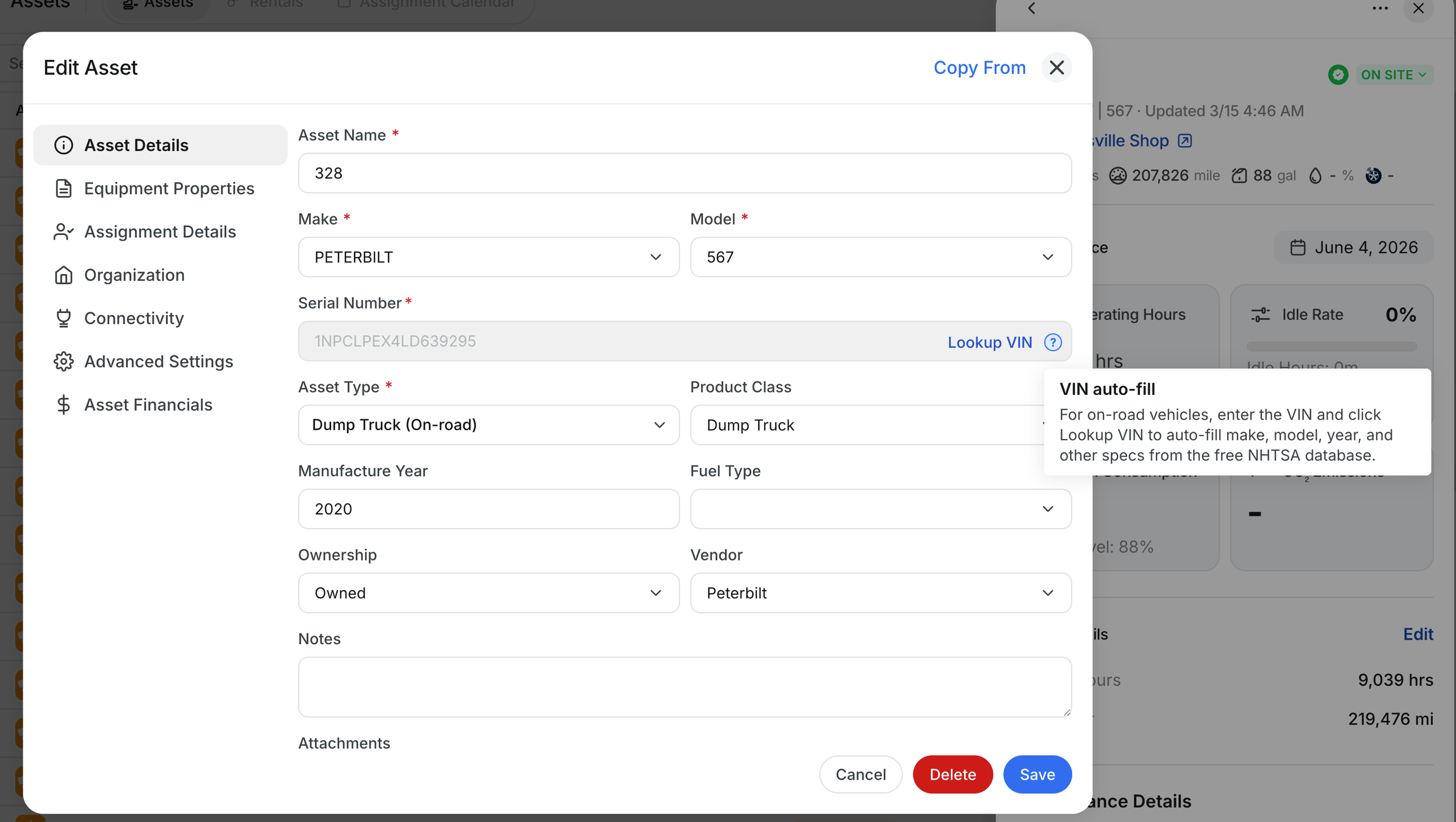
These types are usually selected when using Adding a New Asset or updating a record in Editing Asset Information.

Product Classes
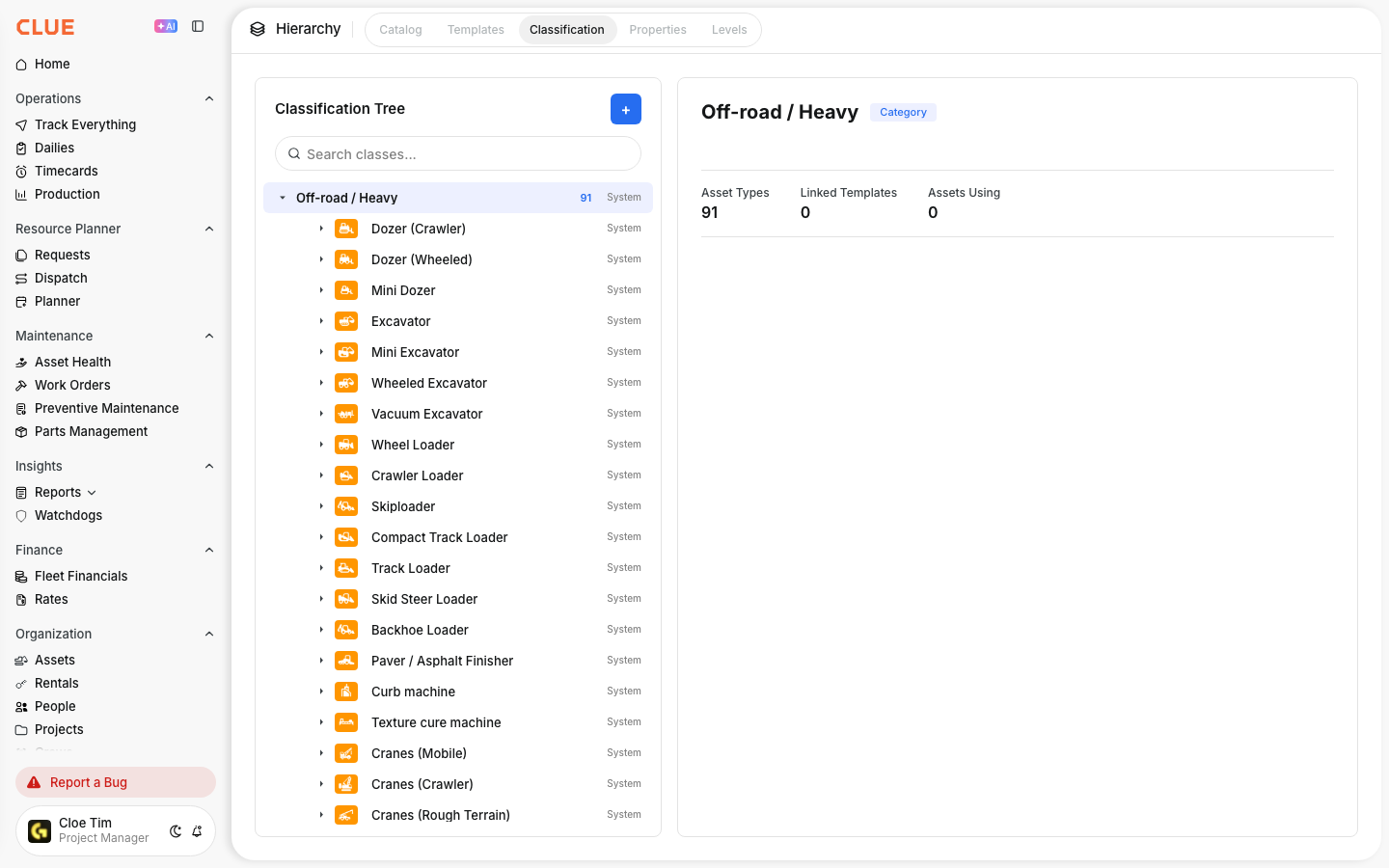
Product Classes give you a more specific way to group assets inside each asset type. They help separate broad categories like Equipment or Vehicle into the actual machine types your team works with every day.
For example, under Equipment, product classes might include:
- Excavator
- Loader
- Dozer
- Grader
- Crane
- Forklift
- Boom Lift
- Generator
- Compressor
- Pump
Under Vehicle, product classes might include:
- Pickup Truck
- Dump Truck
- Semi
- Service Truck
- Fuel Truck
- Van
- SUV
If your team needs more control over this structure, this connects closely with Equipment Classification: Categories, Types and Product Classes.
Why Categories Matter
Good categories make the rest of the system easier to use. They help your team group assets properly so reports, schedules, and search results stay accurate.
Categories matter because they help with:
- Reporting - group costs, usage, and performance by type
- PM Plans - apply maintenance schedules to the right class of equipment
- Dispatch - find available equipment by type
- Filtering - quickly narrow lists and views to the equipment you need
This becomes even more useful when you are reviewing the Asset Directory, filtering equipment views, or working in Fleet Financials.

Setting Up Categories
Admins can manage this structure in Company Settings. The goal is to keep asset types and product classes clear, consistent, and easy for the whole team to use.
When setting up categories:
- add new Product Classes when needed
- map each asset to the right type
- keep naming consistent across the organization
- review asset records when adding new equipment
If a machine is already in the system, you can update its classification in Editing Asset Information. If it is brand new, set it correctly during Adding a New Asset.
Tips
Keep the setup simple enough that your team will actually use it the same way every time. A clean structure usually works better than a very detailed one that becomes hard to manage.
- Use consistent naming for better reporting
- Do not over-categorize if a simpler setup will work
- Review categories as your fleet changes
- Make sure similar assets are grouped the same way
- Check your structure regularly if reports start looking inconsistent