



Construction Equipment Utilization Tracking for Mixed Fleets
Utilization reporting breaks when tracked assets live in telematics dashboards and untracked equipment stays in spreadsheets. Clue brings engine hours, manual meter readings, utilization targets, and scheduled reports into one construction fleet utilization view so teams can see what is working, sitting, or ready to redeploy.


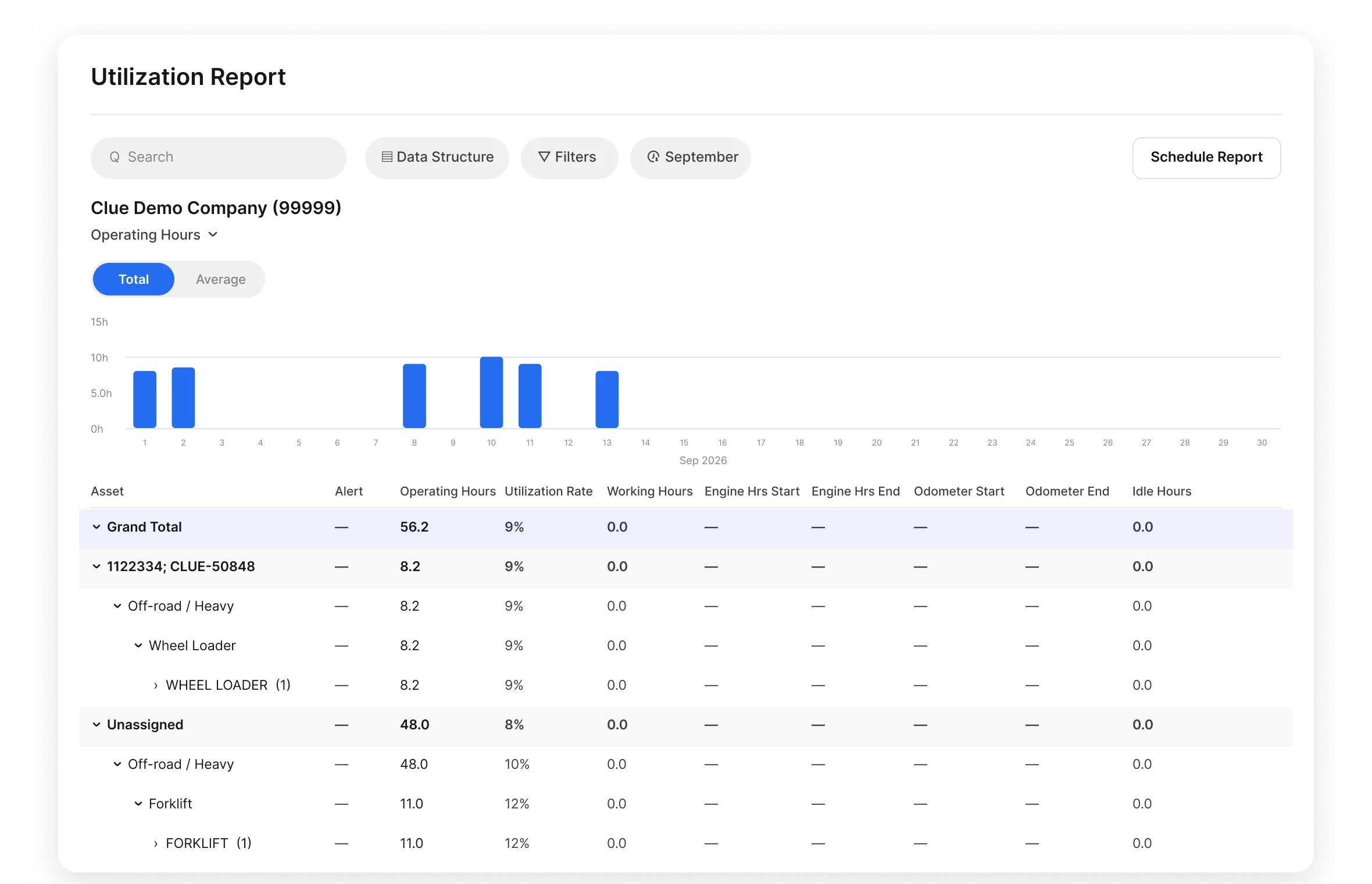


Utilization tracking
One view for every hour. Tracked and untracked.
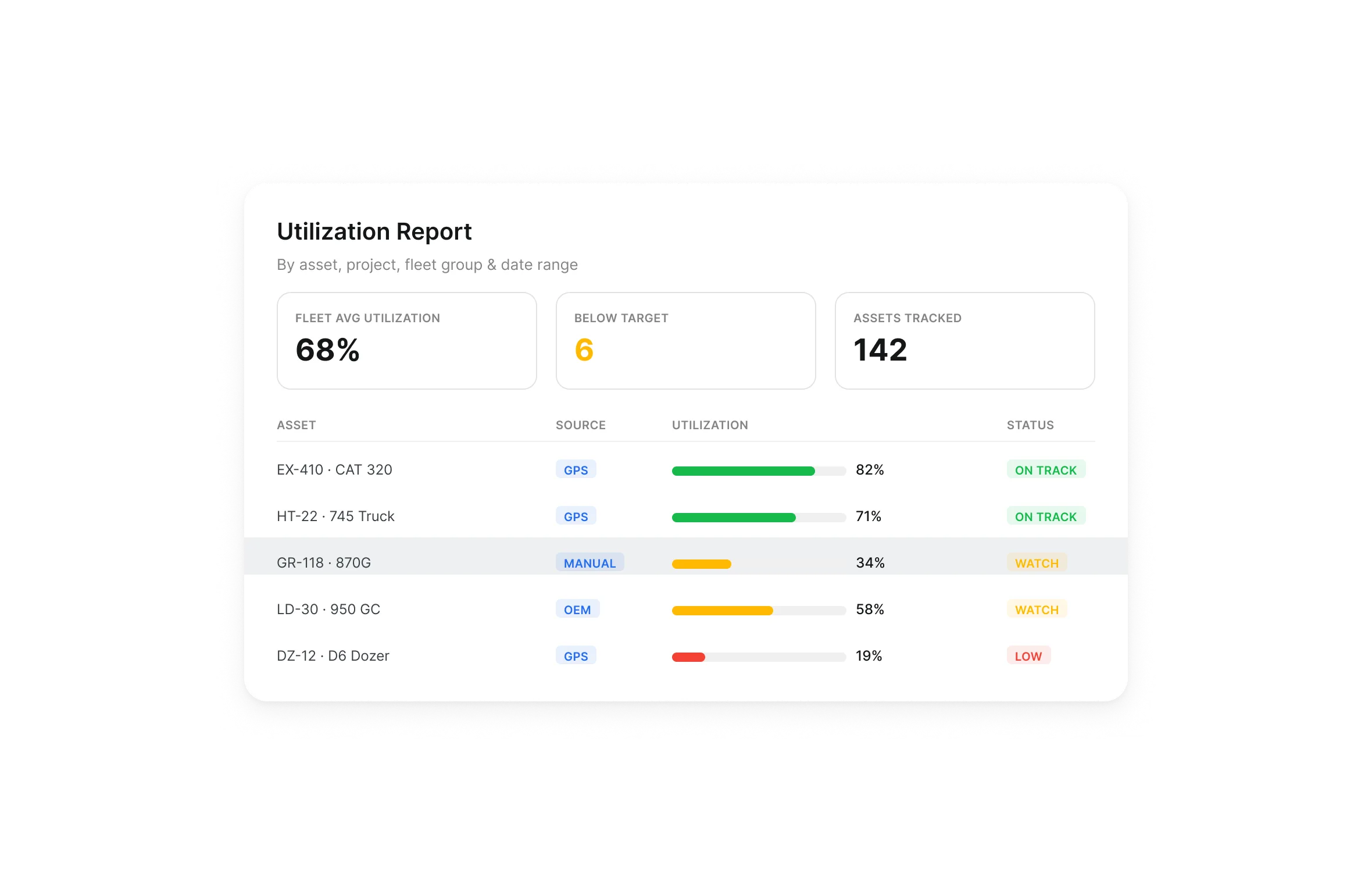
Utilization Data for Tracked and Untracked Assets
Mixed fleets keep utilization accurate when you measure connected equipment and untracked assets in one place. Clue gives teams one reporting path for usage, targets, history, and redeployment decisions.
Connected equipment data: Pull engine hours and odometer readings from supported GPS, OEM, and telematics sources
Manual meter readings: Capture usage for assets without telematics so untracked equipment stays in the report
Mixed fleet reporting: Review tracked and untracked assets in the same utilization workflow
Confirmed integrations: Connect data from supported providers such as Samsara, John Deere, HCSS, and United Rentals
Utilization history: Keep usage records tied to each asset for reporting, review, and redeployment decisions
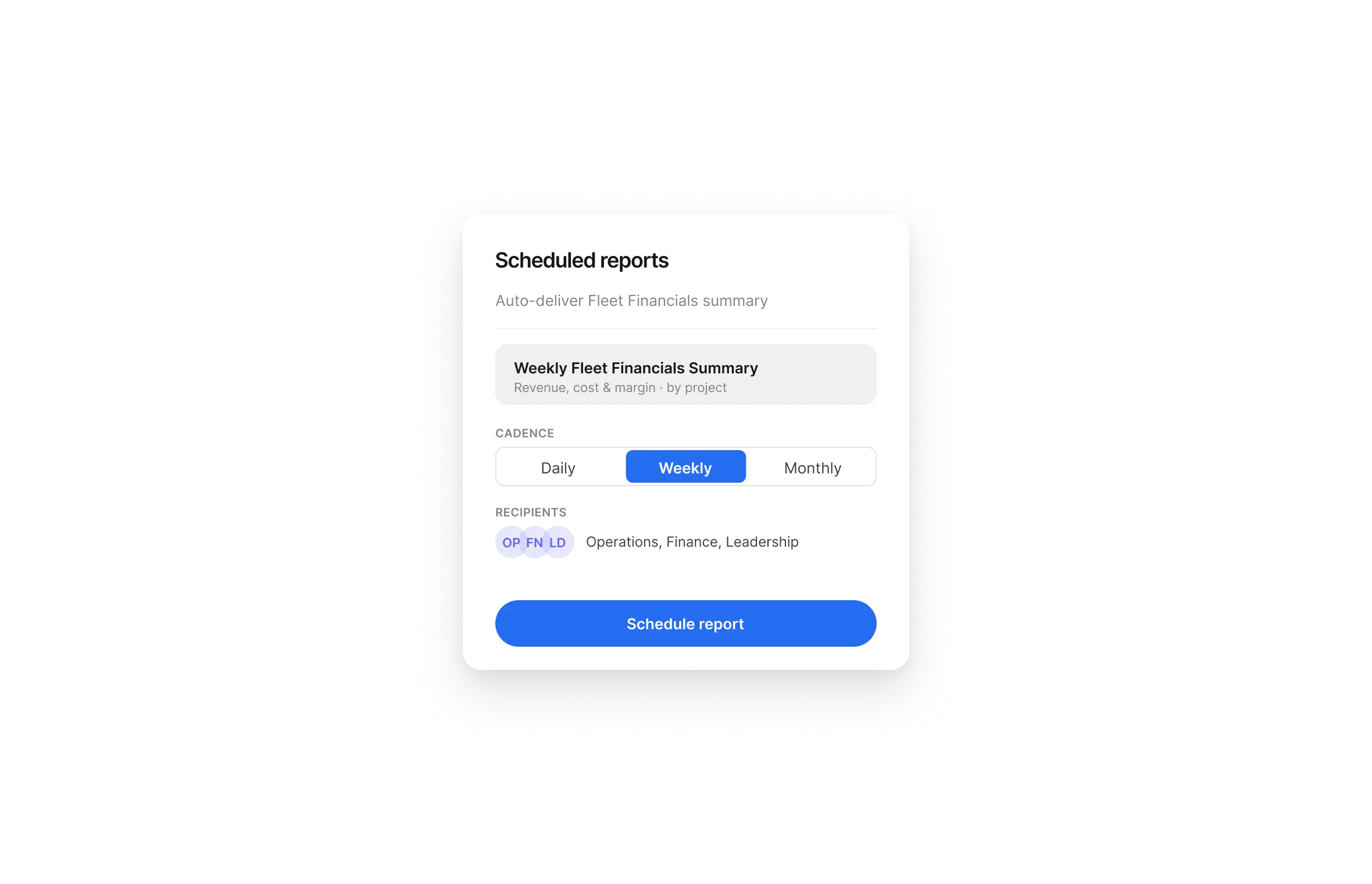
Scheduled Utilization Reports by Asset, Project, and Fleet
Scheduled utilization reports give fleet managers a regular operating rhythm, and Clue builds each report for them. Clue generates it automatically, filtered by asset, equipment type, project, or fleet, every week.
Scheduled delivery: Send utilization reports to selected recipients daily, weekly, or monthly
Asset and project filters: Review usage by asset, project, fleet group, date range, or available reporting fields
Target performance: Compare asset usage against configured utilization targets
Trend review: Track utilization patterns across reporting periods, projects, or equipment groups
Scheduled sharing: Send utilization summaries to operations, finance, or fleet leaders on a set cadence
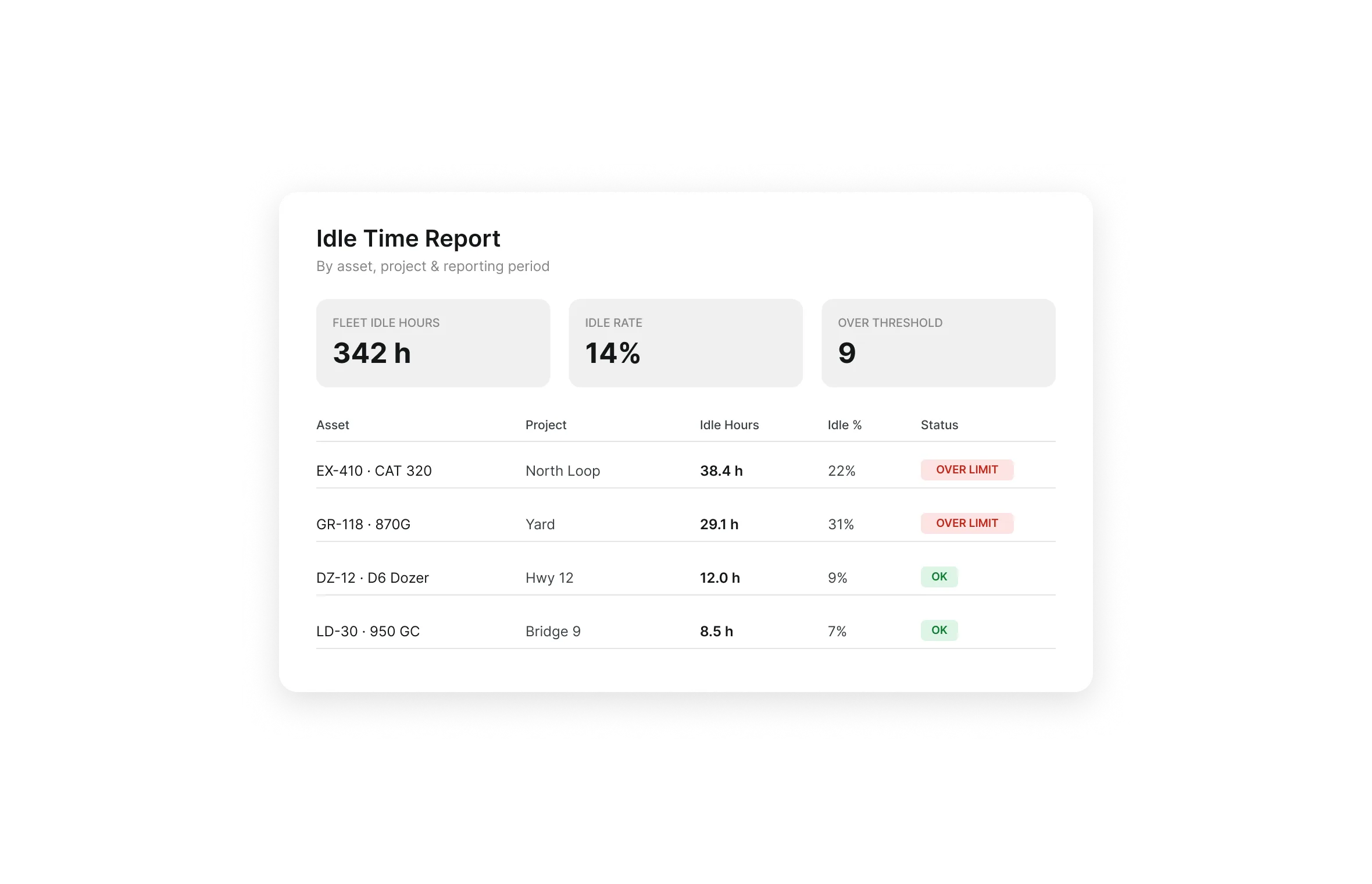
Review Idle Time by Asset, Project, and Period
Idle time adds fuel burn, engine hours, service wear, and rental cost while it sits idle. Reviewing idle activity beside operating hours gives teams a clearer way to spot equipment that needs reassignment, rental return, service review, or dispatch follow-up.
Idle activity review: Review idle activity by asset, project, fleet group, or reporting period
Idle threshold alerts: Surface equipment that exceeds configured idle limit
Jobsite idle comparison: Compare idle activity across jobsites to find equipment sitting too long
Usage data comparison: Compare idle activity against engine hours, odometer readings, and daily utilization
Fuel data review: Review fuel rate, volume, and cost alongside utilization reporting where supported
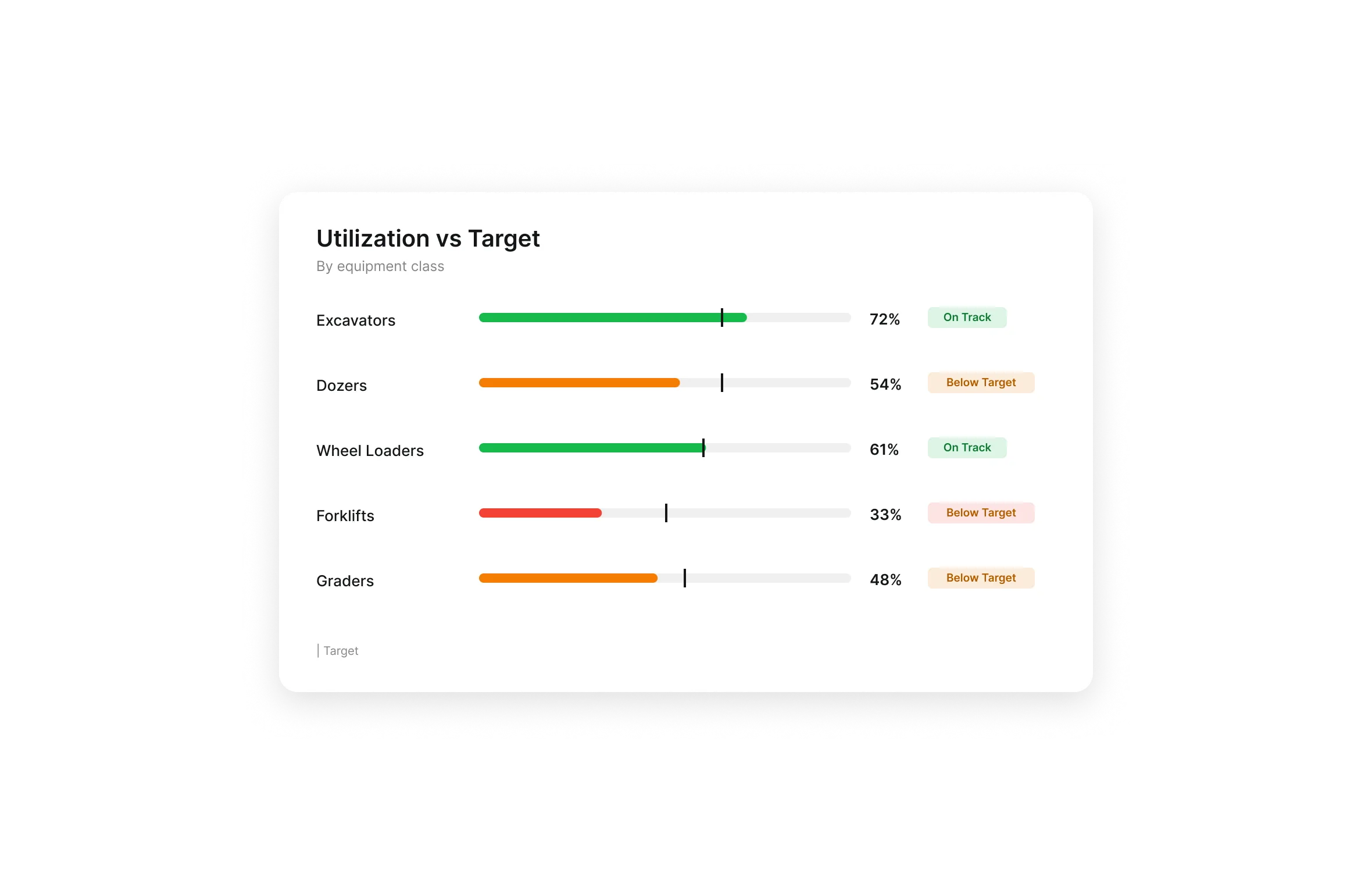
Utilization Targets by Asset and Equipment Class
Set utilization benchmarks by equipment class. Clue surfaces units below expected use so managers can redeploy owned equipment, review rentals, and keep more equipment earning.
Actual usage comparison: Compare targets against engine hours, odometer data, fuel rate, and daily utilization
Below-target visibility: See which units are running under expected use
Redeployment review: Find owned equipment that can be moved before more assets are rented
Rental review: Identify low-use rentals to reassign, justify, or return
Connect Utilization to Maintenance, Dispatch, and Cost Control
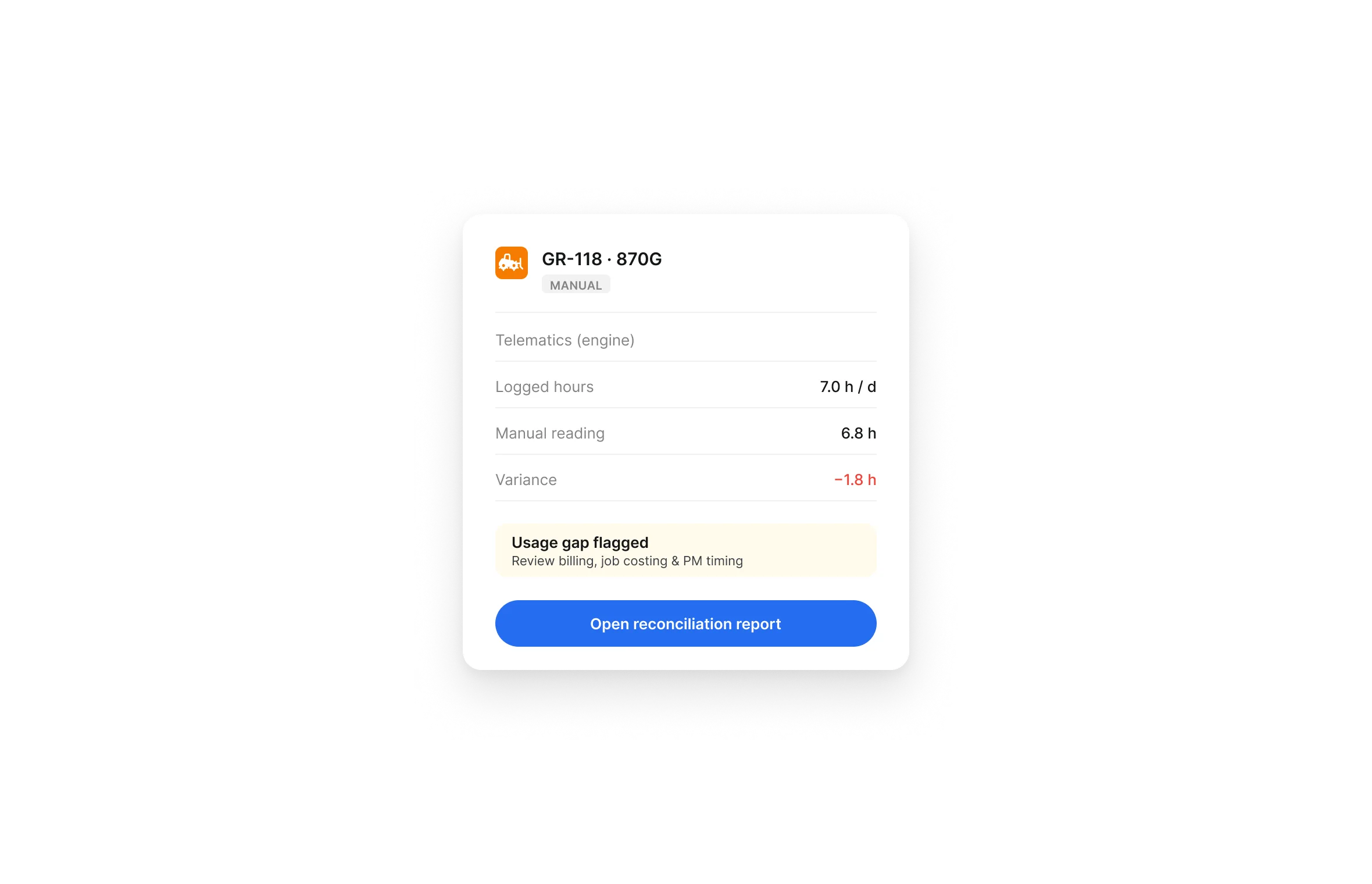
Usage data works harder when it connects to the rest of your operation. Clue connects engine hours, odometer data, fuel rate, and daily utilization to maintenance, planning, and financial reporting so teams work from the same operating record.
Engine-hour PM triggers: Create preventive maintenance work orders when service intervals are reached
Availability context: Review usage and availability before assigning or moving equipment
Cost review: Connect utilization with fuel, maintenance, and fleet financial data
One equipment record: Keep usage history, maintenance activity, dispatch status, and financial context tied to the asset
Utilization Reporting for Executives and Finance
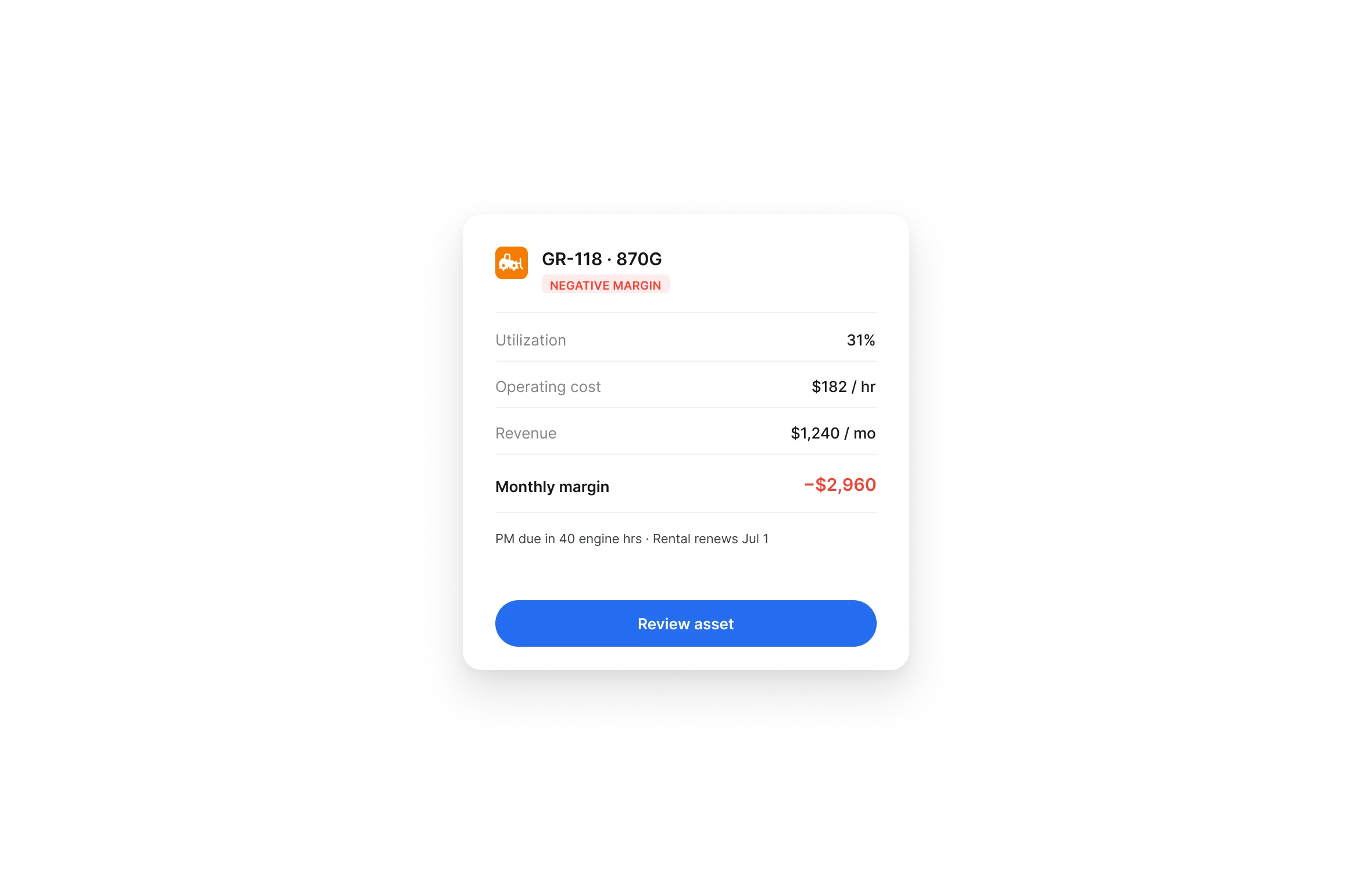
Clue turns utilization data into leadership-ready reporting, showing usage trends, underused equipment, and profitability context across assets, projects, and fleets.
Leadership-ready reports: Review fleet-wide utilization trends across assets, projects, and usage periods
Scheduled delivery: Send utilization reports daily, weekly, or monthly without manual follow-up
Asset profitability context: Connect usage data with cost, revenue, and profitability by asset, fleet, or project
Fleet-level comparison: Compare utilization across projects, groups, or equipment classes
Built for every role
Solutions for every team.
Construction runs on equipment. Clue runs equipment for every team. From mechanics to executives, every role gets the visibility, intelligence, and automation to run modern equipment operations.

Equipment Manager
“It's a single pane of glass where you see everything across your fleet, from the field to the phone to the computer.”
Abe Sharaf
Equipment Manager, Pulice Construction
Read Pulice’s story

Fleet Manager
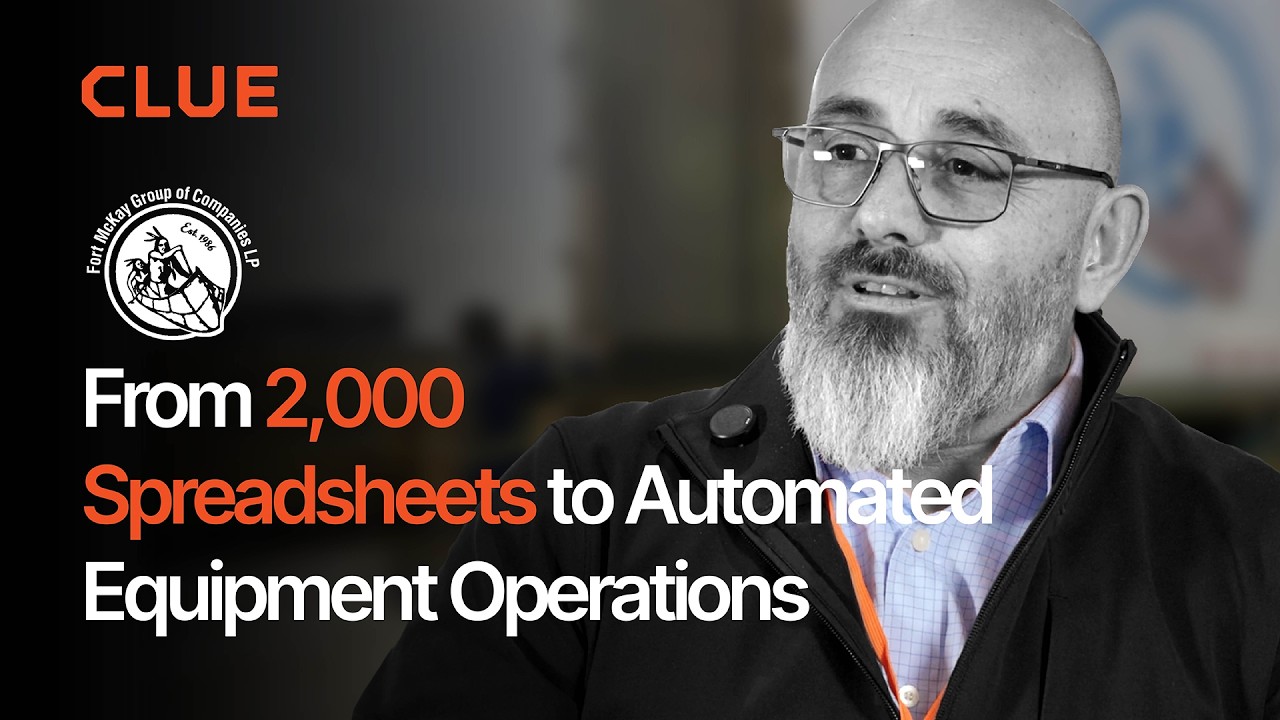
“Imagine receiving 2,000 spreadsheets that needed to be approved individually in an email. There were entire teams dedicated to that. Now the system is fully automated, completely automated from beginning to end.”
Julio Lopez
Fleet Manager, Fort McKay Group
Read Fort McKay’s story

CFO
“You went from doing two services a day to six services a day. That right there is priceless to me.”
Darrin Sheriff
Director of Maintenance & Purchasing, Palmetto Corp
Read Palmetto’s story

VP of Operations
“The big thing with Clue is that we're able to bridge the gap between our field, our operators in our shop, and other departments. Everybody's bought into Clue now.”
Eric Sellman
COO, Brent Scarbrough & Co
Read Brent Scarbrough’s story

Executive
“We had 20 different logins between all our different softwares and web platforms. Now all that information pulls into one spot and we're able to see it in a single place.”
John Igel
CEO, George Igel Co.
Read Igel’s story

Operations Manager
“The operator's in control of his own destiny. That was a huge reason why not only did I buy into it, but I'm also investing into it for the future.”
Ben Benoit
Operations Manager, Onshore Companies
Read Onshore’s story
Across the whole fleet
Why Construction Fleets Track Utilization in Clue
Spot underused equipment, return idle rentals sooner, trigger PM from engine hours, and give leaders a clearer view of assets that need action.
Cleaner Utilization Reports
Review engine hours, odometer data, fuel rate, and daily utilization instead of scattered field updates.
Mixed Fleet Visibility
Report on tracked and untracked equipment in one utilization view.
Idle Caught Early
Surface underused equipment early, so it moves back to productive work sooner.
Smarter Rental Decisions
See when to reassign owned equipment before you approve another rental.
PM Based on Engine Hours
Create preventive maintenance work orders when hour-based service intervals are reached.
Leadership-Ready Reporting
Send utilization reports daily, weekly, or monthly for faster fleet reviews.
Utilization Data Stays With the Asset.
Usage data and business records can feed the same utilization report. Clue connects OEM telematics, GPS and aftermarket trackers, and ERP, accounting and CMMS systems, and keeps manually metered equipment in the same view.



















.png)








From the people who use it every day
What contractors see in the work.
“The big thing with Clue is that we’re able to bridge the gap between our field, our operators in our shop, and other departments.”
Brent Scarbrough & Company
“There were entire teams dedicated to approving spreadsheets one by one.”
Fort McKay First Nation
“The biggest difference has been the user friendliness.”
William A. Hazel
“It exposes dead cost or overhead that maybe we don’t know about because it gets lost in those three different systems.”
Moss Utilities
“Clue’s real-time data capability has completely changed the way we manage our assets.”
Darrin Sheriff, Director of Maintenance and Purchasing
“It was probably taking the better part of a day to combine all the data from the telematics.”
Derek Wolfe, Equipment Manager, George Igel Co.
“Clue allows us to effectively control our operations: financially, effectively and safely.”
Joseph Yammine, Project Manager, Graham
“QR codes have been a game changer for us with regards to operator inspections.”
Ben Benoit, Operations Manager
“It’s a single pane of glass where you see everything across your fleet, from the field to the phone to the computer.”
Abe Sharaf, Corporate Equipment Engineer
“Our field guys were tired of having a new product, a new something to learn each time.”
Rob Judge, Sr. Procurement & Program Manager
“Our equipment is in far better shape since we started using Clue, for sure.”
Jake Farley, Equipment Manager, Silver Star Construction














Parts Management in Clue: Requests, Delivery Tracking & Inventory
Template Manager in Clue: Inspection Templates, AI Import & Shared Categories
Preventive Maintenance in Clue: Build a PM Plan, Automate Work Orders
Work Orders in Clue: Repair History, Parts, and Labor Costs
Asset Directory in Clue: Saved Views, Bulk Edits & Meters
Common questions
Frequently Asked Questions
How does Clue track equipment utilization?
Clue tracks utilization using engine hours, odometer readings, manual reports, location, and operating status where available. Connected equipment can pull data from GPS providers and OEM telematics systems, while untracked assets can still be included through manual usage reporting.
Can Clue track utilization for equipment without telematics?
Yes. Clue supports mixed fleets, so tracked and untracked assets can be reviewed in the same utilization workflow. Teams can use manual meter readings or usage reports for equipment that does not have GPS or OEM telematics connected.
Can Clue generate equipment utilization reports?
Yes. Clue provides utilization reports that can be filtered by asset type, project, or usage period. Teams can use these reports to review equipment usage, compare performance, and make better fleet allocation decisions.
Can utilization reports be scheduled automatically?
Yes. Clue can schedule reports for daily, weekly, or monthly delivery. This helps fleet managers, operations leaders, and finance teams get utilization numbers without pulling the same report manually each time.
Does Clue provide alerts for underutilized equipment?
Yes. Clue provides automatic under-usage alerts when equipment usage drops below set thresholds. These alerts help managers review assets for reassignment, rental return, or dispatch follow-up before low utilization becomes normal.
How does utilization data support preventive maintenance?
Utilization data helps maintenance teams plan service around actual equipment use. Engine-hour data can support preventive maintenance intervals, and when a service interval is reached, Clue can create the preventive maintenance work order automatically.
Can Clue help reduce unnecessary rentals?
Yes. Clue helps teams compare owned and rented equipment utilization. When managers can see owned assets sitting underused, they can review reassignment options before approving another rental or extending an existing rental.
What integrations can Clue use for utilization data?
For utilization data, Clue can connect with OEM Telematics and GPS Providers where available. The website also lists integration areas such as Samsara, VisionLink, HCSS, Viewpoint Vista, API, and ERP & CMMS Software.
Does Clue support rental utilization tracking?
Yes. The website says Clue integrates with major rental systems and helps teams see how rented assets are utilized. That gives managers better context for rental periods, extensions, and unnecessary rental spend.