Database-Level Integration: Why It Matters
What is this?
Most fleet software connects to Vista through an API layer or file exports. Clue takes a different approach. It connects directly to your Vista SQL Server database through a secure SSH tunnel. This is not a shortcut. It is a deliberate design choice that gives you capabilities no API integration can match.
What direct database access gives you
User Defined Fields (UDFs)
Vista UDFs are custom fields your company added to standard tables. API integrations typically cannot see them because APIs expose a fixed set of fields. Clue reads your Vista database schema directly, so it picks up every UDF on every table.
Real examples:
- SyncClueYN: A yes/no UDF on EMEM that controls which assets sync to Clue. Your team decides per-asset.
- udCleanEquipNo: A text UDF that stores a sanitized equipment alias. Clue uses this when the standard Equipment field has formatting issues.
- Custom equipment properties: Any UDF on EMEM can be mapped to a Clue equipment property via the OrgEquipmentPropertyMapping table.
- Vendor UDFs: POCountry on APVM for vendor country tracking. Clue checks if the field exists before querying it.
Multi-company (EMCo) support
Many contractors run multiple legal entities in one Vista database. Each entity has its own EMCo number. This creates complexity: the same piece of equipment might appear under different companies, or a mechanic in one company might work on equipment owned by another.
Clue handles this with a company priority list. You configure which EMCo numbers to sync and in what order. When looking up equipment for a work order, Clue tries each company in priority order until it finds a match. This means:
- Equipment from multiple companies shows up in one Clue fleet view
- Work orders route to the correct Vista company automatically
- Timecards use the mechanic's PRCo (payroll company) as the default, with fallback to the equipment's EMCo
Equipment ID mismatch handling
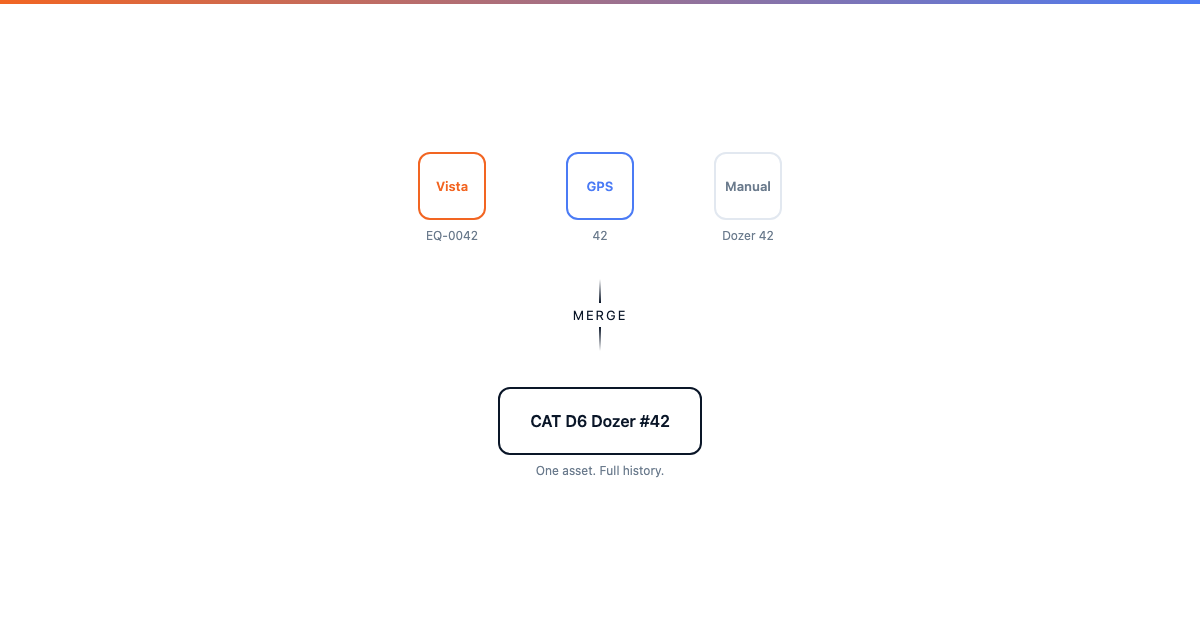
In a perfect world, every piece of equipment has one ID that matches everywhere. In reality, Vista might call it "EQ-0042", the GPS tracker calls it "42", and the shop floor calls it "the blue Komatsu." Clue handles this with a two-step matching process:
- First match: Try the standard EMEM.Equipment field
- Second match: Try the udCleanEquipNo UDF (a cleaned-up alias)
This double-match runs for every EMCo in your priority list. It catches the common cases: leading zeros, special characters, spaces, and company-specific prefixes.
Customer-specific customization
Because Clue reads the actual database, every integration can be configured differently per customer. Global parameters control:
- Which data entities sync (equipment, projects, parts, etc.)
- Which EMCo numbers to include and their priority
- Which UDFs to read and how to map them
- Default cost codes per work order type
- Sub-organization mapping from Vista departments to Clue org structure
- Whether to auto-deactivate equipment missing from Vista
How the connection works
- Protocol: Direct SQL Server connection via pymssql
- Security: SSH tunnel with RSA key authentication. No credentials stored in code.
- Credentials: Stored in AWS Parameter Store, encrypted at rest
- Testing: Separate test database connection available via vista_use_testing_environment flag
Tips
- If you add a UDF in Vista, tell your Clue admin. Clue checks for UDF existence at sync time. New UDFs are automatically available if the code already references them, or can be mapped via OrgEquipmentPropertyMapping.
- Review your EMCo priority list when you add a new company. Equipment in the new company will not sync until the EMCo is added to vista_company_priority.
- Use the testing mode before going live. The vista_testing_mode parameter routes exports to PRCo=99, keeping your production Vista data clean during setup.