Understanding Preventive Maintenance
What is this?
Preventive maintenance keeps your equipment running by scheduling service before something breaks. Clue monitors engine hours, odometer, calendar time, and fuel consumption. When any threshold is reached, a PM work order gets created automatically. You set the rules once. The system handles the scheduling.
Who is this for?
- Equipment Managers - Define PM plans for each equipment type. Set intervals, assign checklists, link parts kits.
- Foremen - See upcoming PMs on the dashboard. Decide when to pull machines for service.
- Mechanics - Get PM work orders with the full checklist and parts list ready to go.
Multi-parameter triggers
Each PM plan can track multiple triggers at once:
- Engine Hours - "Every 500 hours"
- Odometer / Miles - "Every 10,000 miles" (common for on-road fleet)
- Calendar Time - "Every 6 months" (for generators, trailers, and equipment that does not track hours)
- Fuel Consumption - "Every 5,000 gallons"
The PM triggers based on whichever parameter hits its threshold first. A machine that sits for 3 months without hitting 500 hours still gets serviced on the calendar trigger.
Cascading PM hierarchies
Most equipment has nested service intervals: 250-hour, 500-hour, 1,000-hour, 2,000-hour. When the 2,000-hour service comes due, you do not want separate work orders for the 250, 500, and 1,000-hour services that overlap.
Clue handles this automatically. When a major service is triggered, the smaller services that fall at the same interval get suppressed. Everything rolls into a single work order with the combined checklist and parts. One job. One trip to the shop.
PM status and alerts
Each PM plan has a status:
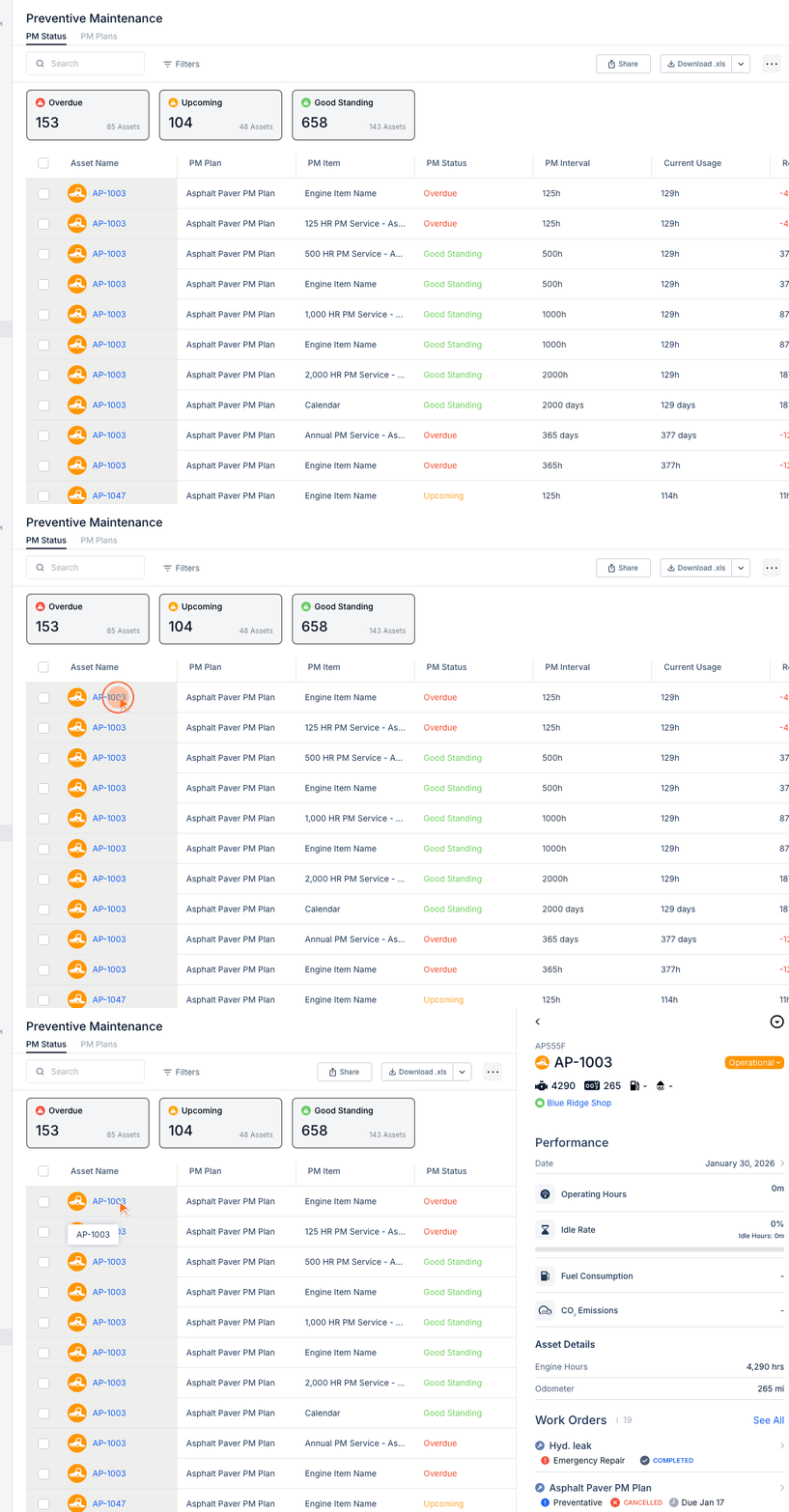
- Good Standing - Not yet due. Everything is on schedule.
- Upcoming - Approaching the threshold. Time to plan the service.
- Overdue - Past the threshold. Needs attention.
You can configure when the "Upcoming" alert fires. Some companies want a heads-up at 90% of the interval. Others want it at 80%. This is set per PM plan.
Auto-create vs. manual work orders
Two options for how PM work orders get created:
- Auto-create: When the PM triggers, a work order is created automatically. No human action needed. Best for routine services you always do.
- Alert only: When the PM triggers, the status changes to Upcoming or Overdue. A foreman reviews and creates the WO manually. Best for services that need scheduling around project demands.
Choose the right mode per PM plan. Oil changes can auto-create. Major overhauls should probably be manual.
Adjusting due dates and schedules
Sometimes a PM comes due at a bad time. The machine is on a critical pour and cannot come to the shop. You have options:
- Change the WO due date. Push it out a few days to align with a project break.
- Use custom WO statuses. Set it to "Scheduled for Weekend" or "Waiting for Project Completion."
- Adjust the PM plan interval. If the default upcoming alert is too aggressive, change the threshold percentage.
The full details
- Works on: Web app and mobile app
- Location: Preventive Maintenance in the sidebar
- Trigger types: Hours, miles, calendar, fuel. First to fire wins.
- Cascading: Higher-tier services suppress lower-tier duplicates automatically.
- PM plans are per asset type. Set up a plan once and apply it to all machines of that type.
- Checklists: Each PM plan can include an inspection checklist that mechanics fill out during service.
- Parts kits: Link a parts kit to a PM plan. When the WO auto-creates, the parts are ready.
Tips
- Use calendar triggers for low-hour equipment. Generators and trailers sit for months. Without a calendar trigger, their oil turns to sludge before the hour meter trips.
- Set auto-create for routine services. Oil changes, greasing, filter replacements. If you always do them, let the system create the WO.
- Review cascading carefully. Make sure your 500-hour service includes everything from the 250-hour. If it does not, the suppressed 250-hour items will be missed.
- Link parts kits to PM plans. When the mechanic opens the auto-created WO, the parts are already listed. No guessing, no forgotten filters.