Resetting PM Counters
Preventive Maintenance
Reading Time:
3 min read
Overview
When preventive maintenance is completed, the PM counter resets to start tracking toward the next service interval. Understanding how resets work ensures accurate PM scheduling.
How PM Resets Work
PM counters track progress toward the next due date or usage threshold:
- Calendar PMs - Reset date becomes the new starting point
- Hour-based PMs - Current engine hours become the baseline
- Mileage PMs - Current odometer reading becomes the baseline
Automatic vs Manual Resets
Automatic Reset
When a PM work order is completed (marked Done), the system can automatically reset the counter based on the completion date/meter reading.
Manual Reset
Sometimes you need to manually reset a PM:
- Service performed outside the system
- Correcting an incorrect reset date
- Setting up a new asset's PM baseline
Performing a Manual Reset
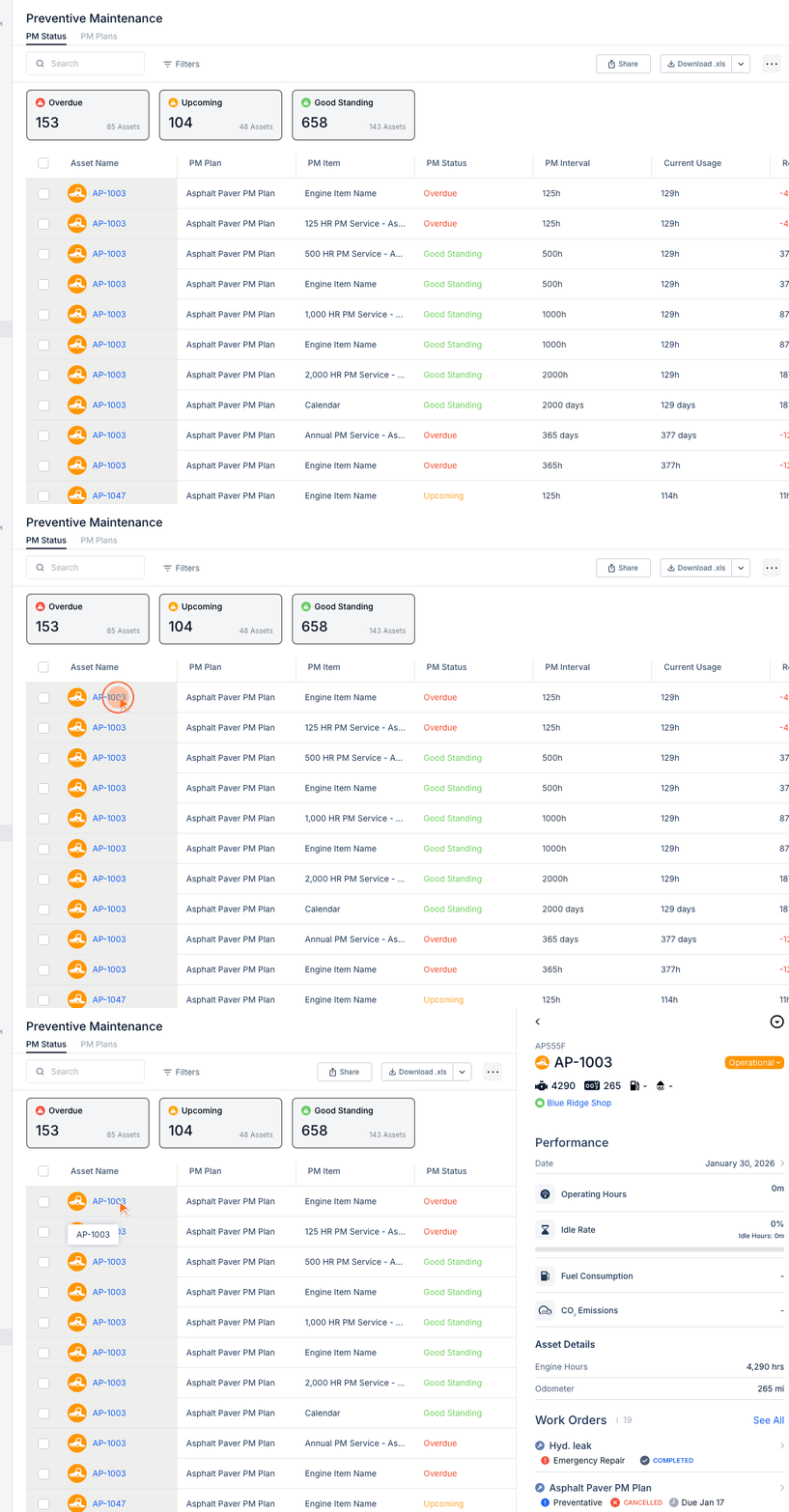
Step 1: Navigate to the PM Status tab and find the PM item.
Step 2: Click to open the PM details.
Step 3: Find the "Reset" or "Latest Reset At" field.
Step 4: Enter the correct reset date or meter reading.
Step 5: Save changes.
Viewing Reset History
CLUE maintains a history of PM resets showing:
- Reset date/value
- Who performed the reset
- Associated work order (if any)
Tips
- Always verify reset values are accurate after completing PM work orders
- Use manual reset sparingly - automatic resets from work orders are more reliable
- Document reasons for manual resets in notes