PM Statuses Explained
Preventive Maintenance
Reading Time:
3 min read
Overview
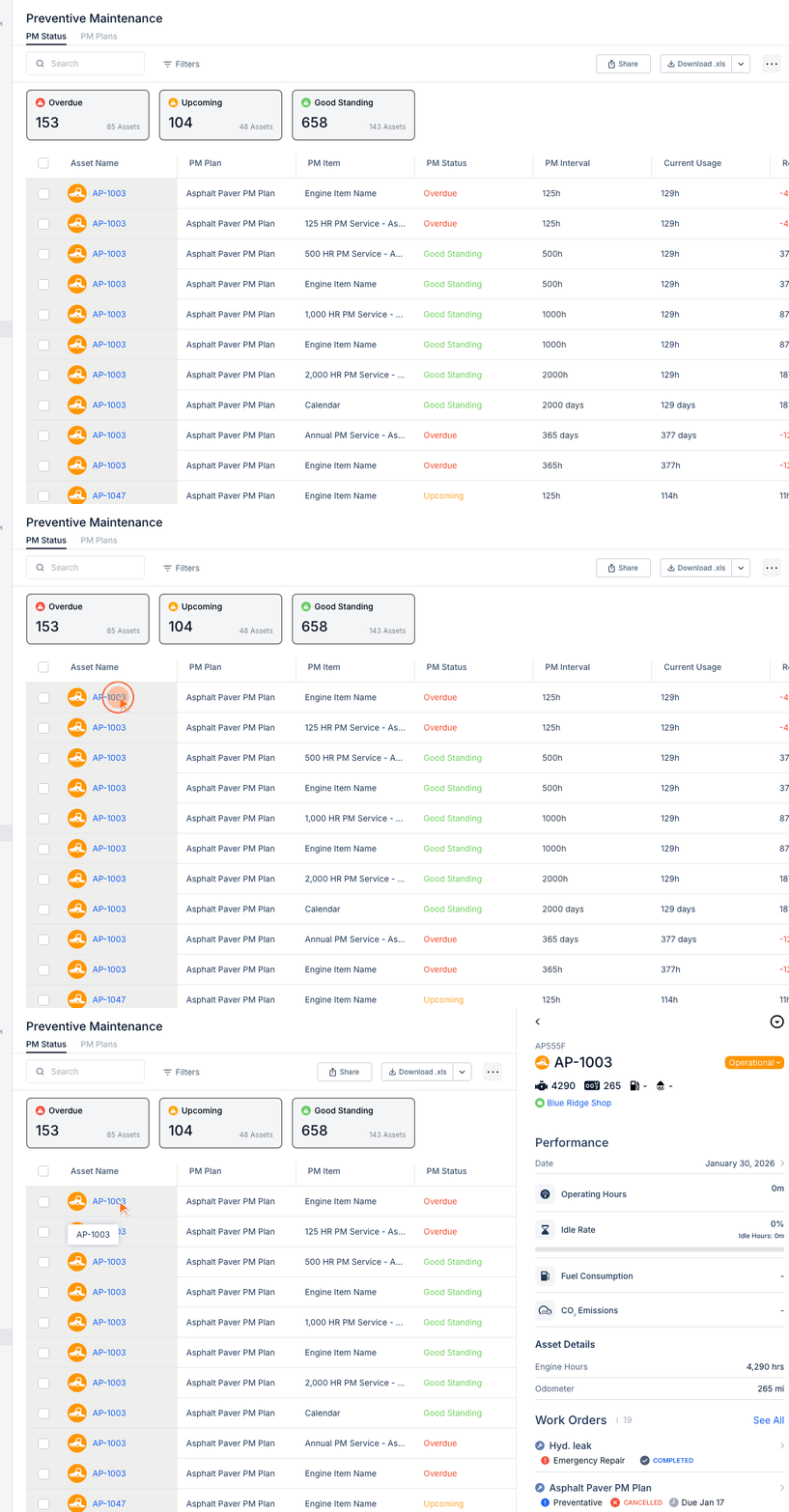
CLUE uses three PM statuses to indicate how close equipment is to needing service. Understanding these statuses helps you prioritize maintenance and prevent equipment failures.
The Three PM Statuses
Good Standing (Green)
The asset is not yet due for this PM service.
- Plenty of time/usage remaining before service
- No immediate action needed
- Continue normal operations
Upcoming (Yellow)
The asset is approaching its service interval.
- Service will be due soon
- Plan to schedule maintenance
- Order parts if needed
Overdue (Red)
The asset has exceeded its service interval.
- Maintenance is past due
- Schedule service immediately
- Consider operational restrictions until serviced
How Status is Calculated
Status depends on the interval type:
- Calendar PMs - Days since last service vs. interval
- Hour-based PMs - Engine hours since reset vs. interval
- Mileage PMs - Miles driven since reset vs. interval
Status Thresholds
Typical thresholds (configurable by your admin):
- Good Standing - More than 20% of interval remaining
- Upcoming - Less than 20% remaining
- Overdue - Past 100% of interval
Responding to Statuses
- Good Standing - No action needed, monitor normally
- Upcoming - Schedule work order, order parts
- Overdue - Create work order immediately, prioritize service
Tips
- Review PM Status daily to catch upcoming items early
- Set up alerts for status changes
- Use the Home dashboard widgets to see overdue PMs at a glance