Understanding Home Screen Widgets
Getting Started
Reading Time:
4 min read
Your Dashboard at a Glance
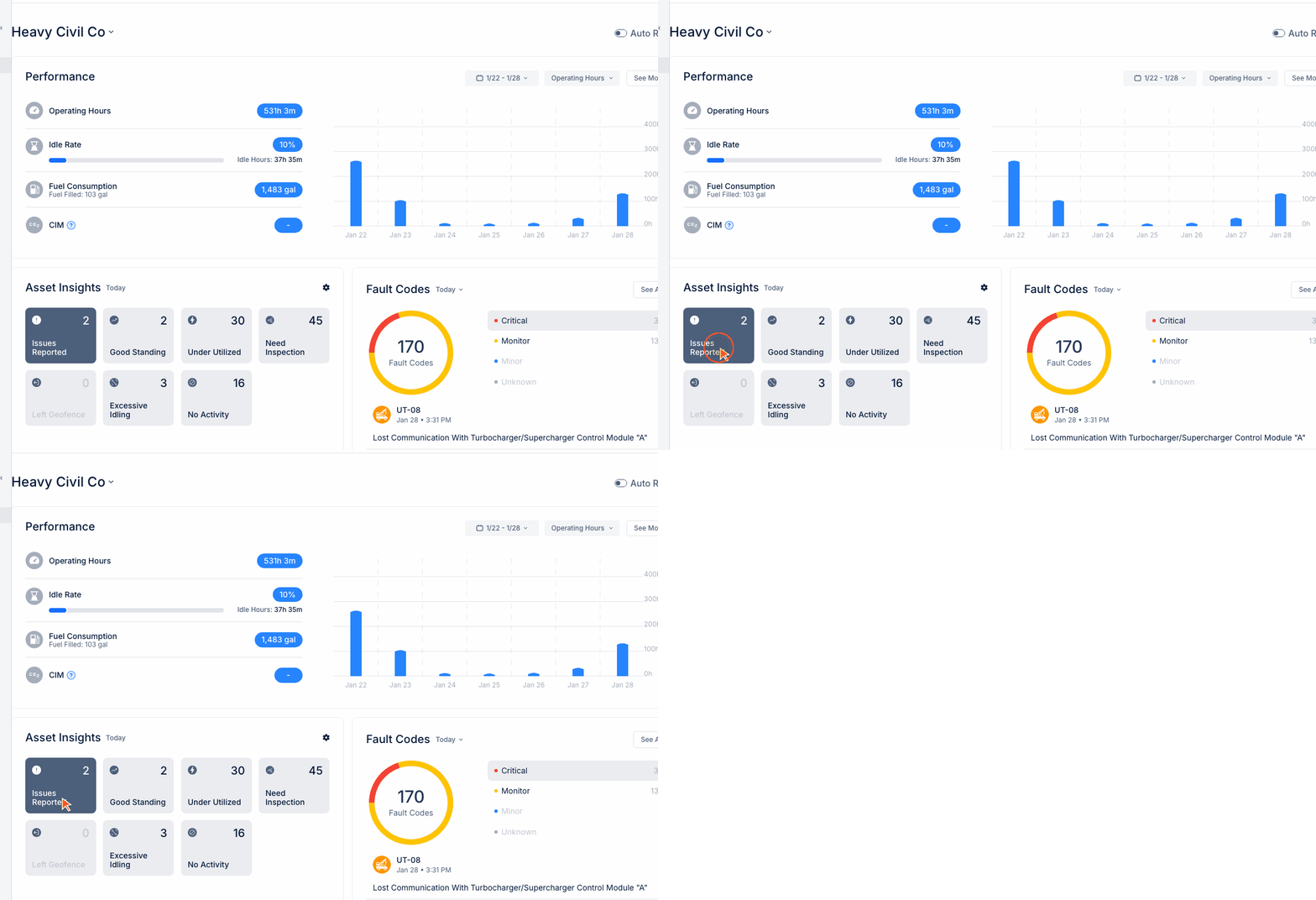
The CLUE Home Dashboard provides real-time visibility into your fleet's performance and status.
Performance Section
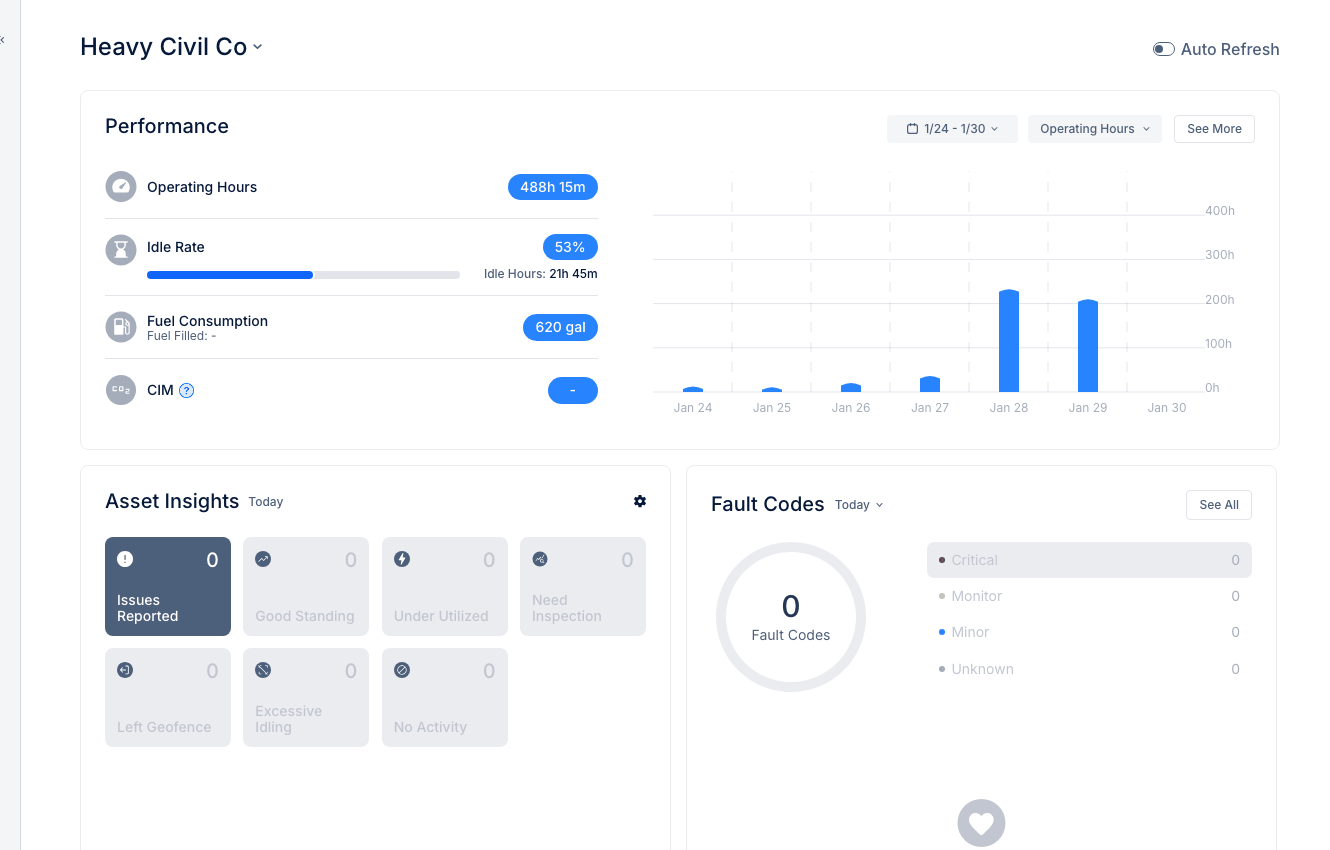
The top row displays key fleet metrics:
- Operating Hours - Total equipment runtime for the period
- Idle Rate - Percentage of operating time spent idling
- Fuel Consumption - Total fuel used across the fleet
- CIM - Carbon Intensity Metric for sustainability tracking
Asset Insights Widget
Quick view of fleet health status:
- Issues Reported - Assets with active problems
- Good Standing - Assets operating normally
- Under Utilized - Equipment below usage targets
- Need Inspection - Assets due for inspection
Click any category to see the affected assets.
Fault Codes Widget
Shows active diagnostic alerts by severity:
- Critical - Immediate attention needed
- Monitor - Should be addressed soon
- Minor - Low priority issues
Color-coded for quick prioritization.
Operating Hours Chart
Daily trend chart showing equipment usage over time. Hover over bars to see specific day values.
Tips
- Check the Home dashboard first thing each morning
- Click widgets to drill down into details
- Use the date selector to view different time periods
- Monitor Idle Rate to improve efficiency