Customizable Dashboard Widgets
What is this?
Your home dashboard is now customizable. You can show or hide widgets, drag them into the order you want, and choose from new KPI widgets including Fleet Availability, Maintenance Ratio, and Top 10 High-Cost Assets. Every user gets their own layout that sticks between sessions.
Who is this for?
- Everyone. Whether you are a dispatcher, mechanic, or fleet manager, you can set up the dashboard to show only what matters to your job.
- Equipment Managers - Add Fleet Availability and Maintenance Ratio to monitor fleet health at a glance.
- Admins - Configure default widget layouts so new users start with a relevant dashboard.
How to use it
Step 1: Enter edit mode
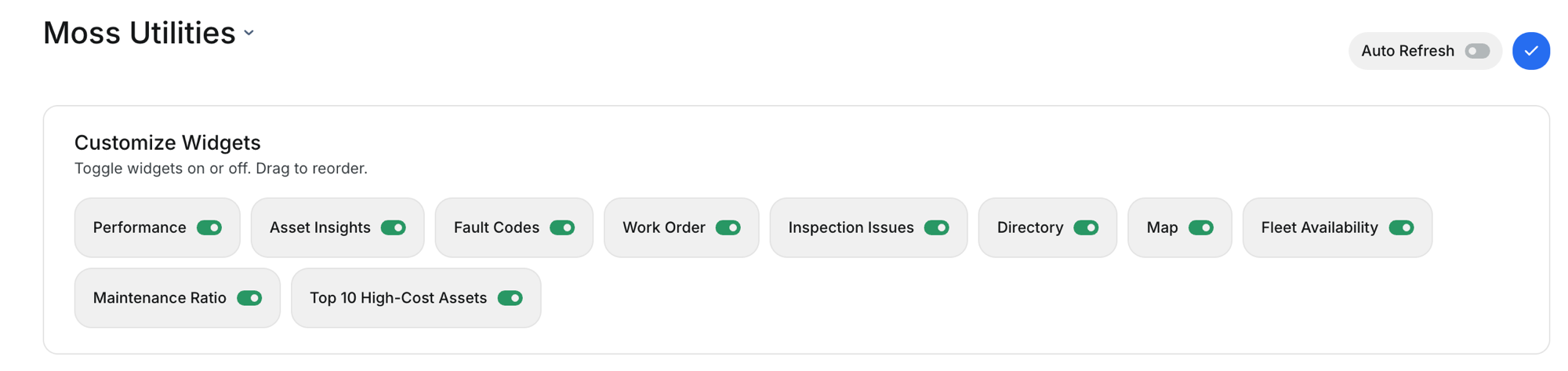
On your home dashboard, click the checkmark button in the top-right corner. The Customize Widgets panel appears, showing all available widgets as toggles.
Step 2: Toggle widgets on or off
Each widget has a switch. Turn on the ones you want, turn off the ones you do not need. New widgets include Fleet Availability, Maintenance Ratio, and Top 10 High-Cost Assets.
Step 3: Check your new widgets
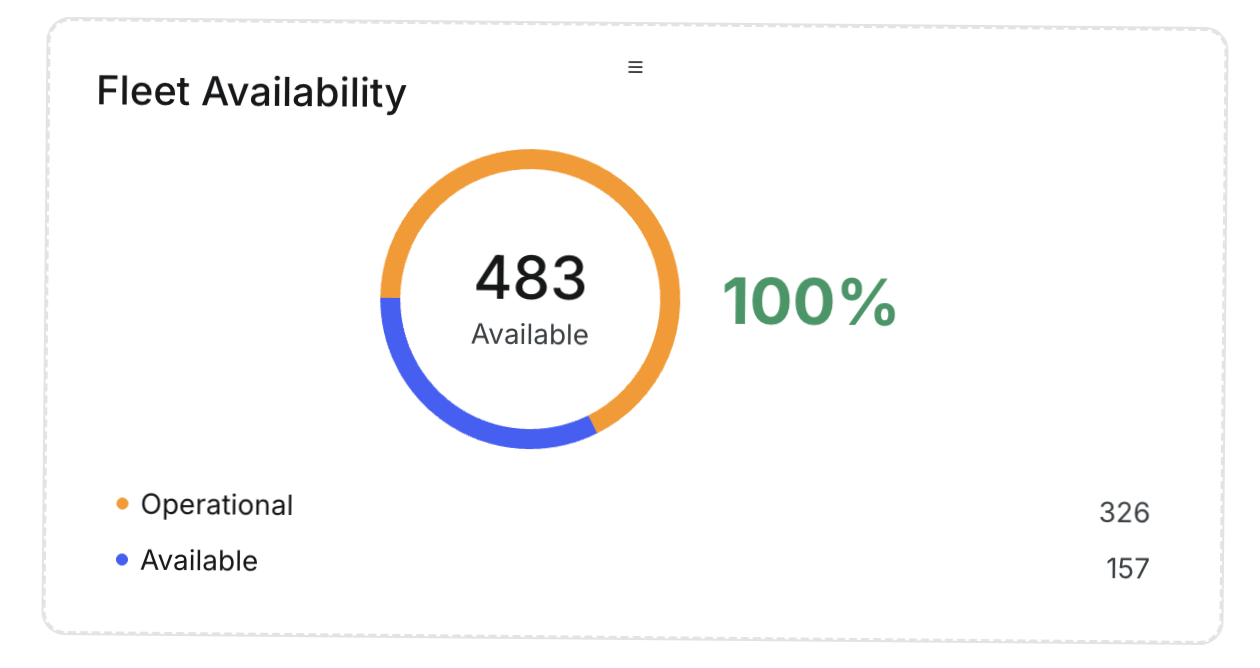
The Maintenance Ratio widget shows scheduled vs. unscheduled work orders with an 80/20 target. The Fleet Availability widget shows how many assets are operational vs. available.

Step 4: View your full dashboard
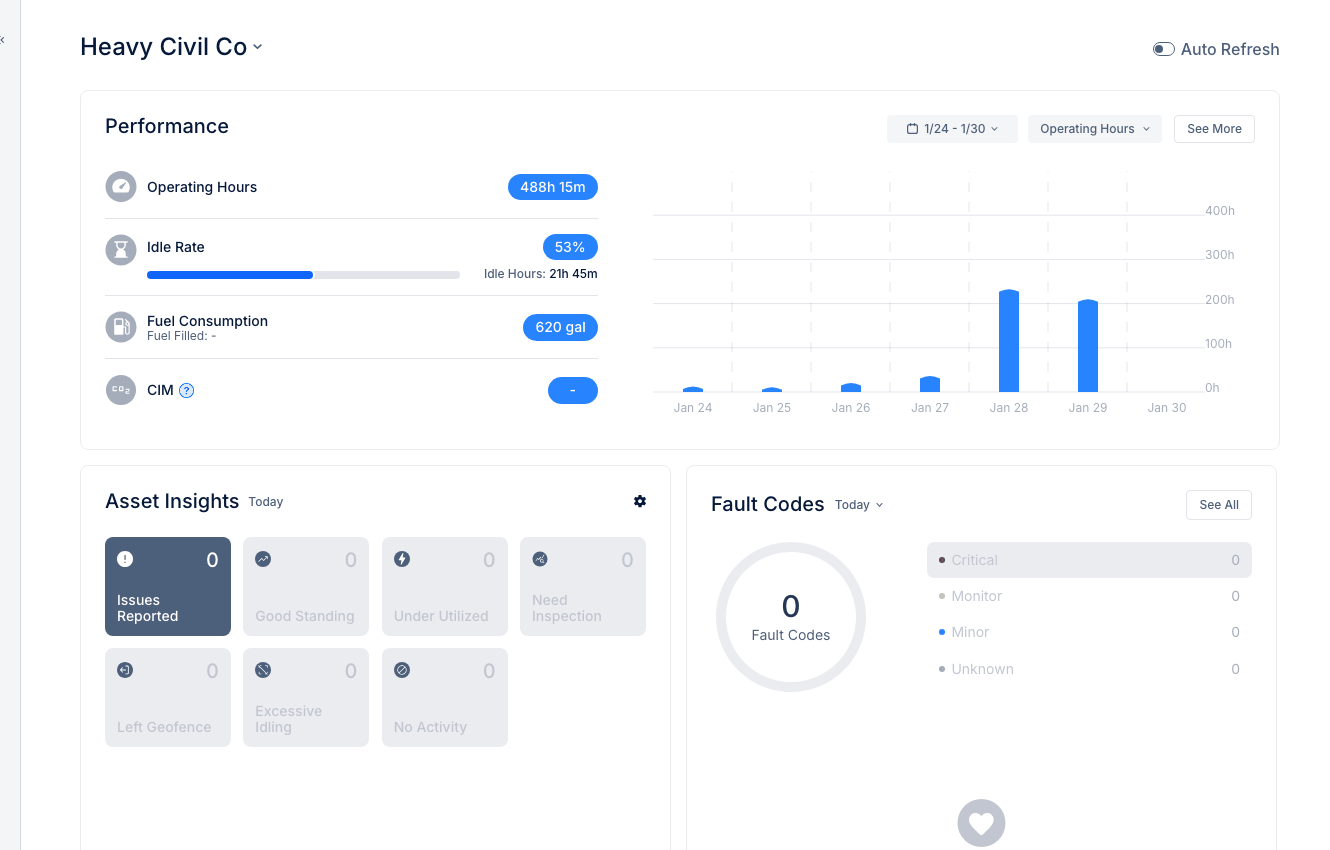
Close the edit panel and your dashboard updates immediately. Drag widgets to reorder them. Your layout saves automatically.

The full details
- Works on: Web app
- Per-user layout: Each person's widget selection and order is saved separately
- Drag to reorder: Grab any widget and move it where you want
- New widgets: Fleet Availability, Maintenance Ratio, Top 10 High-Cost Assets
- Existing widgets: Performance, Asset Insights, Fault Codes, Work Order, Inspection Issues, Directory, Map
- Auto Refresh: Toggle on to keep data updating in real time
Tips
- Less is more. Turn off widgets you never check. A focused dashboard loads faster and is easier to scan.
- Put your most-used widget at the top left. That is where your eyes land first.
- Maintenance Ratio target is 80/20. Industry best practice is 80% scheduled, 20% unscheduled. The widget tracks how close you are.