Vista to Clue: What Data Syncs In
Vista to Clue: What Data Syncs In covers the inbound side of the Viewpoint Vista integration. Clue connects directly to your Vista database through a secure SSH tunnel and pulls in equipment records, projects, phases, parts, vendors, and warranty data on an automatic schedule. No manual imports, no CSV files, and no double entry required.
Everything your shop and field teams need to operate in Clue comes from Vista and stays current as changes happen on the Vista side. Your team works in Clue knowing the foundation data is always accurate and up to date.
Who Is This For?
- Equipment Managers depend on the Vista sync to keep the full fleet visible and accurate in Clue. When a new asset is added in Vista or a machine is deactivated, that change reflects in Clue on the next hourly cycle. The Equipment Manager role in Clue is built around having a complete, current asset list to manage from.
- Shop Managers use the parts catalog and vendor records that sync from Vista to source parts and build purchase orders inside Clue. Accurate stock levels and part costs come directly from Vista's inventory tables without anyone maintaining them separately in Clue.
- Dispatchers use the project and phase data that syncs from Vista to assign equipment to the right job and phase. Project addresses from Vista also place jobs on the Clue map so dispatchers can see locations without switching systems.
How the Sync Works?
Step 1: Equipment syncs from Vista's EMEM table
Every hour, Clue checks Vista's EMEM table for new assets, updates to existing records, and deactivated equipment. The following fields transfer for each asset:
- Equipment number, VIN, make, model, year, status, and category
- Department, shop, and owned vs. rented status
- Equipment notes and descriptions
- Custom User Defined Fields such as SyncClueYN or clean equipment number fields your company has configured in Vista.

Step 2: Projects and phases sync from JCJM and JCPH
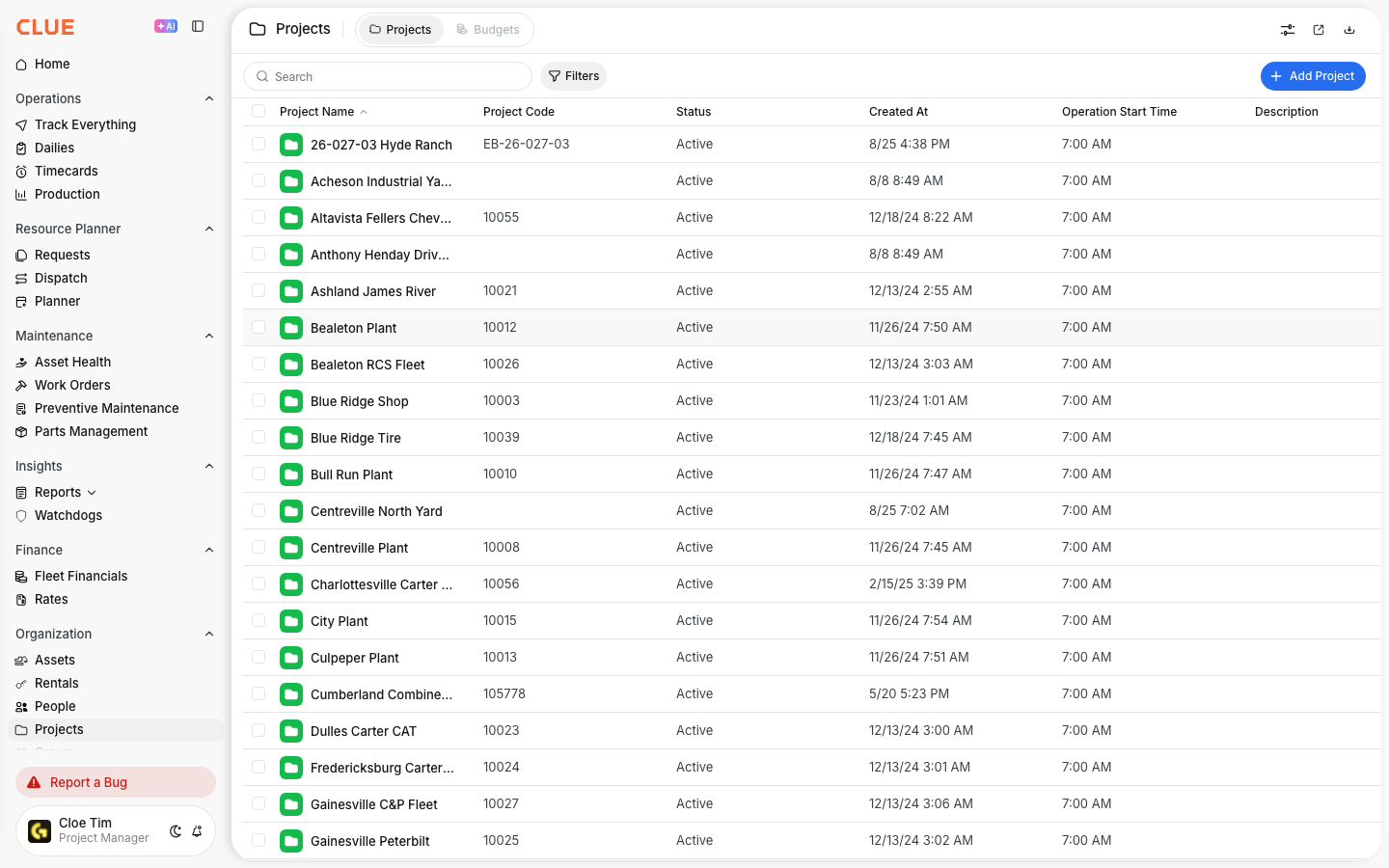
Projects pull from Vista's JCJM table. Phases pull from JCPH and link automatically to their parent project. Each project brings over:
- Project number, description, status, and class
- Full address including city, state, and zip
- Division
Phases that disappear from Vista are deactivated in Clue without any manual step.
Step 3: Parts and inventory sync from Vista's material tables
The parts catalog comes from Vista's HQMT and HQMC tables with stock levels from HQPL. Each part record includes:
- Material number, description, unit of measure, cost, and category
- Active and stocked flags
- Quantity on hand per shop or warehouse location
This sync runs once daily at 1 AM to avoid heavy database load during working hours.
Step 4: Vendors and warranties sync for equipment records
Vendor records come from Vista's APVM table with name, vendor number, and country. Warranty data comes from Vista's EQMW table linked to the equipment record and vendor. This lets your team check warranty coverage inside Clue before scheduling a repair, which connects directly to how Clue handles preventive maintenance planning for each asset.

Step 5: Control which assets sync using SyncClueYN
For organizations that do not want every Vista asset in Clue, the SyncClueYN User Defined Field controls which records sync over:
- Set to Y on assets that belong in Clue
- Set to N on assets that should be excluded
- Assets missing the field entirely will not appear in Clue
Key Behaviors and Limitations
- The sync runs every hour for equipment, projects, and phases. Parts sync runs once daily at 1 AM. New parts added to Vista during business hours will appear in Clue the following morning.
- Assets removed from Vista can be auto-deactivated in Clue. This behavior is optional and configured per organization. If enabled, an asset deactivated in Vista will also deactivate in Clue on the next sync cycle.
- Project addresses must be complete in Vista to appear on the Clue map. Clue uses the address from Vista's JCJM table to place projects geographically. If a project has no location in Clue, the address fields in Vista are likely empty or incomplete.
- The connection is a direct database link, not middleware. Clue connects to Vista via a secure SSH tunnel and reads directly from Vista tables. No third-party service sits between them.
- Multi-company Vista setups are supported. For organizations running multiple entities within one Vista database, Clue imports company records from HQCO to support each EMCo separately.
Tips
- Check the SyncClueYN field first when an asset is missing in Clue. This is the most common reason a Vista asset does not appear. The field may be set to N or may not yet exist on that equipment record.
- Verify project addresses in Vista before dispatchers go live. If your team relies on the Clue map to locate jobs, incomplete addresses in Vista will cause blank map pins that are difficult to troubleshoot after rollout.
- Parts sync runs at 1 AM, not in real time. If a part was just added to Vista and a mechanic cannot find it in Clue, it will appear the next morning. Plan parts catalog updates ahead of scheduled maintenance windows.
- Use the auto-deactivation setting carefully. If a machine is temporarily removed from Vista and then re-added, auto-deactivation will remove it from Clue and create a new record on re-entry. This can break work order history continuity on that asset.


