




Heavy machinery and truck working on site
Construction fleet management softwareConstruction fleet management software

Construction Equipment Management Software

One Platform for End-to-end Construction Equipment Management

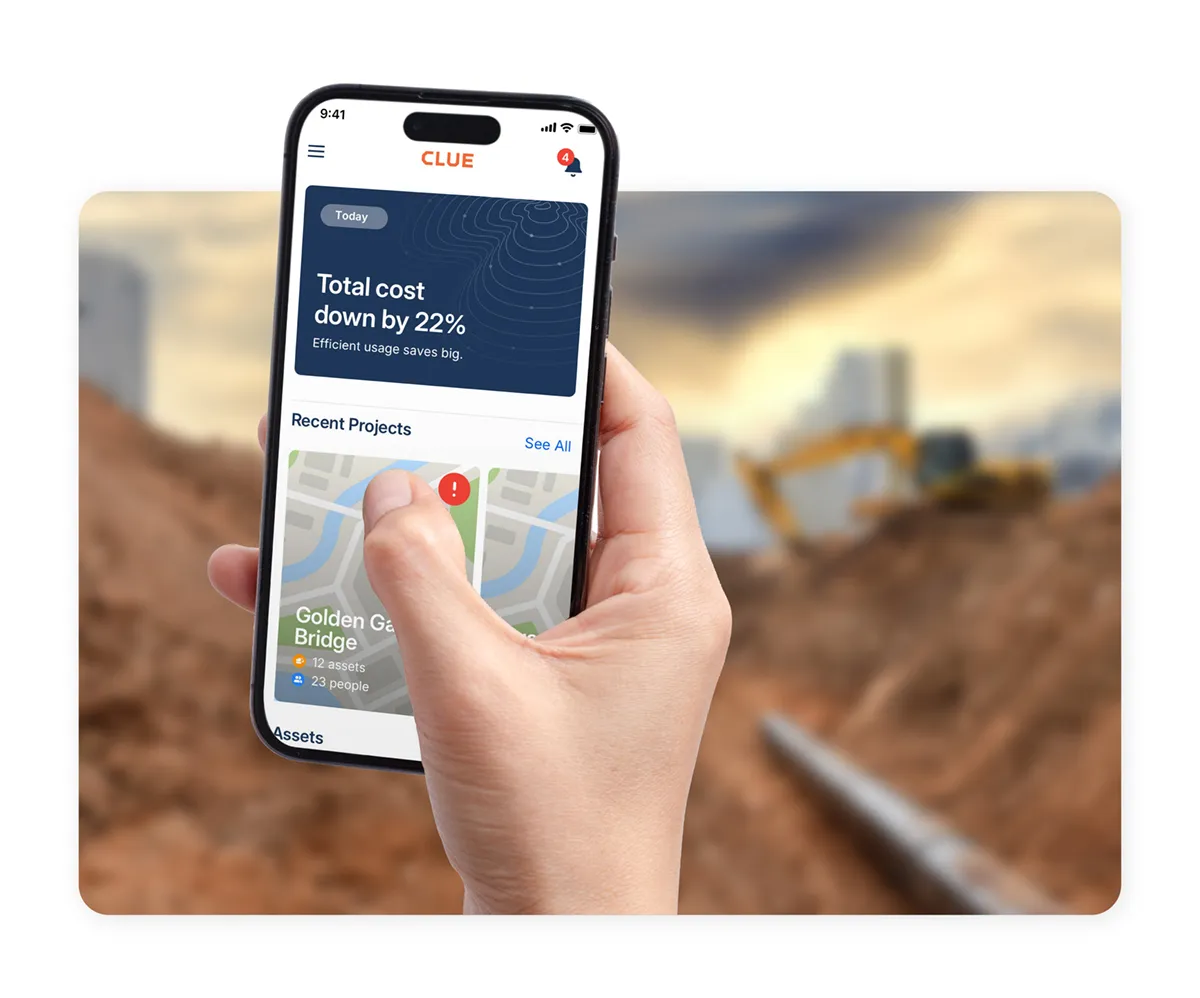
Clue connects equipment data, maintenance workflows, dispatch operations, and fleet costs in one platform. GPS providers, OEM telematics, ERP systems, and fuel tools all feed into the same live view, without replacing the systems you already use.

What's costing your fleet right now

Repair delays start with disconnected workflows

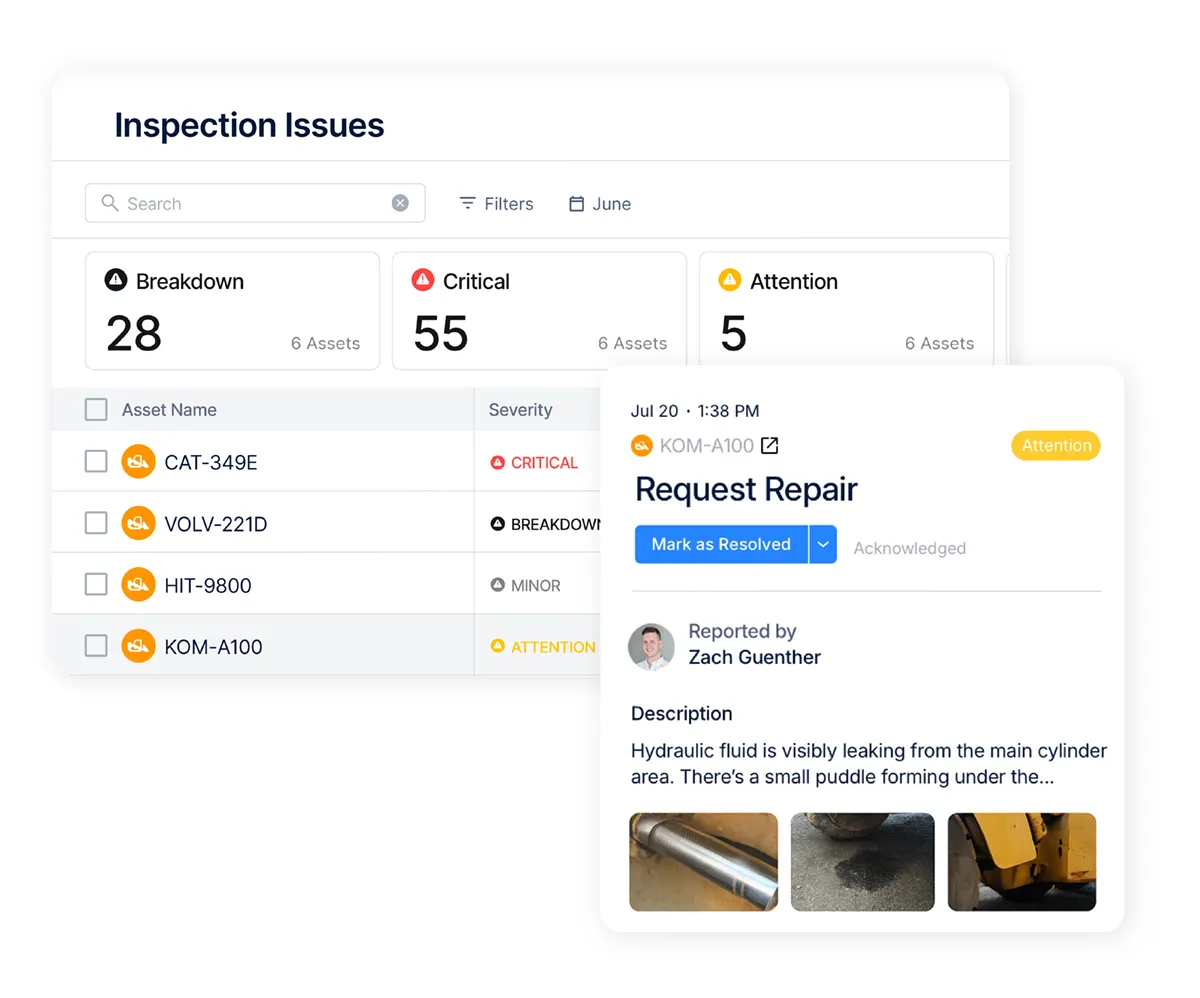
Service records, inspections, fault codes, and repair notes live in different tools and spreadsheets. Teams lose visibility into what was repaired, what failed before, and what needs attention next.

Orange rounded square with a white checkmark inside.

Repeat failures happen across different job sites

Orange rounded square with a white checkmark inside.

Field defects don't reach the shop until hours or days later

Orange rounded square with a white checkmark inside.

No audit trail for compliance, insurance, or incident reviews

asset maintenance tracking software

Equipment downtime halting entire job sites

One downed excavator can idle an entire crew, delay a milestone, and expose a project to liquidated damages. Most breakdowns are preventable with accurate maintenance data and engine-hour-based PM that triggers before equipment fails.

Orange rounded square with a white checkmark inside.

PM schedules run on calendar dates instead of engine hours

Orange rounded square with a white checkmark inside.

Fault codes go unnoticed until equipment fails in the field

Orange rounded square with a white checkmark inside.

Reactive repairs cost 3–5x more than preventive maintenance

asset maintenance tracking software

Disconnected systems, no single view

OEM portals, GPS dashboards, rental spreadsheets, and ERPs each hold part of the fleet picture. Running 10 or 20 separate logins is a liability, not a workflow.

Orange rounded square with a white checkmark inside.

Owned, rented, and subcontractor equipment tracked in separate places

Orange rounded square with a white checkmark inside.

Cost data trapped in ERPs that update at month-end

Orange rounded square with a white checkmark inside.

Field teams making decisions without current information

asset maintenance tracking software

No visibility until it's too late

Without real-time status data, rental contracts run over, assets go idle unnoticed, and cost reports are backward-looking. The average contractor loses $40K+ per year to rental overages alone.

Orange rounded square with a white checkmark inside.

Equipment moves between sites without a clear record

Orange rounded square with a white checkmark inside.

Rental return dates missed, overages locked in before anyone notices

Orange rounded square with a white checkmark inside.

Idle assets accumulating ownership cost without producing

asset maintenance tracking software

Field crews without the data they need

Construction maintenance happens in the field. Most systems were built for the shop. Mechanics at remote job sites need service history, parts lists, and open work orders on their phone, even without signal.

Orange rounded square with a white checkmark inside.

Asset history inaccessible without desktop or office access

Orange rounded square with a white checkmark inside.

Parts shortages discovered on-site, not before dispatch

Orange rounded square with a white checkmark inside.

Offline workflows not supported in low-signal job site conditions

asset maintenance tracking software

What Clue Covers

Equipment Tracking

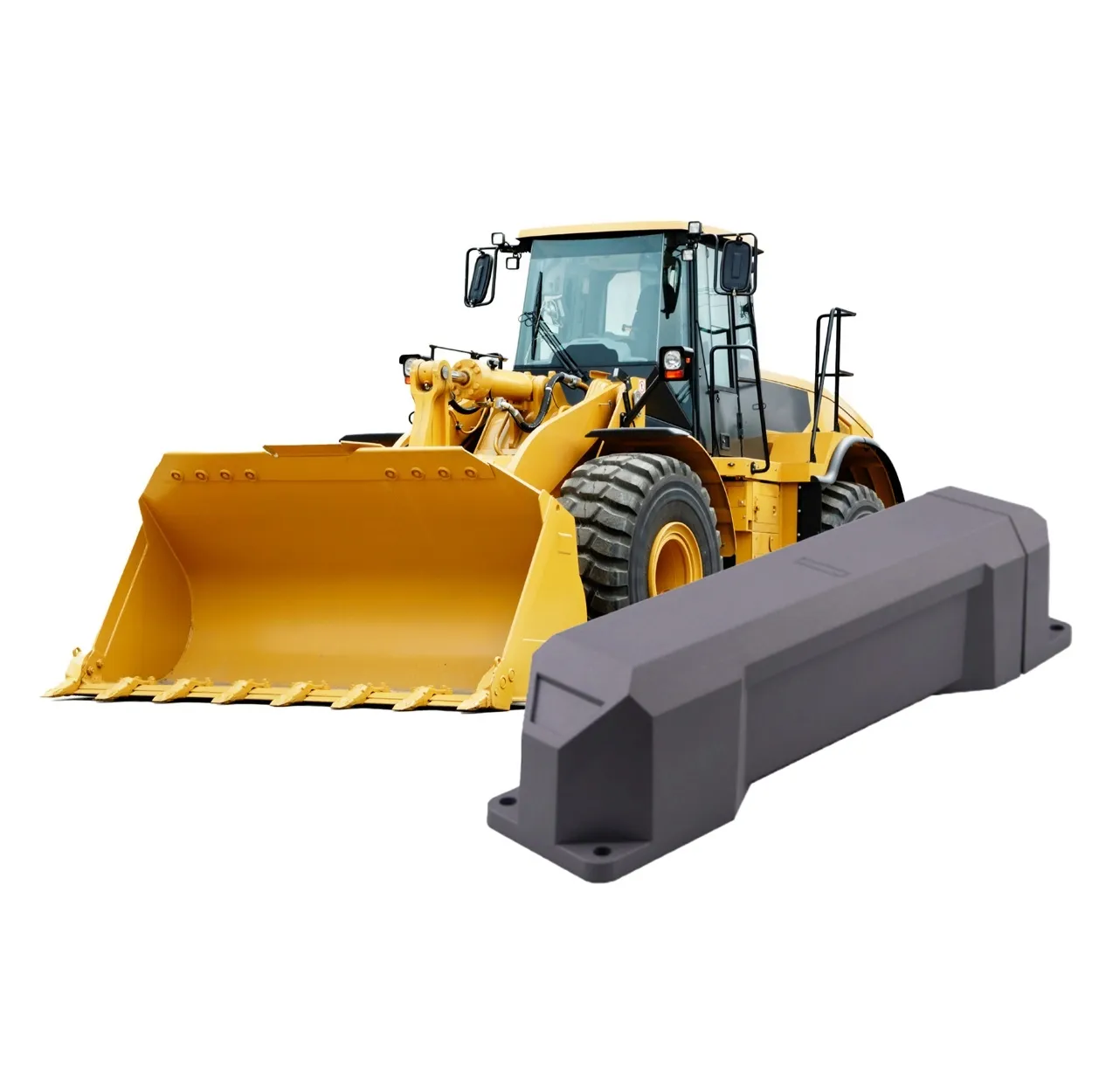
Live map shows every asset by job site. Clue pulls location, engine hours, fuel levels, and fault codes from 80+ OEM and GPS systems, including John Deere, Samsara, and Geotab. Manual meter readings fill the gaps. Everything lands in one view.

Orange rounded square with a white checkmark inside.

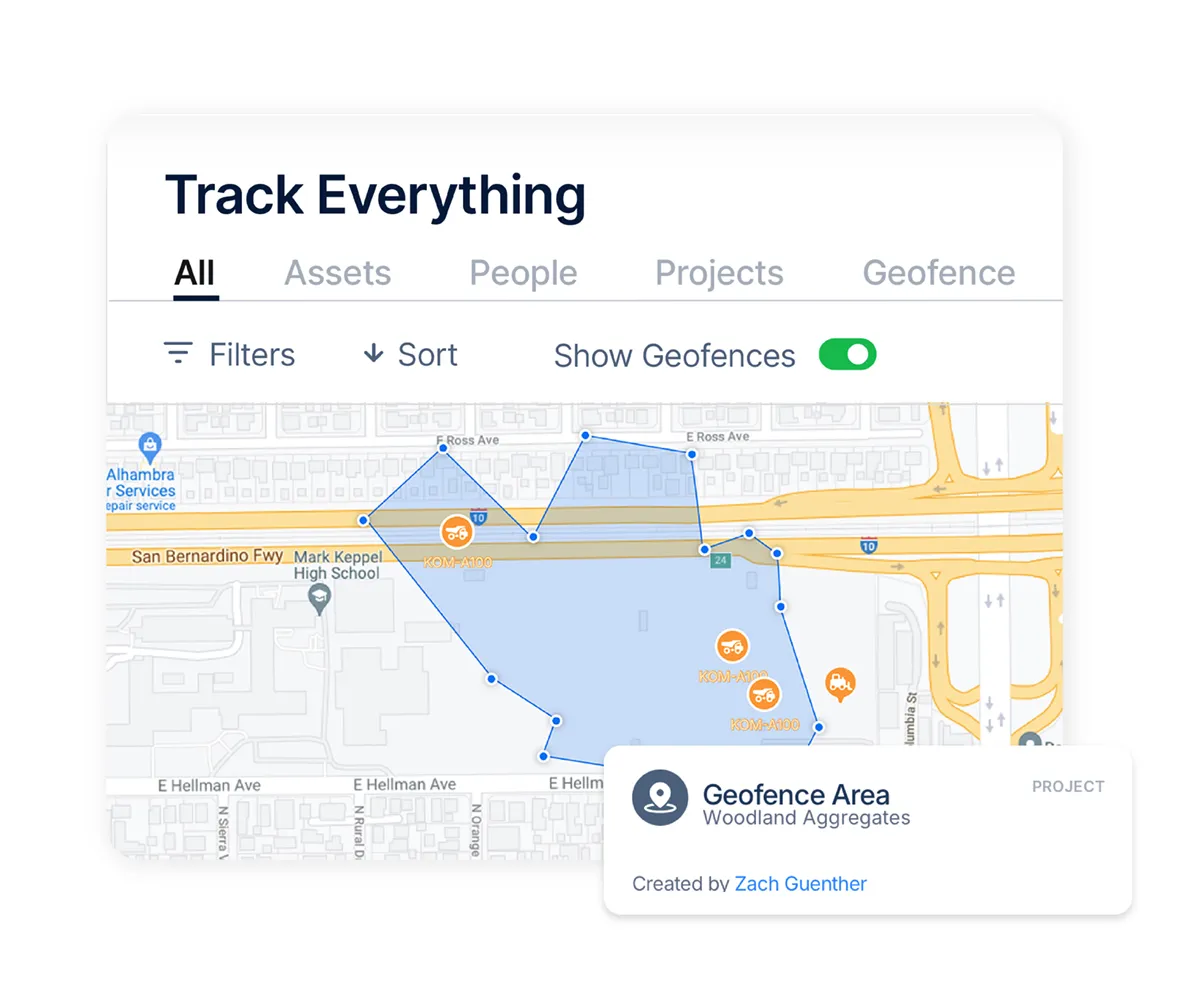
Real-time fleet map by project

Orange rounded square with a white checkmark inside.

Live OEM hours, fuel, and fault codes

Orange rounded square with a white checkmark inside.

Integrations with John Deere and Samsara

Orange rounded square with a white checkmark inside.

Geofence alerts by job site

Orange rounded square with a white checkmark inside.

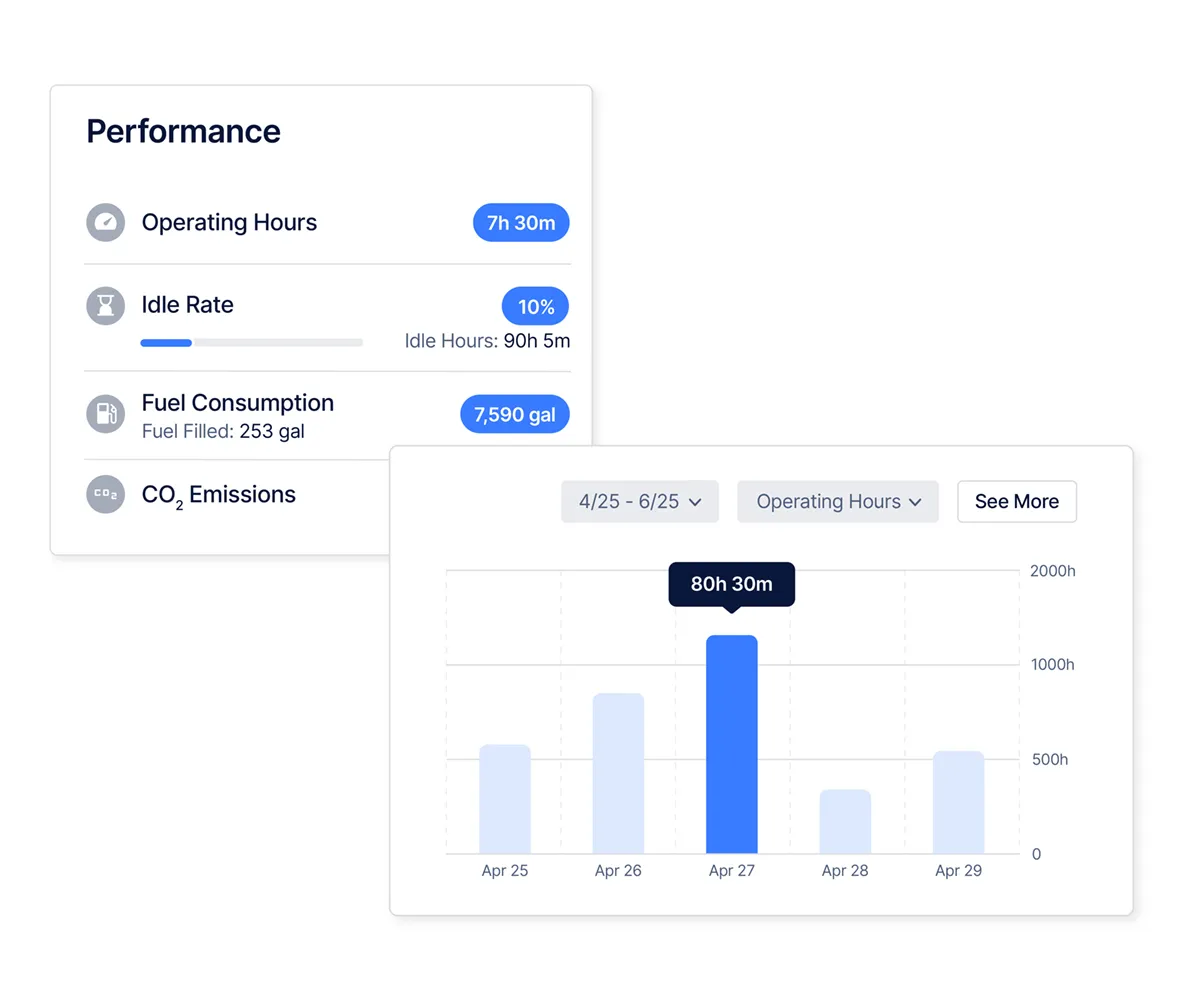
Idle time tracking across assets

Orange rounded square with a white checkmark inside.

Manual meter readings for non-telematics assets

asset maintenance tracking software
asset tracking management system

Maintenance Management

PM schedules run on engine hours, mileage, or calendar date. When an asset reaches its interval, Clue creates and assigns the work order automatically. Mechanics see open repairs, required parts, and service history in one workflow.

Orange rounded square with a white checkmark inside.

Preventive maintenance by hours, miles, or date

Orange rounded square with a white checkmark inside.

Auto-generated work orders at PM intervals

Orange rounded square with a white checkmark inside.

Mechanic scheduler with drag-and-drop assignment

Orange rounded square with a white checkmark inside.

Work orders with tasks, parts, and labor timecards

Orange rounded square with a white checkmark inside.

Parts management with purchase orders

Orange rounded square with a white checkmark inside.

Cost tracking across labor, parts, and repairs

Dispatch and Resource Planning

The Magnet Board shows every asset and crew member, what’s assigned, available, or in the shop. Drag and drop equipment and crews across projects from one screen. Field teams request assets from mobile, while dispatchers manage delivery and transfers in real time.

Orange rounded square with a white checkmark inside.

Magnet Board for visual drag-and-drop scheduling

Orange rounded square with a white checkmark inside.

Combined asset and crew dispatch

Orange rounded square with a white checkmark inside.

Mobile equipment requests from the field

Orange rounded square with a white checkmark inside.

Delivery and transfer scheduling

Orange rounded square with a white checkmark inside.

Forward resource planning by project

Orange rounded square with a white checkmark inside.

Live visibility into assigned and available resources

asset management and tracking software
construction inventory management software

Rental Equipment

Rented assets are tracked alongside the owned fleet. On-rent and off-rent status, project assignment, and utilization data all in one place. United Rentals integration brings rental data in without manual entry.

Orange rounded square with a white checkmark inside.

On-rent and off-rent status tracking

Orange rounded square with a white checkmark inside.

Rental assets assigned by project

Orange rounded square with a white checkmark inside.

United Rentals data integration

Orange rounded square with a white checkmark inside.

Bulk rental import and syncing

Orange rounded square with a white checkmark inside.

Rental utilization and cost reporting

Orange rounded square with a white checkmark inside.

Owned and rented asset visibility

Fleet Financials and Cost Intelligence

Fuel, rentals, labor, maintenance, and project costs in one live view. Track true equipment costs without waiting for month-end ERP uploads or manual reconciliation. Cost-per-hour updates in real time across assets, projects, and the full fleet.

Orange rounded square with a white checkmark inside.

True cost-per-hour by asset

Orange rounded square with a white checkmark inside.

Fuel, labor, maintenance, and rental costs combined

Orange rounded square with a white checkmark inside.

Project-level cost reporting

Orange rounded square with a white checkmark inside.

Live financial visibility across the fleet

Orange rounded square with a white checkmark inside.

Exportable reports for finance review

Orange rounded square with a white checkmark inside.

Cost tracking by asset and project

asset management and tracking software
construction inventory management software

ERP and Cost Code Integration

Clue connects to the ERPs construction companies already use. Cost codes, labor, parts, and maintenance data sync automatically without manual exports. Vista and Viewpoint task sequencing is supported, so work orders match ERP batch requirements.

Orange rounded square with a white checkmark inside.

Vista (Viewpoint) ERP integration

Orange rounded square with a white checkmark inside.

HCSS Equipment360 integration

Orange rounded square with a white checkmark inside.

Cost code sync on work order close

Orange rounded square with a white checkmark inside.

Labor and parts cost exports

Orange rounded square with a white checkmark inside.

ERP-ready work order sequencing

Orange rounded square with a white checkmark inside.

Maintenance record syncing to ERP

Reporting and Analytics

Track utilization, productivity, maintenance history, and fleet costs across every project. Mixed fleets, with and without telematics, are handled in the same reports. Scheduled delivery keeps operations, finance, and leadership aligned.

Orange rounded square with a white checkmark inside.

Asset utilization by project and site

Orange rounded square with a white checkmark inside.

Manual meter readings by asset type

Orange rounded square with a white checkmark inside.

Project productivity across job sites

Orange rounded square with a white checkmark inside.

Scheduled delivery for recurring reports

Orange rounded square with a white checkmark inside.

Custom builder for fleet reports

Orange rounded square with a white checkmark inside.

Maintenance and cost history tracking

asset management and tracking software
construction inventory management software

Connect Everything - 80+ Integrations

Clue connects the systems construction teams already use. OEM telematics, GPS providers, ERPs, fuel systems, and rental platforms all feed into one operational view. Operations, maintenance, and finance teams work from the same live equipment data instead of switching between disconnected tools.

Orange rounded square with a white checkmark inside.

OEM telematics for hours, fuel, and faults

Orange rounded square with a white checkmark inside.

GPS integrations with Samsara and Geotab

Orange rounded square with a white checkmark inside.

ERP syncing for labor and maintenance costs

Orange rounded square with a white checkmark inside.

Rental status syncing from United Rentals

Orange rounded square with a white checkmark inside.

Open API access for custom integrations

Platform Capabilities

Targeted equipment monitoring

Single Pane of Glass

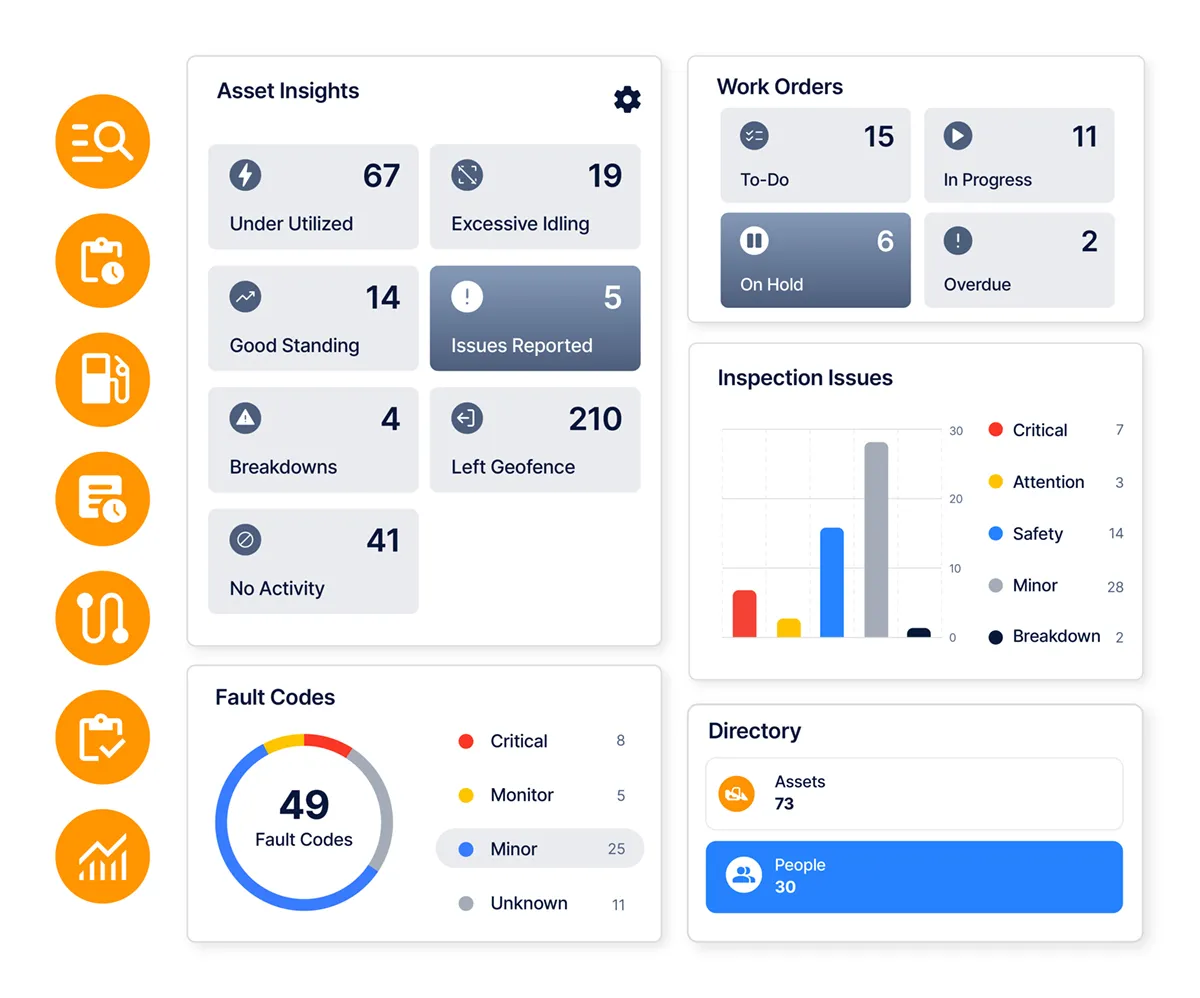
Equipment, maintenance, dispatch, finance, and field operations in one platform

Tool and settings icon

Live Fleet Map

Real-time asset locations grouped by project and job site

maintenance utilization icon

OEM Telematics Sync

Hours, fuel, fault codes, and location from OEM providers

Alert notification icon

Fault Code Monitoring

Machine fault codes synced directly from OEM telematics systems

24/7 hours service icon

Work Orders

Tasks, parts, labor, and cost codes in one workflow

bell icon

Mechanic Scheduler

Drag-and-drop scheduling across mechanics, dates, and repair workloads

Verified delivery icon

Preventive Maintenance

PM scheduling by hours, miles, and calendar-based intervals

Bug fixing setting icon

Digital Inspections

Mobile inspections with photos, checklists, and automatic issue routing

project coordination clue Icon

Magnet Board Dispatch

Visual scheduling for equipment, crews, and project assignments

Clue Icon for resource allocation

Field Equipment Requests

Mobile requests connected directly to dispatch and resource planning

job tracking clue icon

Mobile App

Mobile access for inspections, requests, timecards, and repair workflows

repair support icon

Geofencing

Job site boundaries with automated entry, exit, and movement tracking

project coordination clue Icon

Rental Tracking

On-rent visibility, project assignment, and rental data syncing

Clue Icon for resource allocation

Fleet Financials

Fuel, labor, rentals, and maintenance costs in one live view

job tracking clue icon

Fuel Management

Fuel tracking by asset, project, and operating activity levels

repair support icon

Equipment Economics

Ownership cost, utilization, and profitability tracked at asset level

24/7 hours service icon

Safety and Toolbox Talks

Digital safety tracking, attendance logging, and compliance workflows

bell icon

ERP Integration

ERP syncing for labor, parts, maintenance, and project cost codes

Verified delivery icon

Timecards

Labor hours tied directly to projects, repairs, and work orders

Bug fixing setting icon

Sustainability Tracking

Fuel and idle data for emissions and sustainability reporting

CapabilityThe word CLUE in bold uppercase orange block letters on a transparent background.GPS-Only PlatformsGeneral Fleet SoftwareSpreadsheets
Real-time GPS trackingYesYesVariesNo
OEM telematics integration (70+ providers)YesLimitedLimitedNo
Fault code monitoringYesSometimesRarelyNo
Preventive maintenance schedulingYesNoSometimesManual
Auto-generated work orders from PMYesNoNoNo
Work orders with parts and laborYesNoSometimesManual
Mechanic schedulerYesNoNoNo
Digital inspections via mobile and WhatsAppYesNoNoNo
Inspection-to-work order routingYesNoNoNo
Equipment dispatch boardYesNoNoNo
Field equipment requestsYesNoNoNo
Rental equipment trackingYesNoSometimesManual
Fleet financials (fuel + labor + maintenance)YesNoNoNo
ERP integration (Vista, HCSS, Viewpoint)YesNoRarelyNo
Utilization reporting (mixed fleet)YesLimitedLimitedManual
Single pane of glass across all modulesYesNoNoNo

Not available

Partial

Built in

How Contractors Use Clue

Frequently Asked Questions

What is construction equipment management software?

Construction equipment management software tracks the location, maintenance status, and deployment of heavy equipment across job sites. It combines GPS tracking, preventive maintenance scheduling, work order management, inspection logs, dispatch, and utilization reporting in one platform. The primary use case is reducing unplanned downtime and giving operations teams accurate data on every asset.

What features does construction equipment management software need?

Core features: real-time GPS tracking, preventive maintenance by hours or calendar, work order management with parts and labor tracking, operator inspection forms, equipment dispatch, and utilization reporting. For construction specifically, OEM telematics integration - to pull fault codes and engine hours directly from machines - mobile access for field crews, and ERP integration for cost codes are standard requirements.

How is construction equipment management software different from GPS tracking?

GPS tracking shows asset location. Equipment management software adds maintenance scheduling, work orders, cost tracking, dispatch, and reporting on top of that location data. GPS is one input. The software is the operational layer where teams act on that data.

What is heavy equipment maintenance software?

Heavy equipment maintenance software manages the service lifecycle of construction assets - excavators, bulldozers, cranes, and similar machines. It covers preventive maintenance schedules tied to engine hours, work orders for repairs, parts inventory, mechanic labor tracking, and fault code monitoring from OEM telematics. It connects to machine data rather than relying on manual input.

How do construction companies track heavy equipment?

Most contractors combine OEM telematics - factory-installed GPS and sensors - with an asset management platform that aggregates the data. The OEM system reports location, hours, fuel, and fault codes. The management platform assigns assets to projects, generates maintenance schedules, and produces utilization reports. Companies with mixed fleets use manual meter readings to cover assets without telematics.

What is equipment utilization in construction?

Utilization measures how much of available time an asset is actively working vs. idle or in the shop. Low utilization on owned equipment means ownership costs - depreciation, insurance, financing - are running on a machine that is not producing. Tracking utilization by asset and project shows where equipment is underdeployed and informs buy vs. rent decisions.

Can construction equipment management software integrate with ERP systems?

Yes. Purpose-built platforms for construction connect to ERP systems like Vista (Viewpoint) and HCSS for cost code tracking, labor export, and maintenance cost reporting. Maintenance costs - parts, labor, repair hours - flow into project costing and financial reporting without manual re-entry.

How long does it take to implement construction equipment management software?

Most teams are operational within 30 to 60 days. OEM telematics sync is typically the longest setup item. Mobile onboarding for field crews - inspections and equipment requests - is usually complete within a few days once the system is configured.

Fleet management automation with real time productivity tracking

See the Full Platform

Clue connects your fleet data, maintenance operations, and cost reporting without replacing the tools you already use. 75+ integrations. One view.