Understanding the Tools Module
What is this?
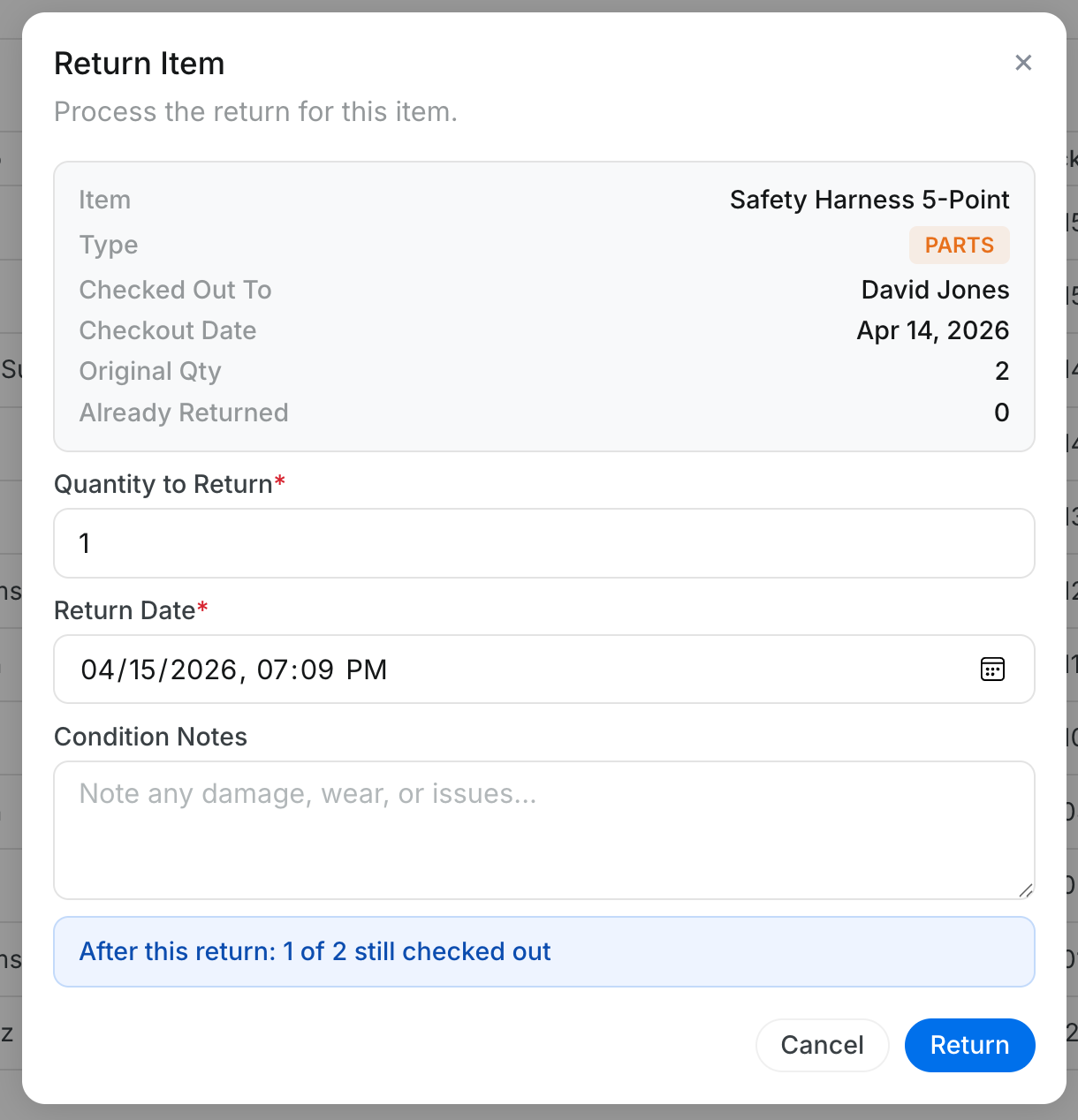
Tools is a check-out and return system for equipment and parts. When someone takes a drill, a safety vest, or a truck off the yard, it gets logged here. When they bring it back, the return gets recorded. If only part of a batch comes back, the system tracks the partial return. If something goes missing, you mark it lost.
Think of it as a digital sign-out sheet. Searchable, always up to date, and visible to everyone on the team.
Who is this for?
- Tool Crib Managers - Track every item that leaves the shop. Know exactly who has it and when it is expected back.
- Dispatchers - See which tools are checked out before assigning them elsewhere.
- Mechanics and Field Crews - Check out tools and parts for a job. Return them when done.
- Project Managers - See all tools and parts currently at your jobsite.
How to find it
Step 1: Open the Tools page
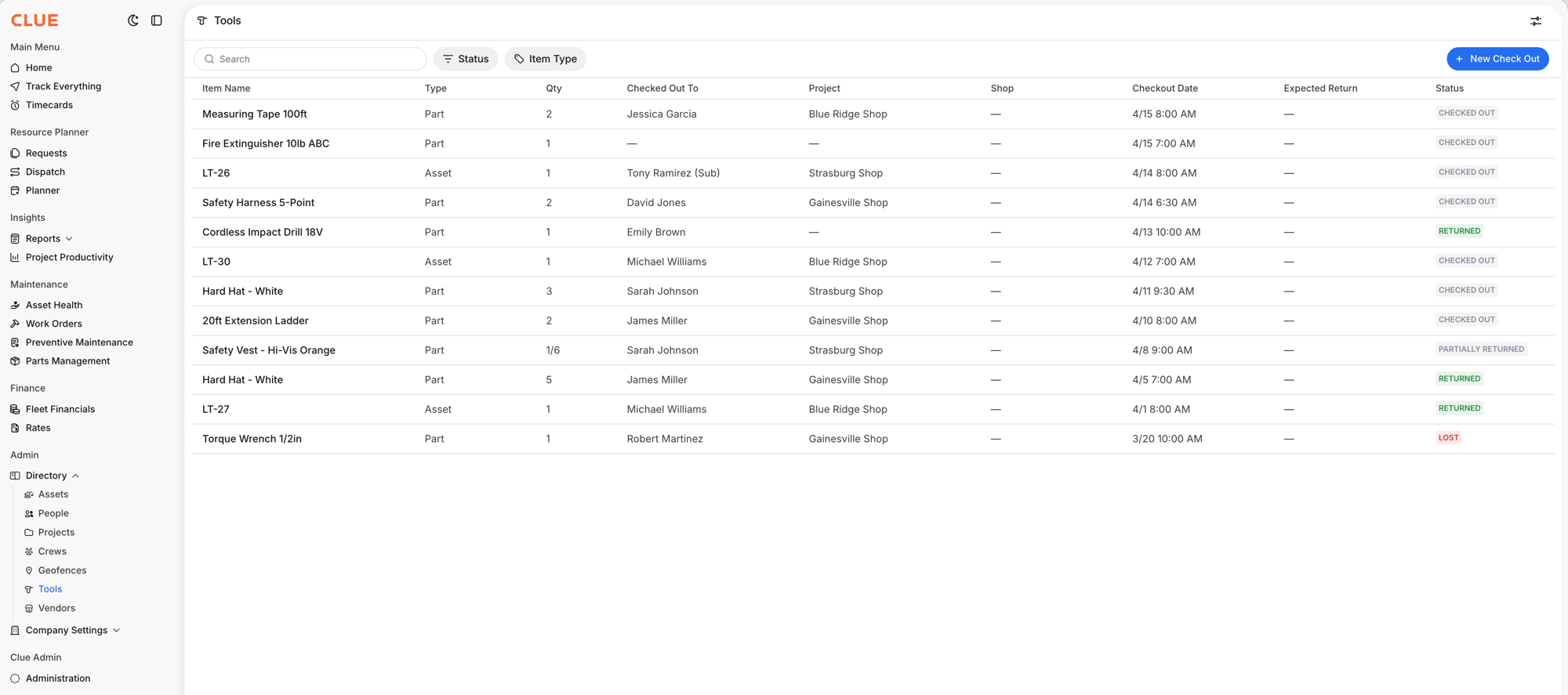
In the sidebar, expand Directory and click Tools (the drill icon). The table shows every item with its current status.
Understanding the table
Each row shows:
- Item Name and Type (Part or Asset)
- Qty checked out. For parts, shows a fraction if partially returned (like "1/6")
- Checked Out To and Project
- Checkout Date and Expected Return
- Status: CHECKED OUT, RETURNED, PARTIALLY RETURNED, or LOST
Filtering and searching
Use the Status filter to show only checked-out items (your daily view), only returned items (for history), or only lost items. Use the Item Type filter to see only Parts or only Assets. The search bar finds items by name.
The full details
- Works on: Web app
- Location: Directory > Tools (URL: /tools/table)
- Two item types: Equipment (assets like trucks, drills) and Parts (consumables like safety vests, hard hats)
- Four statuses: CHECKED OUT, RETURNED, PARTIALLY RETURNED, LOST
- Languages: English, Spanish, Portuguese, French
- Formerly called: "Check In/Out" at /checkout-dashboard. Update your bookmarks.
Tips
- Filter by CHECKED OUT to see your daily view. Everything currently out in the field, at a glance.
- Set expected return dates. Even an estimate helps you follow up when tools do not come back.
- Check the Qty column for fractions. "1/6" means 1 returned out of 6 checked out. 5 are still in the field.